ccch1mneyyy/dsh-cc-tui
dsh-cc-tui
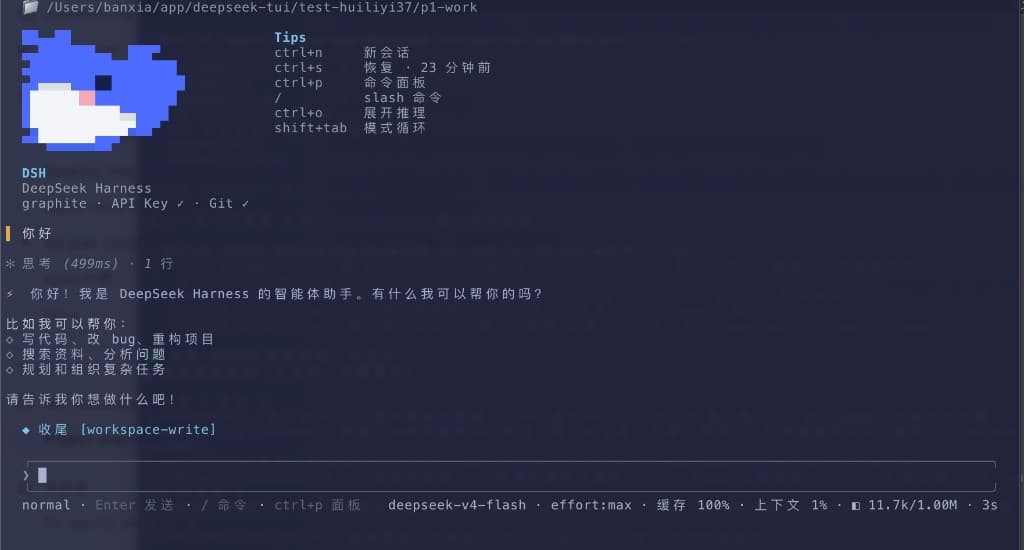
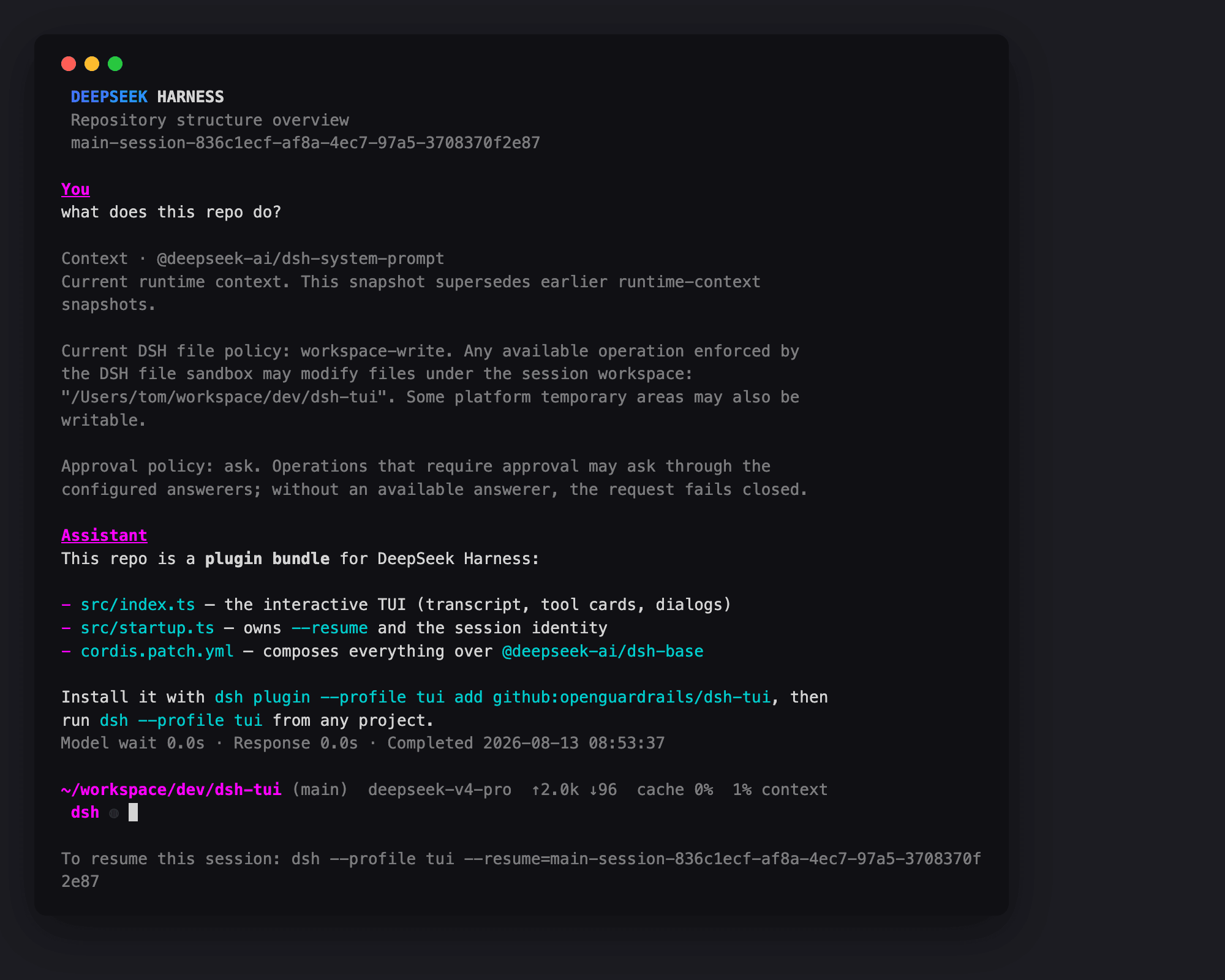
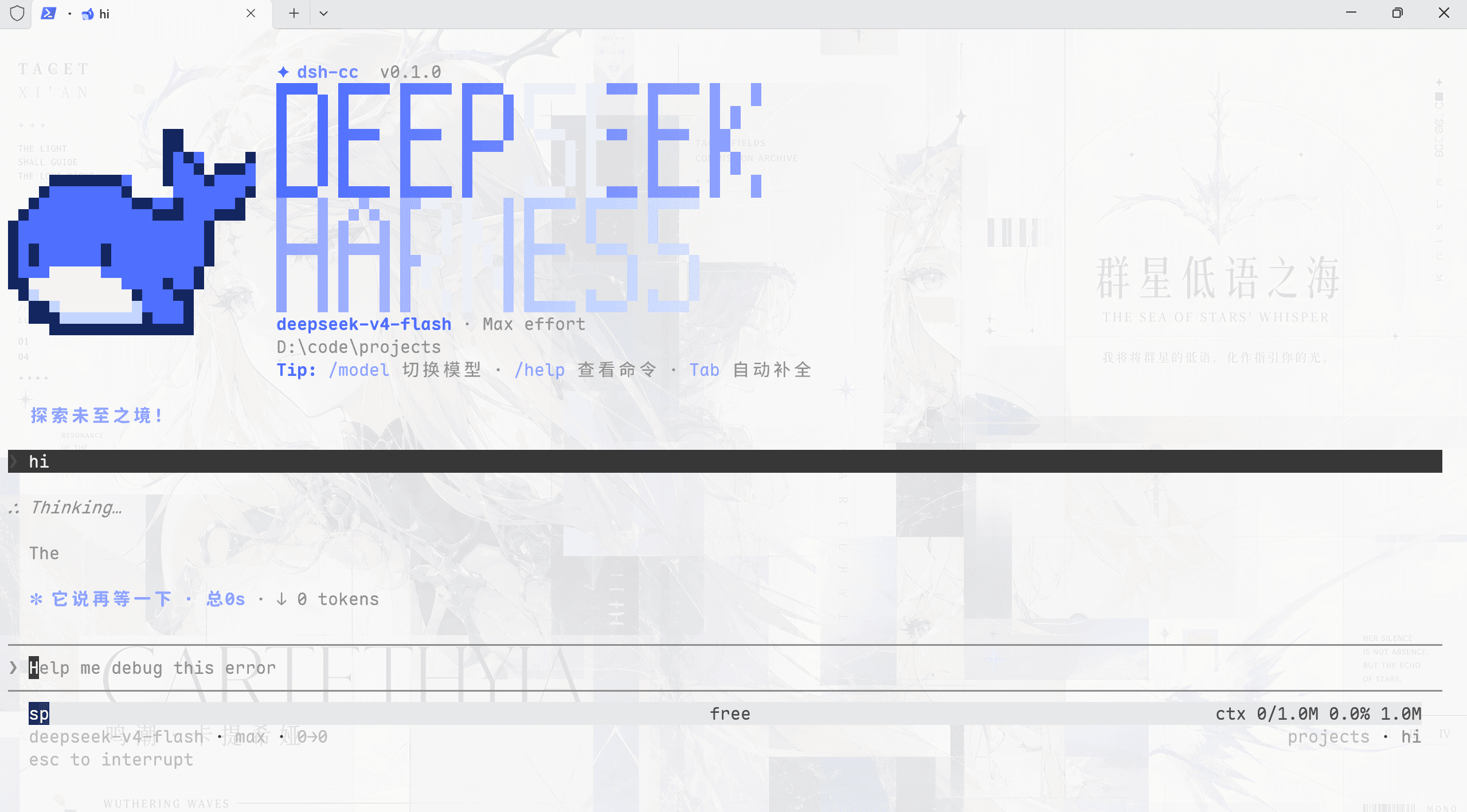
Official DSH still has no full terminal TUI. This plugin adds a Claude Code-style fullscreen shell: pixel whale header, streaming thoughts, double-Esc rewind, context bar, and TPS gauge.
Install
dsh plugin --profile cc-tui add dsh-cc-tuiThe repo ships install.sh. You need the official dsh CLI and pnpm.
README badge

[](https://dshhub.dev/plugins/dsh-cc-tui)Paste this into your README. The star count updates with every catalog sync.
From the README
Excerpt from ccch1mneyyy/dsh-cc-tui, cleaned of badges and images.
<strong>简体中文</strong> | <a href="README_EN.md">English</a>
dsh-TUI
一个美观且实用的 Claude Code 风格 TUI 插件:像素鲸鱼顶栏、双流光大字、实时工作状态行、思考流式展开、双击 Esc 时间回溯、蓝白上下文进度条 + TPS 仪表。 零核心改动,纯插件挂载。安装插件即可启用,卸载后不会留下核心补丁。 献给钟爱tui的各位极客们~
A beautiful, practical Claude Code-style TUI plugin: pixel whale top bar, dual flowing-glow title, real-time status line, streaming thought expansion, double-Esc time rewind, blue-white context progress bar + TPS gauge. Zero core changes, pure plugin mounting. Install to enable; uninstall leaves no core patches. For all TUI-loving geeks~
🎉 官方收录
本插件被 DeepSeek Harness 官方公众号 推文收录,作为"内测用户精选插件"展示:
同时也被 dshfind 插件目录收录:
<a href="https://dshfind.com/zh/plugins/ccch1mneyyy/dsh-TUI"><img src="https://dshfind.com/api/card/ccch1mneyyy/dsh-TUI?lang=zh" alt="dsh-TUI on dshfind"></a>
核心能力
- 终端原生交互:流式 Markdown、结构化工具卡、命令与文件补全、
@文件引用 (消息任意位置补全,文本附加内容,PNG/JPEG/WebP/GIF 作为持久图片块发送)、历史搜索、消息选择、 inline/alternate-screen 两种渲染模式,以及/lang中英界面语言切换。 - 时间线导航:Grok 式轮次 rail 覆盖全部轮次(含折叠轮)——折叠窗口只露
最近几轮时 rail 仍全景可达,点击刻度揭示对应轮并滚动到位;未钉底时
Enter/End一键回底(远距一步到位不闪空白),新消息 pill 常驻可点击; 右侧 gutter 支持 timeline / scrollbar / hidden 三态设置。 - 可观察的 Agent 状态:实时工作状态、上下文分段进度、TPS、缓存命中率、 推理等级、输入/输出 token 与 Git/会话信息。
- 完整会话工作流:
/resume、/new、/compact、/export、/btw侧问、 模型切换,以及双击Esc发起的会话 rewind/fork。 - DSH 官方能力接入:Agent preset、Skills、MCP、Goals、Todos、子代理、
ask_user_question问卷都通过现有服务或注册表连接。 - 为长会话设计:事件驱动投影、差分终端输出、消息虚拟化、回放合并与有界缓存, 避免渲染成本和内存随会话无限增长;热路径指纹缓存做到每帧零分配 (3200 行会话每 16ms tick 省下 ~200KB GC 压力),wrapText 与 markdown token 走全局 LRU 跨挂载复用,主屏打开分帧补画、渲染折叠窗口 300→120 行, 长会话恢复直达内容(跳过开场动画、落点锚定最新消息末行)。
界面预览
快速开始
前置条件:可用的终端 TTY、官方 dsh CLI,以及 pnpm 10+。运行模型还需要
DEEPSEEK_API_KEY。
# 1. 全局安装 CLI + 本插件(本插件自带 dsh-tui 直达命令)
npm install -g @deepseek-ai/dsh @deepseek-harness-tui/dsh-tui

# 2. 启动(首次运行会自动初始化 dsh-tui profile,需 pnpm)
dsh-tui
备选——手工安装 profile(仓库根目录 install.sh 已封装,含 pnpm 预检):
sh install.sh
# 或:dsh plugin --profile dsh-tui add @deepseek-harness-tui/dsh-tui
# 之后 dsh-tui 与 dsh --profile dsh-tui 等价
dsh-tui --resume 恢复上次会话;Windows 也可用仓库里的 dsh-tui.cmd(等价)。
Herdr
在 Herdr pane 中直接运行 dsh-tui 即可,无需额外配置。
dsh-TUI 会通过 Herdr 提供的本地接口上报 idle、working、blocked 状态;
问卷或工具审批出现时标记为 blocked。离开 Herdr 运行时该集成完全不启用。
Herdr 的 agent start --kind dsh-tui、session 身份与服务重启后自动恢复仍需 Herdr
上游加入原生 agent kind;当前可正常保活、重连和观察手工启动的 pane。
在 VS Code 中运行的完整指南(内置终端直接使用 + companion 扩展
dsh-tui-vscode——真实集成终端承载、体验与 Claude Code 官方扩展几乎一致、
已上架 VS Code Marketplace)见
在 VS Code 中运行 dsh-TUI。
TUI 启动后会在后台检查当前 registry 是否有新版本;发现更新时直接输入 /update
即可一键升级。/update 会更新当前 dsh-tui profile 中实际运行的 runtime、校验
安装结果,然后自动重启并恢复当前会话。
通过全局 dsh-tui 命令启动时,新版会自动将全局入口迁移/对齐为 delegating
launcher(委托式启动器):全局命令只负责转交给 profile 内副本,后续启动逻辑始终
跟随 profile 版本。
正常情况下不再需要额外执行:
npm install -g @deepseek-harness-tui/dsh-tui
旧版 dsh-cc-tui / cc-tui profile 的迁移命令与兼容数据说明见
安装与快速开始。
安装流程、profile 叠加机制、源码构建与常见问题见 安装与快速开始。
快捷键
…