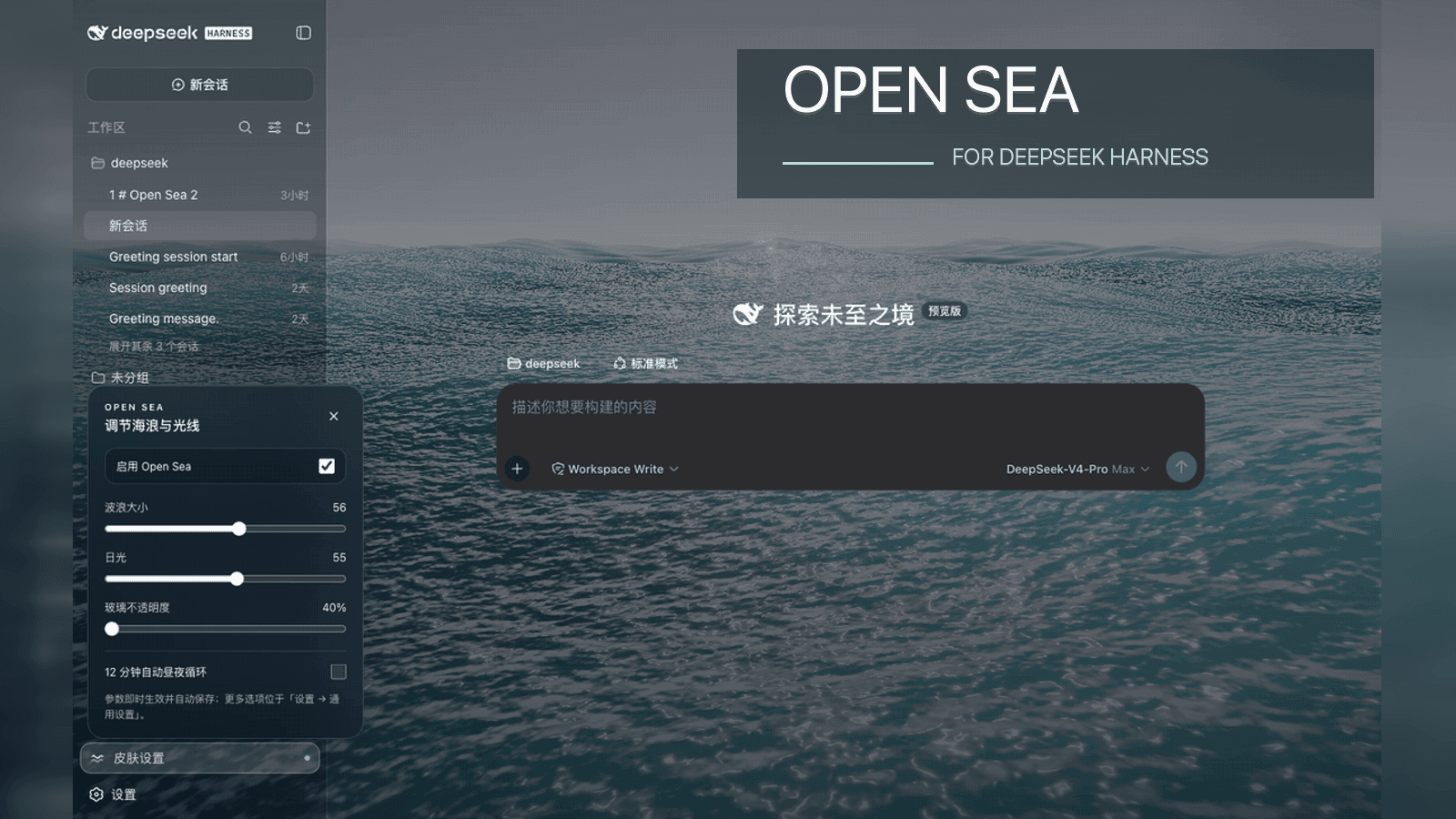
d-dev0101/open-sea-skin
open-sea-skin
WebGPU ocean skin for DeepSeek Harness — DSH plugin, Harness-only Chrome/Edge extension, static installer, and native integration.
Install
npx @deepseek-ai/dsh plugin --profile web add 'github:d-dev0101/open-sea-skin#v1.2.1'Restart `dsh web` after install. Bundle APIs can change during the developer preview.
README badge

[](https://dshhub.dev/plugins/open-sea-skin)Paste this into your README. The star count updates with every catalog sync.
From the README
Excerpt from d-dev0101/open-sea-skin, cleaned of badges and images.
Open Sea Skin
Interactive website · 中文 · Architecture · Release guide
A self-contained WebGPU ocean skin for DeepSeek Harness. It keeps the original five-wave Gerstner/TSL look, adds a translucent Harness theme, and is available as a one-line DSH plugin, Harness-only Chrome/Edge extension, one-command static installer, or native Harness source integration.
Recommended — install as a DSH plugin
Install the complete local-only ocean runtime and lower-left quick controls directly from GitHub:
dsh plugin --profile web add 'github:d-dev0101/open-sea-skin#v1.2.1'
Restart dsh web, then use Skin settings at the lower left to adjust wave
size, daylight, 40% glass opacity, and the automatic day/night cycle. Remove it
with:
dsh plugin --profile web remove open-sea-skin
This package is tested with DeepSeek Harness 0.1.0-rc.6. Use the source
integration below only when you also want the controls embedded inside the
native General settings page. See the DSH installation and troubleshooting
guide for verification and recovery details.
Gallery
Every animation below is recorded from the native DeepSeek Harness integration at 40% glass opacity. The overview baseline is wave size 56 and daylight Afternoon (55).
1 — Dark Harness overview
2 — Light Harness overview
3 — Adjusting wave size
Daylight stays at Afternoon (55) while the wave control moves from moderate to calm, through high sea, and back to the baseline of 56.
4 — Daylight to sunset
Wave size stays at 56 while daylight moves smoothly from Midday to Dusk.
Install option 1 — Chrome or Edge extension
- Download and unzip the latest
open-sea-skin-extension-*.ziprelease, or clone this repository. - Open
chrome://extensions(Edge:edge://extensions) and enable Developer mode. - Select Load unpacked and choose this repository's
extension/folder. - Open DeepSeek Harness on
127.0.0.1orlocalhost, then reload it once.
The extension does not replace Chrome or Edge's new-tab page, change the
browser homepage, or interfere with an existing new-tab extension. It verifies
the Harness title, root, and server-injected boot marker before changing a page,
so other local development sites also remain untouched. Use the toolbar popup
to disable the Harness skin. The lower-left wave button opens sea-state,
daylight, and glass-opacity controls. Values are saved with
chrome.storage.sync.
Install option 2 — Harness static build (no source compilation)
Run this from any directory. It downloads the pinned v1.2.1 source archive
to a temporary directory, runs the installer, and removes the download when it
finishes. Stop Harness before running it, then start dsh web again, keep
that terminal process running, and reload the browser:
curl -fsSL https://raw.githubusercontent.com/d-dev0101/open-sea-skin/main/install.sh | bash
The script finds a built/installed Harness frontend, makes a local backup, copies the self-contained assets, and injects one marked loader block. If automatic detection cannot find the frontend, pass it explicitly:
curl -fsSL https://raw.githubusercontent.com/d-dev0101/open-sea-skin/main/install.sh | bash -s -- --dist /absolute/path/to/apps/web/dist
Re-run the bootstrap with --update after every Harness upgrade:
…

