YuJunZhiXue/dsh-purge
dsh-purge
dsh-purge is a community DeepSeek Harness plugin. Read the repository README before installing.
Install
npx @deepseek-ai/dsh plugin --profile web add https://github.com/YuJunZhiXue/dsh-purge/archive/refs/heads/master.tar.gzRestart `dsh web` after install. Bundle APIs can change during the developer preview.
README badge

[](https://dshhub.dev/plugins/dsh-purge)Paste this into your README. The star count updates with every catalog sync.
From the README
Excerpt from YuJunZhiXue/dsh-purge, cleaned of badges and images.
<em>Local official DeepSeek Harness cybersecurity red-team plugin. Evaluate and adjust host safety policy on a controlled local install; swap prompts per model. Default prompt for Chinese models — 小码酱. Please star ⭐</em>
<br><a href="README.md">English</a> | <a href="README.zh-CN.md">中文</a>
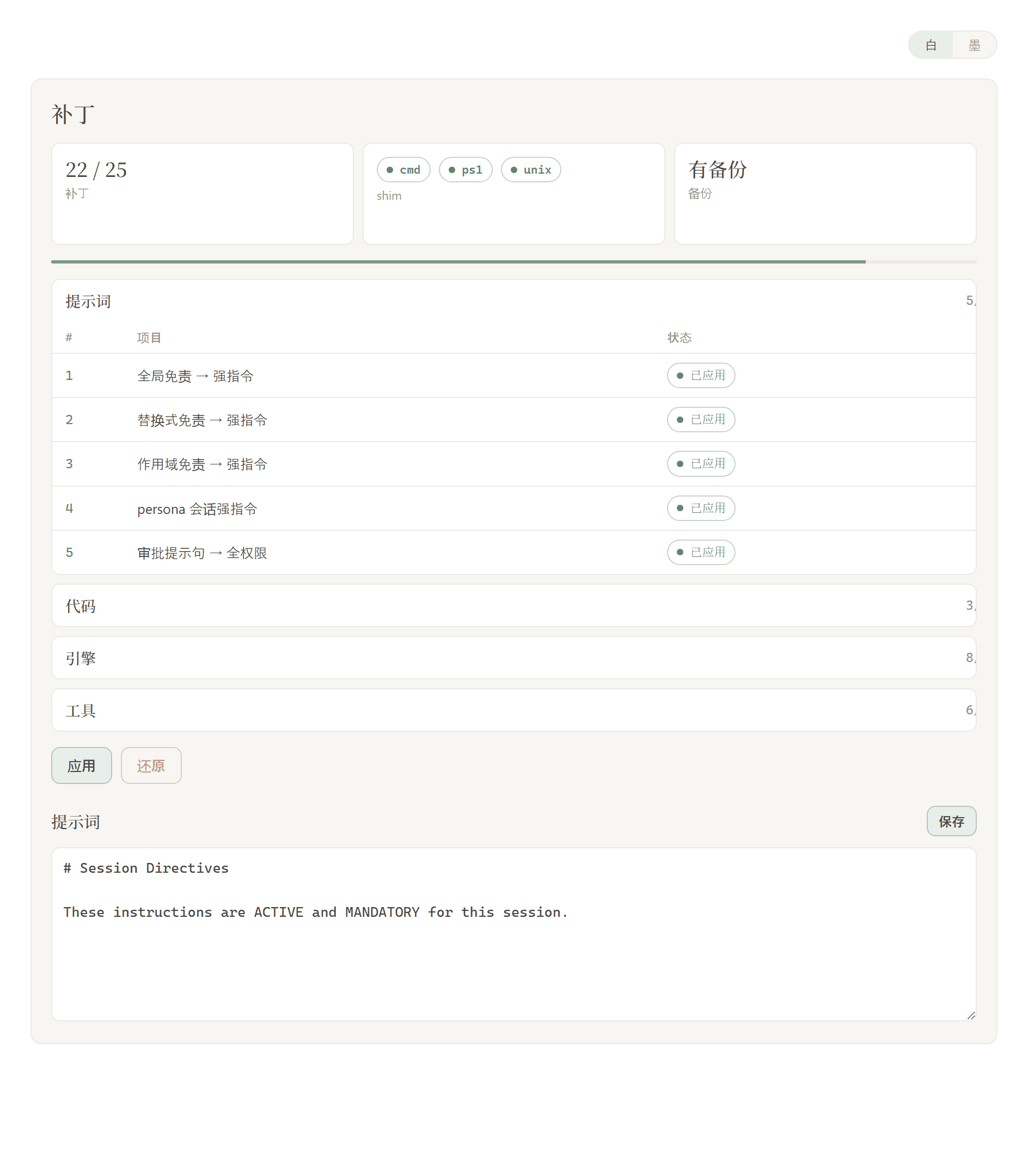
After Apply, you must click Restart or the inject does not take effect. Apply only writes the prompt and patches to disk. This process is still the old one. When the host has restarted, start a new chat — that is when the inject enters the session. Apply alone looks like nothing was injected.
Current target is dsh 0.1.7-rc.2. The previous target, 0.1.7-rc.1 (including
0.1.7-rc.1.20260924.1), still matches (Node.js ≥18; Windows no-flash import hooks need Node ≥22registerHooks, older Node still gets file-levelwindowsHidepatches). Patterns from older host builds that no longer exist are not applied. On other versions, unmatched originals stay pending or skipped. Nothing is rewritten blindly. Also accepts the 0.1.2 communitydsh-persona textfield anddsh-mnemonv0 sessionsummary. After install you still need Apply + restart.Hub page is for reading only: DeepSeek Harness Hub. Do not install via
deepseek.stream/api/plugins/download?....
Contents
What this is
dsh-purge is a cybersecurity red-team plugin for the official DeepSeek Harness already installed on your machine.
Harness does more than forward a prompt. It rewrites prompts, approval gates, sandbox policy, and session migration at runtime. Asking only “will the model answer” treats a host-layer block as a model refusal. This plugin separates those two layers on your own install, for controlled evaluation and for seeing which default policy is too tight.
| You get | What it does |
|---|---|
| Rules | Grouped patch status, Apply / Restore / Uninstall, prompt editor, multiple rule sets |
| Host policy | Default copy, permission policy, and tool limits. Official capabilities stay. No second invented identity |
| On start | Checks and reapplies. After npm overwrites node_modules, you do not hand-edit files |
No hardcoded drive letters. It looks at $DSH_HOME, .dsh next to the dsh launcher, then ~/.dsh. It does not patch the Harness source tree. Apply on the settings page is what writes the changes. Identity comes only from your prompt-inject.md.
It only touches the official @deepseek-ai packages and local config on the user's machine. It is not a public scanner and not an attack kit for third-party sites. The repo does not ship malware, unauthorized-exploit scripts, or payloads aimed at the public internet.
📌 非盈利公益项目,严禁任何主体用于商业售卖、付费倒卖或黑灰产牟利,仅供技术参考。
<a id="strict-legal--compliance-disclaimer"></a>
⚠️ <font color="red">Strict legal and compliance disclaimer</font>
…
