MichengAI/dsh-automation
dsh-automation
dsh-automation is a community DeepSeek Harness plugin. Read the repository README before installing.
Install
npx @deepseek-ai/dsh plugin --profile web add @michengai/dsh-automation@latestRestart `dsh web` after install. Bundle APIs can change during the developer preview.
README badge

[](https://dshhub.dev/plugins/michengai-dsh-automation)Paste this into your README. The star count updates with every catalog sync.
From the README
Excerpt from MichengAI/dsh-automation, cleaned of badges and images.
DSH Automation
Run standalone coding tasks on a schedule in DeepSeek Harness
简体中文 · Changelog · Apache-2.0
DSH Automation is a community-maintained DeepSeek Harness (DSH) plugin, not an official DeepSeek AI product.
Features
Let DSH handle work on a schedule. Set up tasks in Settings or describe the timing and requirements in a conversation, then review each run.
- Run once or repeat: choose intervals, hourly, daily, weekly, monthly, or every N days.
- Choose the working environment: set the directory, model, skills, and permissions.
- Adjust the schedule anytime: create, pause, resume, run immediately, or delete tasks.
- Review results: browse task conversations by name and run time in the Scheduled tab, or filter run history in Settings.
- Keep each run independent: each run uses the saved task instructions and does not inherit the conversation that created it.
Interface
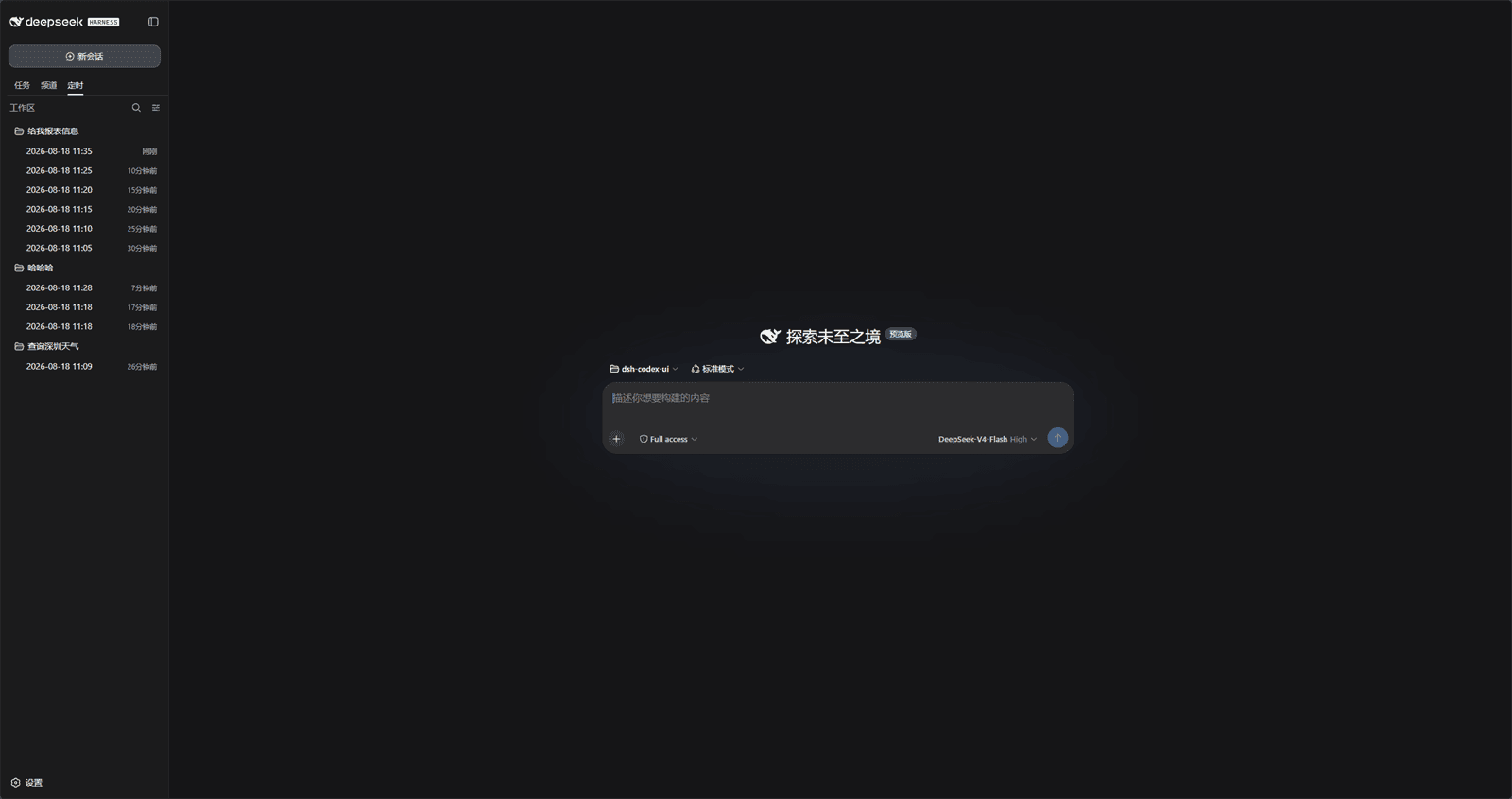
Scheduled sessions appear in both the official Tasks tree and the Scheduled tab. Idle scheduled sessions show the official clock icon in Tasks. Scheduled → Records groups by task by default and can switch to By workspace, Workspace tree, or Flat. By workspace keeps workspaces visible and only filters sessions to scheduled runs; the header + opens New scheduled task directly. Those groups cannot be added, renamed, or deleted:
Open Settings → Scheduled Tasks to search, create, pause, and inspect rules:
Describe the job in chat. DSH handles approval according to the selected permission mode:
After approval, the rule is saved and summarized in the conversation:
Run history stays in Settings and can be filtered by day, week, month, task, or status:
DSH product ecosystem
For a desktop workbench, download DSH Codex Desktop. Existing DeepSeek Harness installations can add plugins as needed by following each project's README. Below are 11 first-party plugins; consult the corresponding desktop release notes and bundled catalog for what that version includes.
…

