guo6x/dsh-pilot
dsh-pilot
Give your DSH agent hands: drive a real browser (Edge/Chrome over CDP) from the chat — ref-driven clicking, per-session browsers, and a live cockpit panel. Zero runtime deps, no API key.
Install
npx @deepseek-ai/dsh plugin --profile web add github:guo6x/dsh-pilot`Restart `dsh web` after install. Bundle APIs can change during the developer preview.
README badge

[](https://dshhub.dev/plugins/guo6x-dsh-pilot)Paste this into your README. The star count updates with every catalog sync.
From the README
Excerpt from guo6x/dsh-pilot, cleaned of badges and images.
🛩️ dsh-pilot — give your DSH agent hands
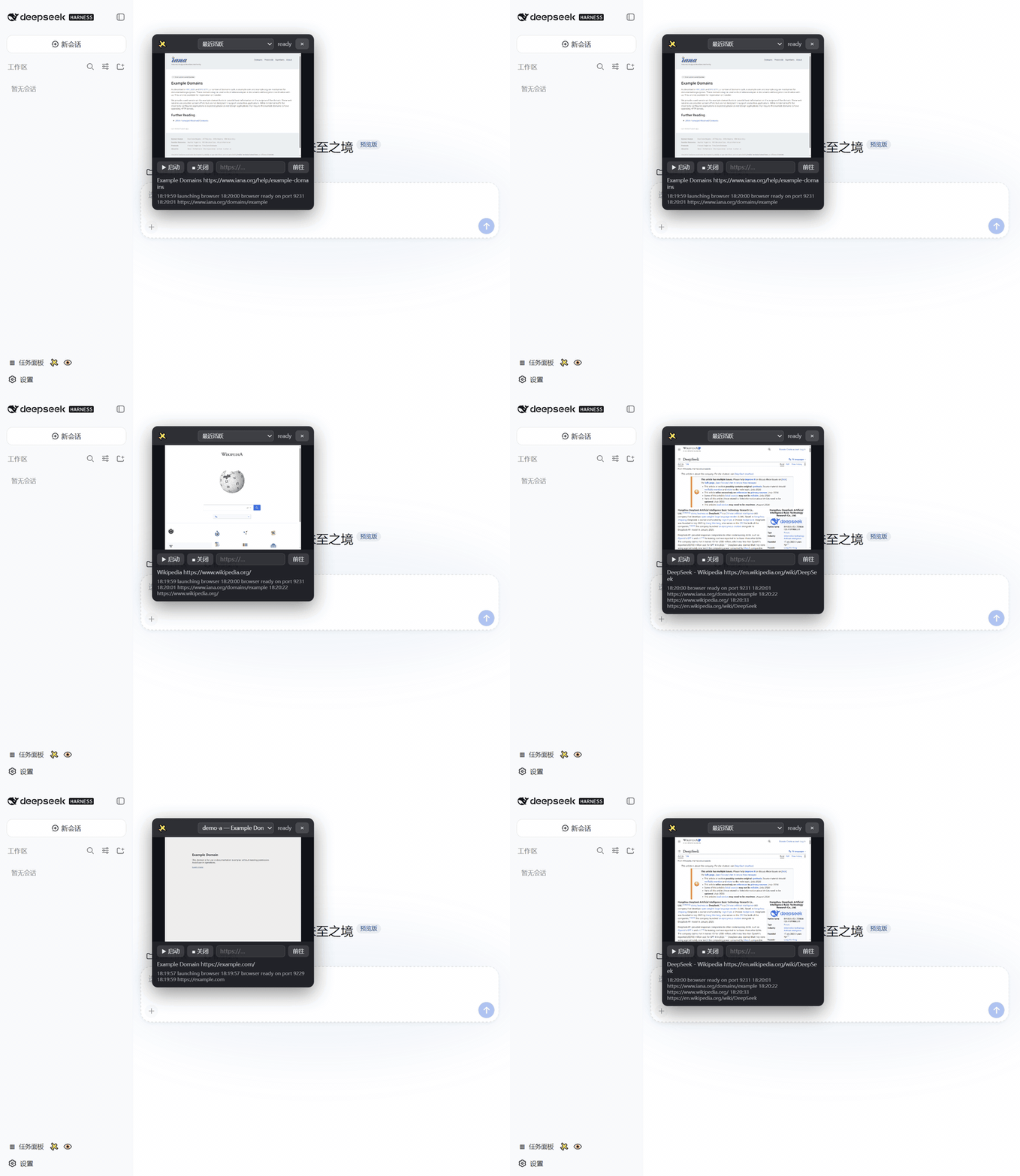
Drive a real browser from the DeepSeek Harness chat: the agent opens pages, reads them as structured text with a numbered element list, clicks and types by ref (no CSS guessing), presses keys, navigates back/reload, waits, evaluates JS, and takes screenshots — while you watch a live draggable cockpit panel in the Web GUI and can take over at any time.
- 🚀 One command install —
dsh plugin --profile web add github:guo6x/dsh-pilot - ⚡ Zero runtime dependencies — talks CDP over the native Node ≥ 22 WebSocket, uses the Edge/Chrome already on your machine
- 🔑 No API key — nothing leaves your machine; no vision model required
- 📖 Text-first by design — the agent reads DOM snapshots (title/URL/text/links + numbered elements), so text-only models browse without burning vision tokens
- 🎯 Ref-driven interaction — every click/type targets a snapshot ref, not a guessed selector; stale refs fail loudly with a hint
- 📝 Human-named forms — fill several fields by label, aria-label, placeholder, name, or id, and upload files by ref
- 🧭 Full navigation set — back, reload, and wait tools for real browsing flows, with page-settling waits built in
- 👀 Human in the loop — live screenshot, URL bar, action log, and a session switcher in the cockpit; you see everything the agent does
- 🧩 Per-session isolation — every agent session gets its own browser instance; parallel sessions never fight over one page
Watch it work
Open the ✈️ cockpit, start its isolated browser, and watch the page change live. When several agents are browsing, the demo also pins one session, then returns to automatic following.
Install — copy, paste, confirm
# Install from GitHub — this is the supported release channel.
dsh plugin --profile web add github:guo6x/dsh-pilot
Restart a running dsh web process, then refresh the page. Installation is complete when a ✈️ button appears at the bottom of the sidebar. Click it to open the cockpit.
Requirements: the DeepSeek Harness web profile, Node ≥ 22, and Edge or Chrome installed. The plugin needs no extra account, API key, or browser download.
Developing from a checkout instead? Run dsh plugin --profile web add . from the repository directory. The committed lib/ files mean GitHub installs do not run a build script.
First safe task
Start a new chat and paste this:
Open
https://example.com, tell me what the page says, then verify that the “Learn more” link is visible.
You should see a structured answer with the page title and a numbered link, while the cockpit shows the same page. This task only reads a public page.
If the ✈️ button is missing
- Confirm the plugin is installed in the web profile:
dsh plugin --profile web list dsh-pilot. - Restart the
dsh webprocess after installing; a browser refresh alone cannot load new host code. - Check that Node is version 22 or newer and that Edge or Chrome is installed; the cockpit reports a launch error when neither is available.
See it work in 60 seconds
For a real staging form, give the agent one bounded task:
Open our staging application form. Fill the contact fields, upload the approved resume at
C:\\path\\to\\resume.pdf, verify the entered values, and stop before final submission.
…

