263311487-ux/dsh-verify
dsh-verify
The quality gate for agent-built web apps. Real-browser acceptance checks — CLI, MCP (Claude Code / Cursor / Copilot), GitHub Action. Agents self-test and pass; real browsers tell the truth.
Install
npx @deepseek-ai/dsh plugin --profile web add github:263311487-ux/dsh-verifyRestart `dsh web` after install. Bundle APIs can change during the developer preview.
README badge

[](https://dshhub.dev/plugins/dsh-verify)Paste this into your README. The star count updates with every catalog sync.
From the README
Excerpt from 263311487-ux/dsh-verify, cleaned of badges and images.
dsh-verify
中文 | English
Witness — The browser is the judge. The quality gate for agent-built web apps. Agents say done; the browser proves it. (Witness is the product name;
dsh-verifyis the package name — same thing.)
If Witness catches something for you, ⭐ star the repo — it's how this project stays alive.
You asked an AI to build a web app. It said "done." Does it actually work?
dsh-verify opens a real browser and checks — so you never have to take the agent's word for it.
The quality gate for agent-built web apps. Works with any agent — DeepSeek Harness (dsh), Claude Code, Cursor, Copilot, Codex — and with any CI. You write what a human would check in a browser; a real browser executes it and returns a PASS/FAIL verdict with receipts (screenshots + diff images).
No LLM judges the outcome. The browser is the judge.
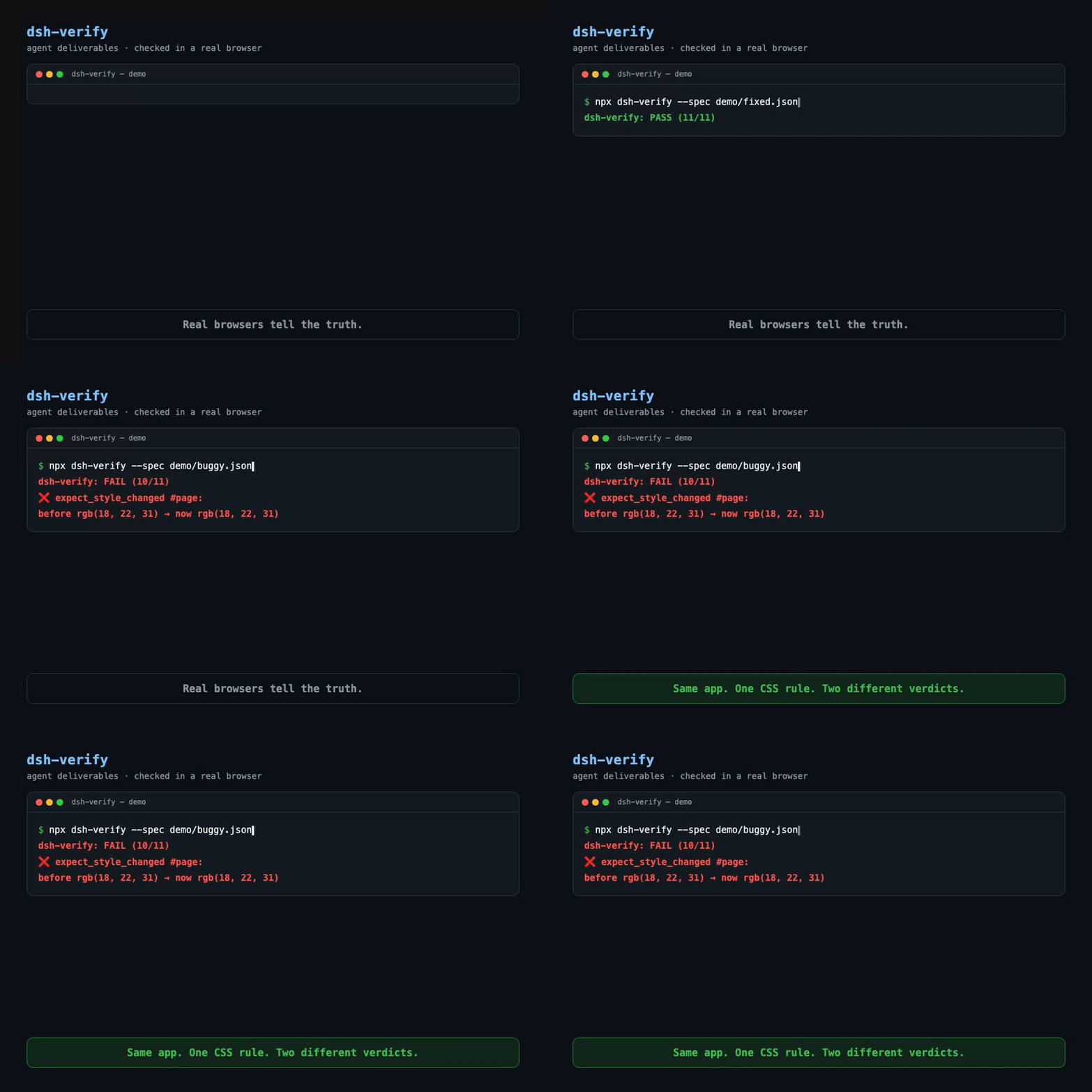
Same task. Same AI. Two builds. One missing CSS rule — the agent's self-review passed, a real browser caught it.
Why this exists
We ran a 4-agent web team (spec writer → frontend dev → QA → reviewer). Their own review said:
✅ "All requirements met. No issues found."
In a real browser, the dark-mode toggle did nothing — the .dark class was toggled, but the CSS rule was never written. Every agent self-test passed because there was nothing in the page for the agents to run. No one opened a real browser.
That's the gap: agents verify against what they believe they built, not against what a user actually experiences. Unit tests and static checks can't catch a missing CSS rule.
| Build | What the agents said | What a real browser says |
|---|---|---|
demo/buggy | "No issues found" | ❌ FAIL — background never changes |
demo/fixed | one CSS rule added | ✅ PASS — theme flips |
Same page. Same JS. One missing CSS rule. Two different verdicts.
Why not just ...?
| What you might reach for | Its blind spot | What dsh-verify adds |
|---|---|---|
| Hand-rolled Playwright scripts | Every agent project re-writes the same boilerplate; nothing is reviewable as a spec | A JSON spec is the whole contract — write once, reuse across agents and CI |
| LLM judges (promptfoo-style evals) | An LLM says "looks right" — it doesn't run the app or see the pixels | A real browser executes clicks, inputs, styles, and returns screenshot receipts |
| Agent built-in browser tools | They're the agent's hands — they share the same blind spots as the code they just wrote | dsh-verify is an independent witness, not part of the agent being tested |
| Screenshot-only visual tools | They catch pixel drift, not "button does nothing" | Behavior checks: click, expect text/class/style change, console errors, network errors |
The agent graded its own homework. dsh-verify re-grades it in a real browser.
Use it three ways
| Entry point | What it's for | One-liner |
|---|---|---|
| MCP server | Your AI agent verifies its own deliverable, mid-session | claude mcp add dsh-verify -- npx -y -p dsh-verify dsh-verify-mcp |
| CLI | You or your CI verify a build/URL | npx dsh-verify --spec demo/fixed.json |
| GitHub Action | Every push runs real-browser checks | uses: 263311487-ux/dsh-verify/.github/actions/dsh-verify@main |
From any AI agent (MCP)
claude mcp add dsh-verify -- npx -y -p dsh-verify dsh-verify-mcp
Then tell your agent, in plain words:
…
