dream-num/dsh-univer-office
dsh-univer-office
Preview, create, edit office spreadsheets, docs & slides inside DeepSeek Harness. Power by Univer.
Install
npx @deepseek-ai/dsh plugin --profile web add dsh-univer-officeRestart `dsh web` after install. Bundle APIs can change during the developer preview.
README badge

[](https://dshhub.dev/plugins/dsh-univer-office)Paste this into your README. The star count updates with every catalog sync.
From the README
Excerpt from dream-num/dsh-univer-office, cleaned of badges and images.
DSH × Univer Office
Give DeepSeek Harness the ability to create, edit, inspect, and deliver spreadsheets, documents, presentations, databases, and canvases.
English · 简体中文
dsh-univer-office is the Univer office plugin for DeepSeek Harness (DSH). Tell the agent what you need and it can create or edit spreadsheets, documents, presentations, multidimensional tables, and canvases, or work with existing Excel, Word, and PowerPoint files. Every change is verified and stays in the conversation for you to preview, approve, or discard.
After installation, describe the result you want in natural language. The agent handles creation, editing, and verification while you follow the work live and review the result in the conversation. Deliver spreadsheets as Excel (.xlsx), documents as Word (.docx), and presentations as PowerPoint (.pptx) files when needed.
See it in action
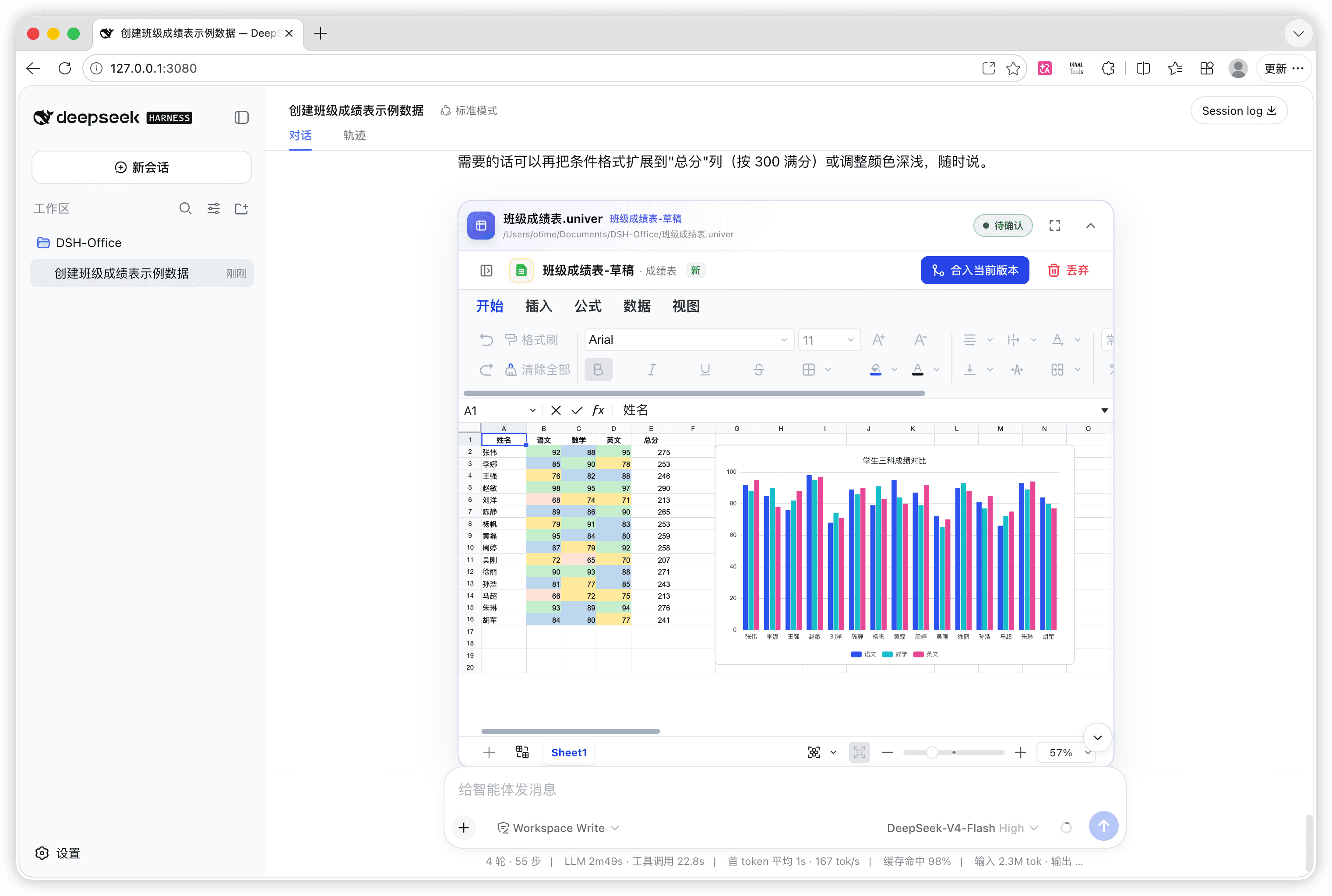
The agent created this spreadsheet from a natural-language request, then added conditional formatting and a chart in the same conversation. The result can be previewed, revised, merged into the current version, or discarded in place.
Deliver a standard Excel file: after review, ask the agent to export the spreadsheet as
.xlsxso it can be opened and edited in Excel, WPS Office, and other compatible office applications.
See the complete workflow from request to review
1. Describe the task in natural language
2. Follow the result live while the agent works
3. Approve or discard the changes in the conversation
Generate a presentation from one request
Give the agent a topic, audience, page count, content outline, and visual direction. It can build the complete presentation, verify content and layout page by page, and leave the result in the conversation for review.
Deliver a standard PowerPoint file: after review, ask the agent to export the presentation as
.pptxso it can be presented and edited in PowerPoint, WPS Office, and other compatible office applications.
See the presentation workflow from request to finished deck
1. Specify the topic, audience, and page requirements
2. Follow and verify the pages while the agent works
What can it do?
…

