chouxiaohuai/dsh-uiskin-theme
uiskin-theme
uiskin-theme is a community DeepSeek Harness plugin. Read the repository README before installing.
Install
npx @deepseek-ai/dsh plugin --profile web add github:USERNAME/dsh-uiskin-themeRestart `dsh web` after install. Bundle APIs can change during the developer preview.
README badge

[](https://dshhub.dev/plugins/dsh-uiskin-theme)Paste this into your README. The star count updates with every catalog sync.
From the README
Excerpt from chouxiaohuai/dsh-uiskin-theme, cleaned of badges and images.
uiskin-theme — Blue Glass Theme / 海洋幻想主题
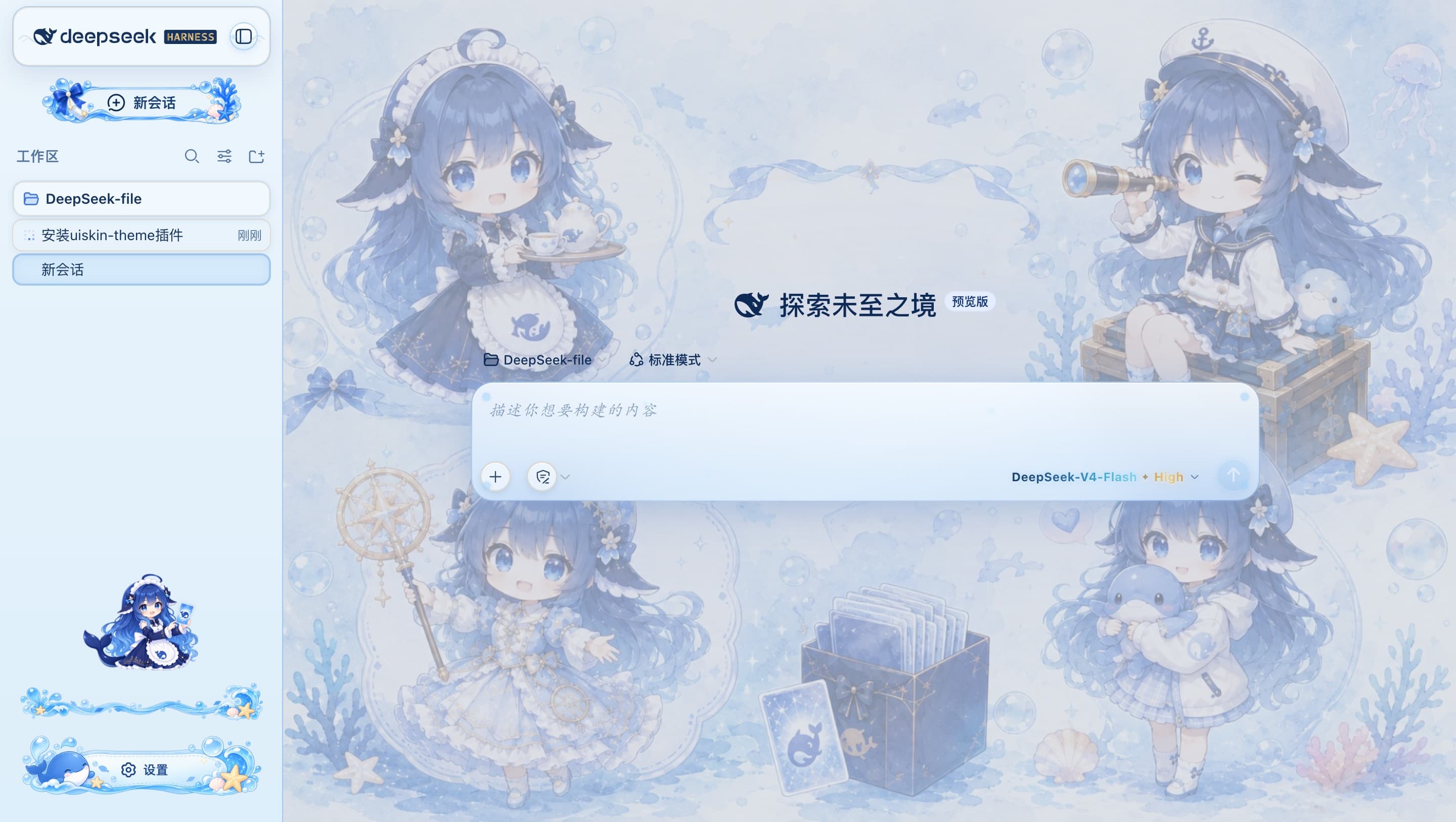
uiskin-theme is a static plugin bundle (profile bundle) for DeepSeek Harness Web: crisp ocean background, glass bubbles, an ocean-styled sidebar (with a gold-gradient「HARNESS」wordmark and a bottom cartoon character), a whale settings button, and gradient model text.
uiskin-theme 是 DeepSeek Harness Web 的静态插件包(profile bundle):清澈的海洋背景、玻璃气泡、海洋侧边栏(含金色渐变「HARNESS」字标与底部卡通角色)、鲸鱼设置按钮、渐变模型文字。
Unlike dynamic plugins (cordis_define defined at runtime, lost on restart), this package is installed into the profile as an npm package: it loads automatically on every start, survives restarts, and needs no manual approval.
与动态插件(cordis_define 现场定义、重启即丢)不同,本包以 npm 包形式装进 profile,每次启动自动加载,重启不丢,无需人工批准。
License / 许可证 This theme is an original work and is All Rights Reserved — it is NOT open source. Without written permission from the author, you may not copy, modify, redistribute, create derivative works, or use it commercially; it may only be installed as-is and used personally.
本主题为原创作品,保留所有权利(All Rights Reserved),非开源协议。 未经作者书面许可,不得复制、修改、再分发、二次创作或用于商业用途;仅允许按原样安装与个人使用。
Installation / 安装
You need Node.js and pnpm, plus a working dsh CLI (npx @deepseek-ai/dsh also works).
需要已安装 Node.js 与 pnpm,并已能运行 dsh CLI(npx @deepseek-ai/dsh 亦可)。
# Install from GitHub (replace USERNAME with your GitHub username)
# 从 GitHub 安装(把 USERNAME 换成你的 GitHub 用户名)
dsh plugin --profile web add github:USERNAME/dsh-uiskin-theme

# Or a specific branch / commit  /  或指定分支 / 提交
dsh plugin --profile web add github:USERNAME/dsh-uiskin-theme#main
After installing, restart dsh web (or it takes effect on the next start).
装完后重启 dsh web(或下次启动时)即自动生效。
What the install does: dsh plugin runs pnpm inside ~/.dsh/profiles/web/, sees the package's dsh.bundle.patch declaration, adds it to dsh.profile.bundles, and it is loaded by boot at startup.
安装做了什么:dsh plugin 会在 ~/.dsh/profiles/web/ 里执行 pnpm 安装,识别到包的 dsh.bundle.patch 声明后把它加入 dsh.profile.bundles,启动时由 boot 加载。
Uninstall / 卸载
dsh plugin --profile web remove uiskin-theme
Repo name vs package name / 仓库名与包名 The GitHub repository is
dsh-uiskin-theme(previouslyuiskin-theme), while the installed package name isuiskin-theme(from thenamefield ofpackage.json). So install withgithub:USERNAME/dsh-uiskin-themeand uninstall withremove uiskin-theme.GitHub 仓库为
dsh-uiskin-theme(曾用名uiskin-theme),而安装后的插件包名是uiskin-theme(取自package.json的name)。因此安装用github:USERNAME/dsh-uiskin-theme,卸载用remove uiskin-theme。
How it works / 工作原理
…

