01Virex/dsh-status-rotator
dsh-status-rotator
Custom phrases, typewriter, day/night gradients, danmaku, themes & whale-tail motion for the DSH status line (1379 phrases, 14 packs).
Install
npx @deepseek-ai/dsh plugin --profile desktop add dsh-status-rotatorRestart `dsh web` after install. Bundle APIs can change during the developer preview.
README badge

[](https://dshhub.dev/plugins/dsh-status-rotator)Paste this into your README. The star count updates with every catalog sync.
From the README
Excerpt from 01Virex/dsh-status-rotator, cleaned of badges and images.
dsh-status-rotator
Give DSH's running status your own voice: custom phrases, typewriter output, day/night gradients, danmaku and an optional animated whale tail. Ships 1483 phrases, 14 theme packs; choose which packs to enable.
English | 中文 · Effects · Install · Reference · Changelog
A DeepSeek Harness (DSH) client plugin that replaces Deep diving... / 深度求索中... with editable phrases while preserving the host's elapsed-time clock.
Effect preview
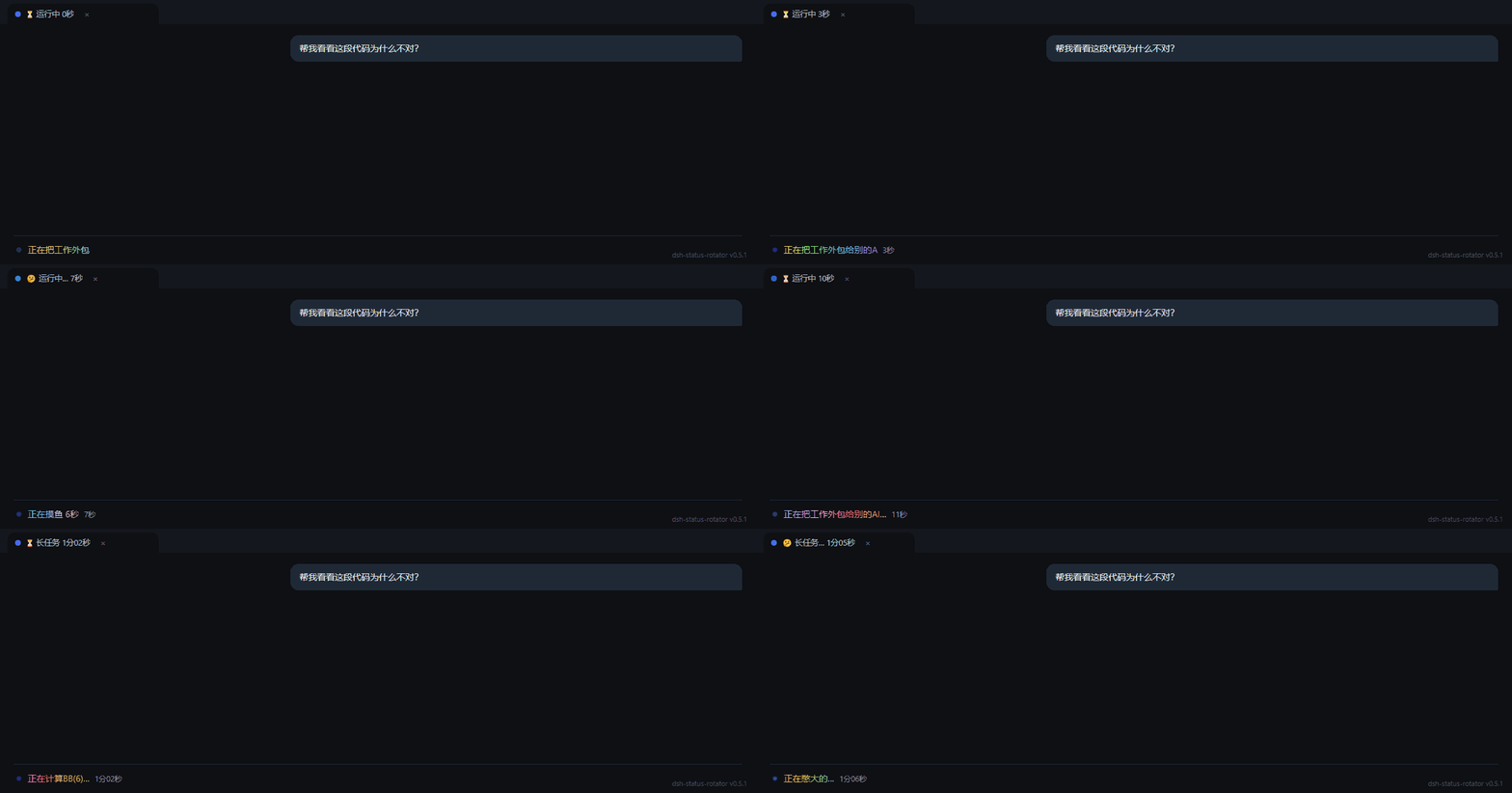
Status text and light/dark gradients
Phrase rotation · Typewriter · Light/dark gradients · Official whale-tail sway. Captured from the actual plugin in a minimal DSH host, using sample phrases and an enlarged status row. Static preview.
Whale-tail animations
Reading left to right, top to bottom: Official sway → Flipping tail → Sway → Twist. Official sway uses its recommended 4-second cycle; the other three use 0.5 cycles/s. The icon containers stay fixed while the contours deform. Static comparison.
These actions ship in v0.35.0. Under Appearance → Whale tail, enable both Keep the whale tail and Tail motion, then choose the flipping tail, 24-frame sway, 36-frame twist, 150-frame official original sway, or random switching. Existing configurations without animation keep the flipping tail.
| Choice | Behavior |
|---|---|
| Official sway | 150-frame action, recommended speed one cycle every 4 seconds |
| Flipping tail / Sway / Twist | Fixed speed or estimated tok/s; default level 3 tops out at 1.5 cycles/s |
| Random switching | Select an action pool shared by timed switching and optional tool-call triggers |
Speed presets have 2–5 levels; custom tok/s maximums range from 1–10 cycles/s. The official action keeps its recommended speed unless you disable that option.
Speed settings, action pools and tool-call triggers.
Appearance themes and danmaku
Classic / Neon / Terminal / Candy / Glitch set the font, glow, animation and gradient together. Pick a theme, then adjust its individual options. Theme parameters.
Danmaku supports scrolling, top and bottom placement. Optional hover-pause, click-to-copy, phase colors and adaptive density are available in Settings. This is a captured frame with enlarged text and higher opacity for readability. Danmaku parameters.
Installation
Install from npm through the Desktop plugin manager, or use dsh plugin add for Web. Restart the corresponding host after the first install.
Desktop npm walkthrough
DSH Desktop can install directly from npm without cloning this repository. The screenshots below show DSH Desktop 0.2.0-rc.2 with a Chinese interface; layouts may differ between host versions.
-
Open DSH Desktop, select Plugins (插件) in the sidebar, then click Add plugin (添加插件) at the top right.
-
Enter this in the Package name or address (包名或地址) field:
dsh-status-rotator
…

