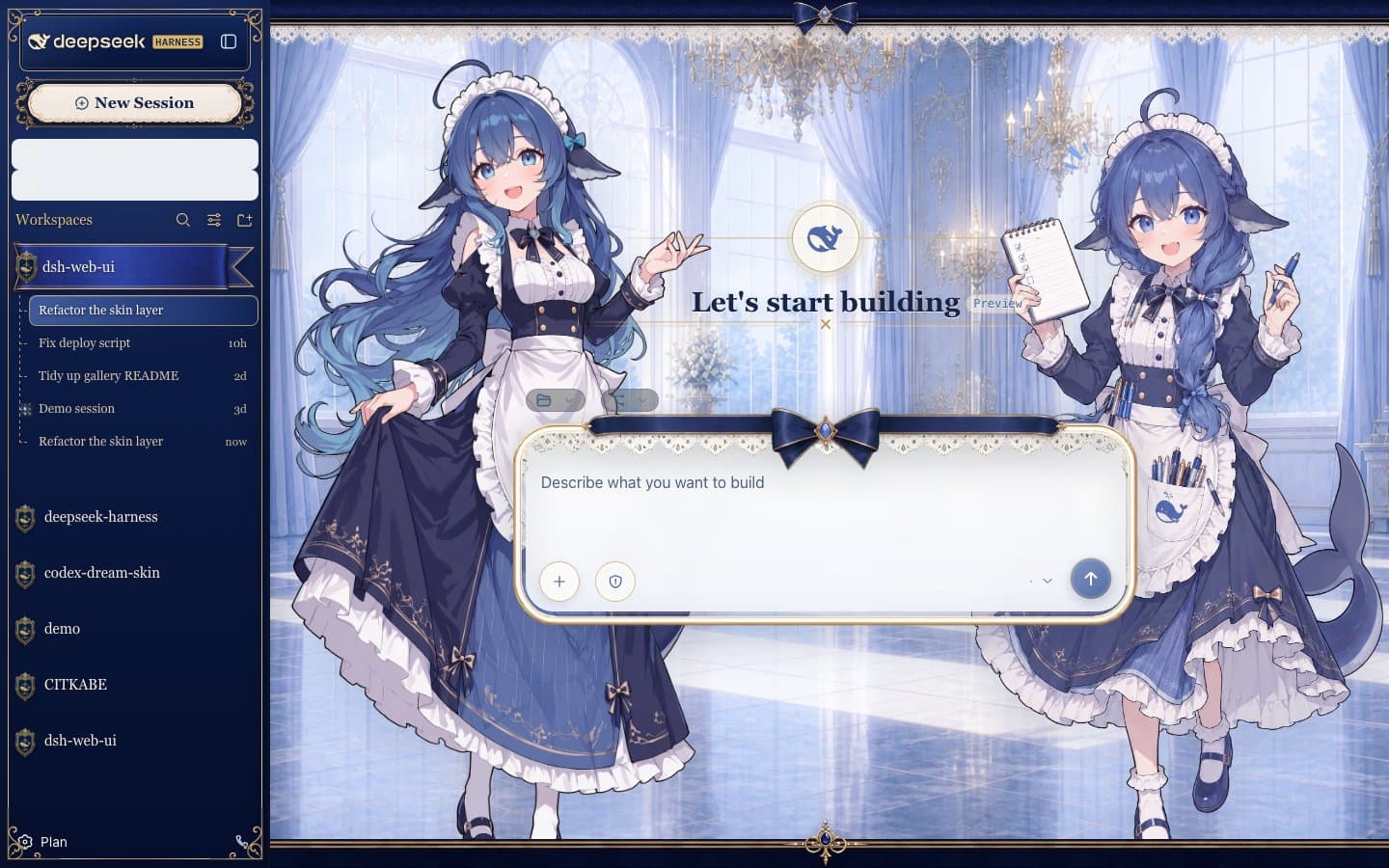
zhu1090093659/dsh-skins
dsh-client-ui-skin-center
Skin center plugin and built-in skins for the DSH Web GUI: skins are pure asset directories, loaded and rendered by the skin center, and installed on demand from dsh-market.com.
Install
npx @deepseek-ai/dsh plugin --profile web add @linxin666/dsh-client-ui-skin-centerRestart `dsh web` after install. Bundle APIs can change during the developer preview.
README badge

[](https://dshhub.dev/plugins/dsh-skins)Paste this into your README. The star count updates with every catalog sync.
From the README
Excerpt from zhu1090093659/dsh-skins, cleaned of badges and images.
dsh-skins · Skin Center for DeepSeek Harness (DSH)
English | 中文
<strong>Theme & Personalization Engine for DeepSeek Harness (DSH) Web GUI & Desktop Client</strong><br> <em>Themes & Skins · Frosted Glass Blur · Custom Themes · Live Try-On · Wallpaper Engine via its dedicated plugin</em>
@linxin666/dsh-client-ui-skin-center (cordis plugin id ui-skin-center) is the single skin package of the dsh Web GUI: it puts the skin list / try-on / apply into the real GUI as the Skins TAB under Settings → Web Extensions (or a standalone first-level Skin Center section without that parent), listing only installed skins, and it is the only loader and renderer for skins. A skin is a pure asset directory — no package.json, no npm publish, no cordis wiring — that couples only to the skin-center contract (contracts/); the skin center absorbs every official-DSH coupling behind that contract. The card carries its own enable switch (off disables try-on, apply and the background controls).
- List: shows "官方默认" (official default) plus every installed skin in the catalog with its name, tagline and accent color; the currently active target carries the Active marker. The catalog merges two sources: the default skin shipped inside this package (
skins/blue-fantasy/) and user skins dropped into$DSH_HOME/skins/<id>/(a user skin with the same id shadows the built-in one). Every other skin of the collection is a market item: install it on demand from the DSH Market store (one-click install) into$DSH_HOME/skins/<id>/, where this same catalog manages it as a user skin — no restart, reopen the card or reload to pick it up. Skins whoseskin.jsonfails validation are excluded fail-closed and reported as catalog diagnostics. - Custom theme: the final card is a user-level theme derived from the official stock look, separate from both the official-default card and catalog skins. Light and dark profiles independently edit accent, background, foreground and contrast (0–100), with live try-on, apply, current-mode reset and reload persistence. Its generated CSS is limited to an audited official-token allowlist; it cannot accept selectors, arbitrary CSS or asset URLs. Catalog skin definitions are never modified, and an active catalog skin automatically suppresses the custom-theme layer.
- Try-on / Apply: both go through the same atomic switch engine (
src/client/runtime/skin-controller.ts). One switch is one new activation identity: fetch the scoped stylesheet, install it plus the background media and optional hooks, fliphtml[data-dsh-skin="<id>"], then dispose the previous activation (append-only effect ledger, idempotent teardown). The latest request always wins; a failed or superseded switch leaves the previous skin fully intact. Try-on is the same switch without persistence — "Exit try-on" restores the committed skin. Apply persists the selection (POST /api/skin-center/v2/active). No page reload, nocordis.patch.ymlrewrite, no boot-graph regeneration. - First paint: the host half registers one index.html transform (
webServer.tapIndex, single adapter modulesrc/tap-index-adapter.ts) that stampshtml[data-dsh-skin]and inserts the stylesheet links into every served document, so a reload boots straight into the active skin with no flash of the stock look. The tap fails closed to the stock look on any problem. - Skin format (v2):
skin.json(validated fail-closed, v1 fieldspackage/wiring/bodyAttrign
…

