tencent-connect/dsh-qqbot
dsh-qqbot
dsh-qqbot is a community DeepSeek Harness plugin. Read the repository README before installing.
Install
npx @deepseek-ai/dsh plugin --profile qqbot add @tencent-connect/dsh-qqbotRestart `dsh web` after install. Bundle APIs can change during the developer preview.
README badge

[](https://dshhub.dev/plugins/dsh-qqbot)Paste this into your README. The star count updates with every catalog sync.
From the README
Excerpt from tencent-connect/dsh-qqbot, cleaned of badges and images.
基于 deepseek-harness (dsh) 的 QQ Bot 插件,将 DeepSeek AI 助手接入 QQ 私聊与群聊。
<br/>English | 简体中文
扫码加入 QQ 群 / 频道
<td align="center" width="50%"><img src="./assets/docs/qqgroup.jpg" height="360" alt="QQ 群二维码" /><br /><b>QQ 开发者交流群</b><br /><sub>群号: 1032635674</sub></td> <td align="center" width="50%"><img src="./assets/docs/qqchannel.jpg" height="360" alt="QQ 频道二维码" /><br /><b>QQ 开发者社区频道</b><br /><sub>频道号: 20dnumts4z</sub></td>架构
QQ 用户 → QQ WebSocket → dsh-qqbot → ctx.agents → dsh agent loop → LLM
                                 ↑                           │
                                 └── session/event ──────────┘
                                       (assistant reply → QQ sendMarkdown)
安装
方式一:桌面版安装(推荐)
无需命令行,全程在应用内完成:
-
安装:左侧栏点击「插件」→「添加插件」→ 输入
@tencent-connect/dsh-qqbot@latest→ 安装并立即启动 -
连接:左下角头像 → 设置 →「QQ 机器人」→ 手机 QQ 扫码连接
扫码成功后凭据自动保存,后续启动无需再次扫码。
方式二:手动执行
# 安装到 profile
npx @deepseek-ai/dsh plugin --profile qqbot add @tencent-connect/dsh-qqbot

# 启动
npx @deepseek-ai/dsh --profile qqbot
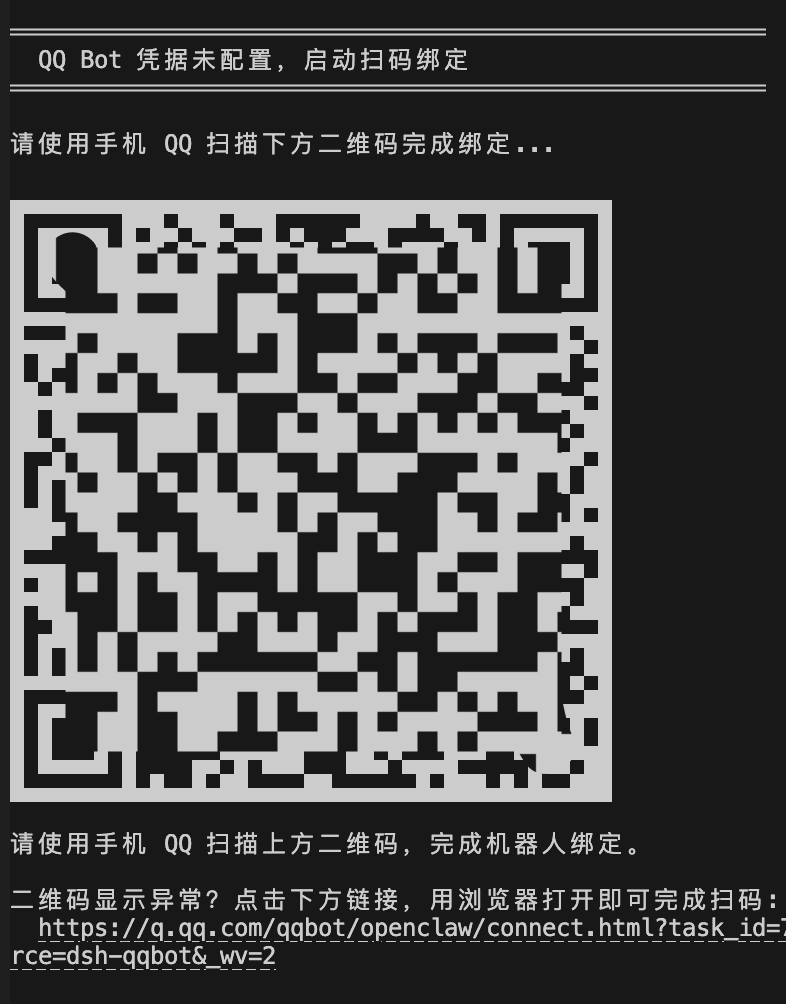
首次启动时,插件检测到凭据未配置会自动进入扫码引导:终端输出二维码 → 手机 QQ 扫码绑定 → 凭据自动保存到 profile,后续启动无需再次扫码。
无端内绑定页的环境(如纯 CLI)可设置 QQBOT_BIND_OPEN_BROWSER=1,额外拉起系统浏览器扫码页作为降级通道。
提示:建议升级至
0.4.0以上版本扫码,支持点击链接在浏览器打开,避免部分终端二维码渲染错位的问题。
方式三:本地路径安装
# 构建
cd /path/to/dsh-qqbot
pnpm install && pnpm build

# 安装到 profile(本地路径)
npx @deepseek-ai/dsh plugin --profile qqbot add /path/to/dsh-qqbot

# 启动
export QQBOT_APPID="你的AppID" QQBOT_SECRET="你的AppSecret"
npx @deepseek-ai/dsh --profile qqbot
方式四:--patch 开发模式
export QQBOT_APPID="你的AppID" QQBOT_SECRET="你的AppSecret"
npx @deepseek-ai/dsh web --patch /path/to/dsh-qqbot/cordis.dev.yml
配置项
| 配置 | 类型 | 默认值 | 说明 |
|---|---|---|---|
appId | string | 必填 | QQ Bot AppID(或通过 QQBOT_APPID 环境变量) |
appSecret | string | 必填 | QQ Bot AppSecret(或通过 QQBOT_SECRET 环境变量) |
provider | string | deepseek-official | LLM 提供商名称 |
model | string | deepseek-chat | 模型名称 |
preset | string | - | Agent preset id |
cwd | string | process.cwd() | Agent 工作目录 |
requireMention | boolean | true | 群聊是否需要 @bot 才触发 |
groupPrompt | string | - | 群聊额外 system prompt |
directPrompt | string | - | 私聊额外 system prompt |
textChunkLimit | number | 4500 | 单条消息最大字符数 |
streaming | boolean | true | 是否启用流式输出(群聊始终不启用) |
sessionIdleTimeout | number | 1800000 | 会话闲置超时(ms),默认 30 分钟 |
processingTimeoutMs | number | 1800000 | 处理超时(ms),超时中断当前 LLM 调用 |
maxQueue | number | 20 | 并发队列最大长度 |
historyLimit | number | 10 | 群历史缓冲条数 |
askTimeoutMs | number | 300000 | 待答问题超时(ms),默认 5 分钟(ask_user_question) |
showToolResults | boolean | false | 是否展示工具调用成功结果(错误始终展示) |
debug | boolean | false | 调试模式 |
访问控制(access)
| 配置 | 类型 | 默认值 | 说明 |
|---|---|---|---|
access.c2cMode | open/allowlist/disabled | open | 私聊访问模式 |
access.c2cAllow | string[] | [] | 私聊白名单(user openid) |
access.groupMode | open/allowlist/disabled | open | 群聊访问模式 |
access.groupAllow | string[] | [] | 群聊白名单(group openid) |
富媒体理解(media)
| 配置 | 类型 | 默认值 | 说明 |
|---|---|---|---|
media.enabled | boolean | true | 是否启用富媒体理解(图片/视频下载 + 工具分析) |
media.maxMB | number | 200 | 富媒体下载大小上限(MB) |
media.ttlHours | number | 24 | 富媒体存活时长(小时),0=永不过期 |
视觉理解(vision)
…

