mo-n/dsh-provider-qoder
dsh-provider-qoder
DSH provider plugin for Qoder subscriptions.
Install
npx @deepseek-ai/dsh plugin --profile web add dsh-provider-qoderRestart `dsh web` after install. Bundle APIs can change during the developer preview.
README badge

[](https://dshhub.dev/plugins/dsh-provider-qoder)Paste this into your README. The star count updates with every catalog sync.
From the README
Excerpt from mo-n/dsh-provider-qoder, cleaned of badges and images.
dsh-provider-qoder
English | 简体中文
Use your Qoder subscription in DeepSeek Harness (DSH), supporting multimodality, web search, and tool calls across Global and China Qoder services.
The plugin handles authentication and model communication, while tool execution, workspace operations, and permission management are handled by DSH. This project is a community adapter plugin and is not affiliated with Qoder or DeepSeek.
Features
- Access your subscription through Qoder website sign-in or a Personal Access Token (PAT).
- Supports both Global (
global) and China (china) services. - Automatically fetches available models for your account, supports selecting enabled models, and displays pricing multipliers and reasoning effort options when reported by the service.
- Supports multimodality, web search, and tool calls.
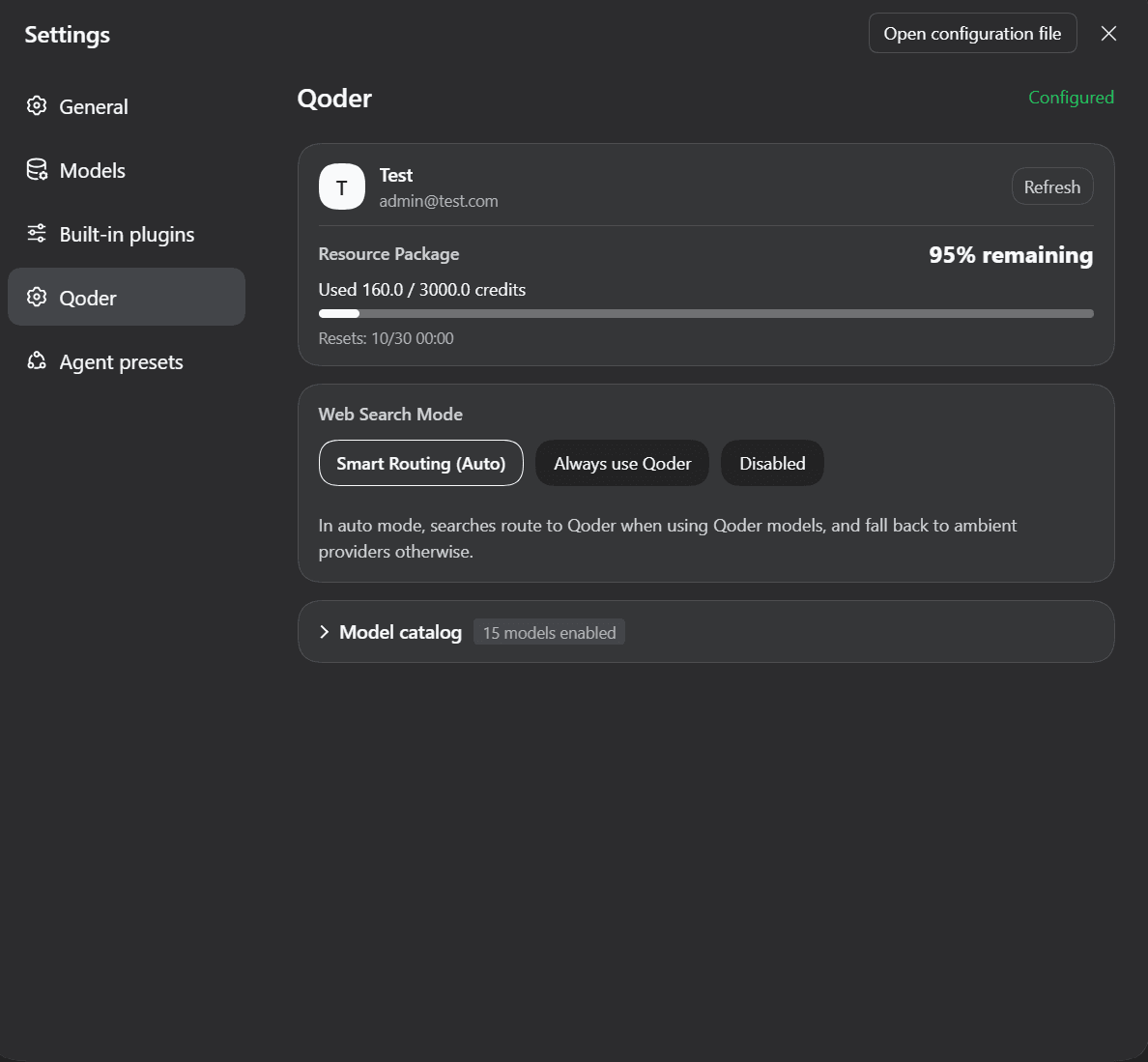
- View account information, quota, and reset dates in Settings.
- Supports Qoder model queues with cancellable polling and visible waiting progress.
Installation
Prerequisites
- An active Qoder subscription matching the selected service region.
- The DSH profile running the plugin must provide a managed credentials service; when configuring via the settings page, the credential storage must also be writable.
- Requirements: DSH
>=0.1.7-rc.2.
Install from npm
Run in your terminal:
dsh plugin --profile web add dsh-provider-qoder
Configuration & Usage
1. Select a Service Region and Sign In
In DSH Web, open Settings → Models → Qoder account and select your service region:
| Service Region | Account Domain |
|---|---|
| Global (default) | qoder.com |
| China (CN) | qoder.com.cn |
Click Sign in with Qoder and complete authorization on the website. Return to DSH to select a model available to your account.
Alternatively, choose Use PAT, enter a token and click Save and use PAT, or use a saved PAT. Manage account or Manage credentials lets you change accounts, switch authentication methods or remove authorization.
Browser authorization is stored per region, shared across the DSH instance and renewed automatically. Expired authorization requires sign-in again, without automatic PAT fallback. Removing authorization does not sign you out of the Qoder website.
2. View Account & Manage Models
Open Settings → Qoder to view account and quota details, configure web search, and adjust enabled models.
For advanced YAML options (queue wait limits, request timeouts, and historical reasoning preservation), see Configuration.
Upcoming Features
- Connect with Qoder's Protobuf protocol
References
- pi-provider-qoder - Reference implementation for Qoder authentication, API communication, and protocol handling.
Feedback
Please report issues via GitHub Issues with the plugin and DSH versions, selected service region, reproduction steps, and sanitized error messages. Do not submit PATs, short-lived tokens, or personal account information.
License
This project is licensed under the MIT License.

