temotee2103/dsh-overdrive
dsh-overdrive
The OpenClaw of DeepSeek Harness — turn DSH into a multi-platform chat agent with in-chat trajectory tracing, subagents & cron, and one-command deploy.
Install
npx @deepseek-ai/dsh plugin --profile web add @dsh-overdrive/gateway-coreRestart `dsh web` after install. Bundle APIs can change during the developer preview.
README badge

[](https://dshhub.dev/plugins/dsh-overdrive)Paste this into your README. The star count updates with every catalog sync.
From the README
Excerpt from temotee2103/dsh-overdrive, cleaned of badges and images.
⚡ dsh-overdrive
The OpenClaw of DeepSeek Harness — turn DSH into the chat agent you can see thinking, ready in one command.
English | 中文
dsh-overdrive is the Hermes Agent / OpenClaw alternative built on DeepSeek Harness — bridging into WhatsApp · Telegram · Discord · Slack · 飞书 · 钉钉 · 企业微信, with the difference they don't have: every thought and tool call is visible inside the chat, and dangerous operations always wait for your tap.
Why not just OpenClaw?
Hermes / OpenClaw give you a terminal agent behind 20+ chat channels — but it's a black box. You see the answer, not the work.
DSH's append-only session log is the one thing they can't copy. dsh-overdrive makes that power chat-native:
- 🧠 See it think —
/tracereplays the agent's full reasoning & tool-call trajectory as a summary card, right in the chat - 🤖 Command a team —
/taskspawns parallel subagents,/cron 0 9 * * * …schedules recurring jobs on a built-in scheduler - 🔒 You approve the dangerous stuff — a risky tool call pauses until you tap ✅ Approve / 🚫 Reject (native buttons on Telegram / Discord / Slack / WhatsApp)
- 🚀 One command to deploy —
docker compose up, scan a QR, start chatting. No public URL needed for most platforms.
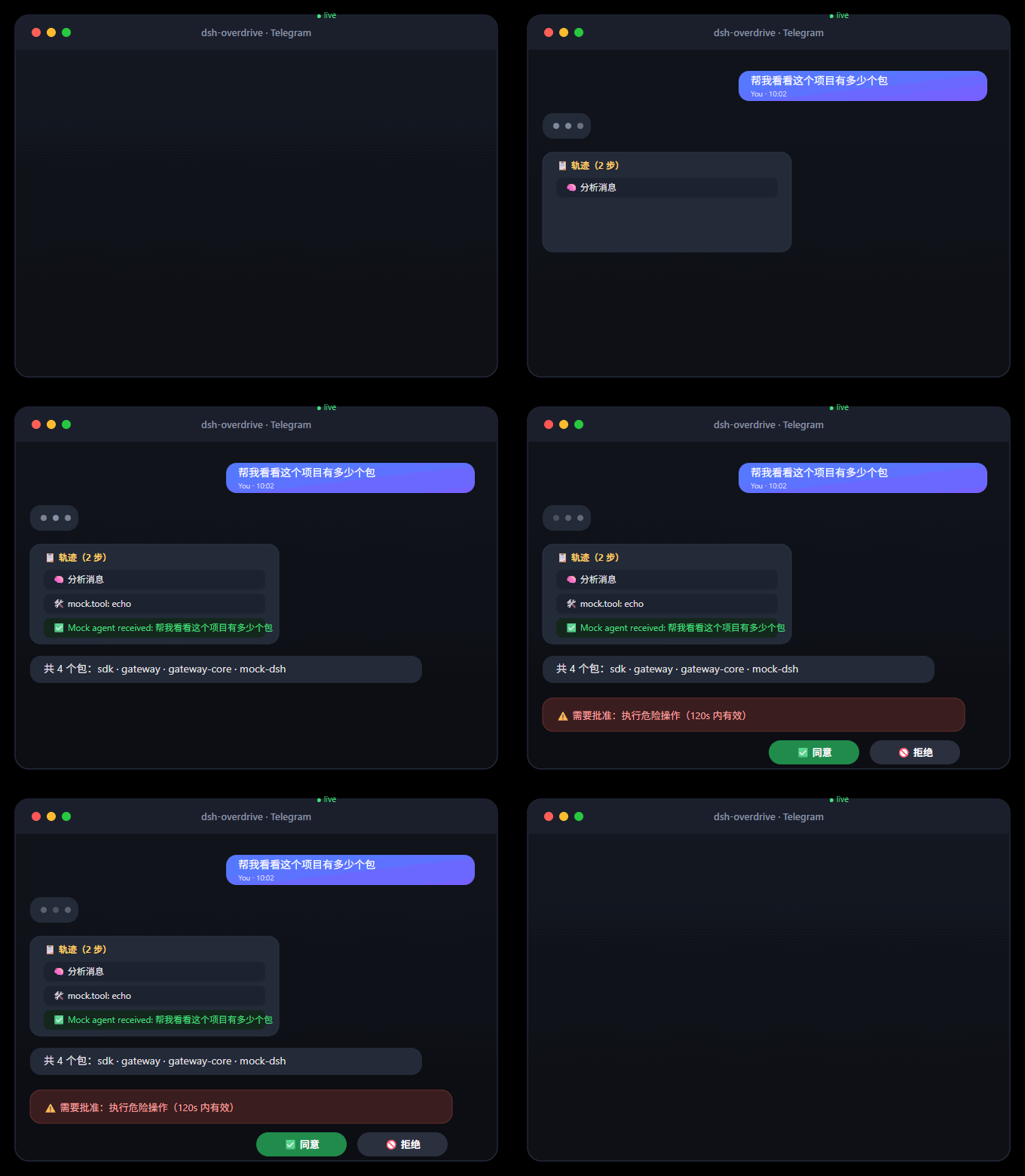
What it looks like
As plain text / 纯文本版
You:  帮我看看这个项目有多少个包
Agent:
       📋 Trajectory (2 steps)
       🧠 Analyzing message
       🛠️ mock.tool: echo
       ✅ Mock agent received: 帮我看看这个项目有多少个包

You:  /task 写一句营销口号
Agent:
       🤖 Subagent spawned
       ✅ Task done 5c399346…

You:  /cron 0 9 * * * 每天给我一条技术新闻
Agent:
       ⏰ Cron job registered

You:  dangerous rm -rf /
Agent:
       ⚠️ Approval required: run dangerous operation (valid 120s)
       [✅ Approve] [🚫 Reject]   ← one tap, the agent continues or stops
🎬 Full demo script → docs/demo.md
Follow the 3-minute script in docs/demo.md: chat → /trace replay → /task subagent → /cron schedule → approval tap → wrap-up.
Supported platforms
| Platform | Integration | Status |
|---|---|---|
| Telegram | Bot API (long-polling) | ✅ verified on real DSH (2026-08-16) |
| Baileys + QR pairing, native interactive buttons | ✅ | |
| Discord | Bot token, native buttons | ✅ |
| Slack | Socket Mode (no public URL) | ✅ |
| 飞书 Feishu | Official SDK, WS long-connection | ✅ |
| 钉钉 DingTalk | Stream mode (WebSocket, no public URL) | ✅ |
| 企业微信 WeCom | Callback API (AES) | ✅ |
| WeChat (personal) | iLink / ClawBot protocol (experimental, v0.2b) | 🧪 已实现,需真实设备验证 |
| CLI | stdin/stdout (dev & E2E) | ✅ |
Quick start
Docker — one command (recommended):
git clone https://github.com/temotee2103/dsh-overdrive && cd dsh-overdrive
cp deploy/.env.example .env        # fill DEEPSEEK_API_KEY + TELEGRAM_BOT_TOKEN
docker compose -f deploy/docker-compose.yml up -d --build
# Console http://localhost:3190/   DSH Web UI http://localhost:3080/
Already running DSH? One line:
npx dsh-overdrive-setup        # guided setup: API key + platform tokens (verified live)
dsh plugin --profile web add @dsh-overdrive/gateway-core   # plugin
npx dsh-overdrive-gateway                                   # gateway
…