sluminositys/dsh-nested-followups
dsh-nested-followups
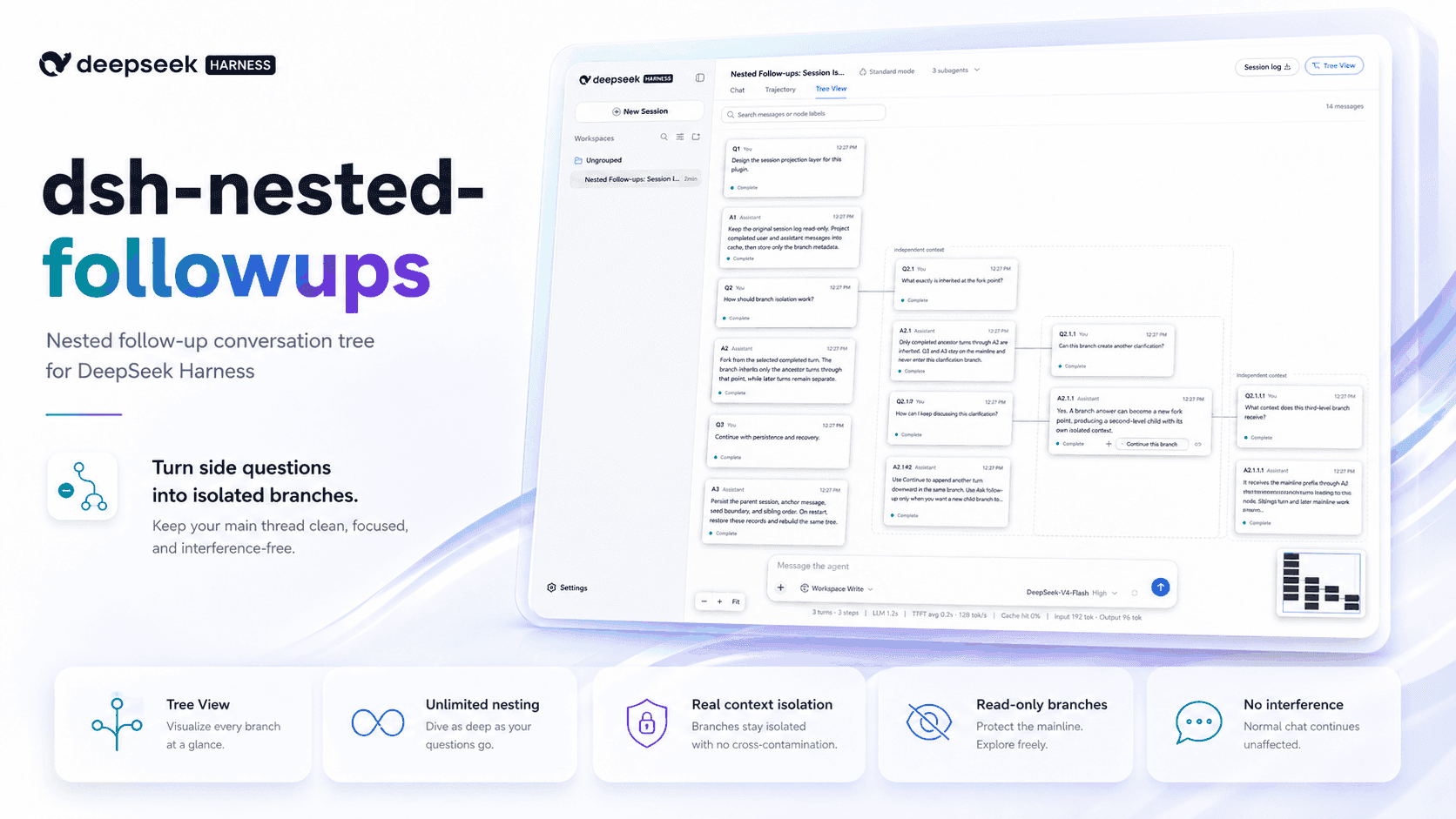
Branch from any answer and keep branching at any depth. Recursively isolated follow-ups that leave the main DSH task untouched.
Install
npx @deepseek-ai/dsh plugin --profile web add dsh-nested-followupsRestart `dsh web` after install. Bundle APIs can change during the developer preview.
README badge

[](https://dshhub.dev/plugins/dsh-nested-followups)Paste this into your README. The star count updates with every catalog sync.
From the README
Excerpt from sluminositys/dsh-nested-followups, cleaned of badges and images.
dsh-nested-followups
English | 中文
Branch from any answer. Keep branching at any depth.
A DeepSeek Harness plugin for isolated follow-ups that can keep branching recursively, with no plugin-defined depth limit. Start a side trail from any answer, then turn any answer anywhere in that trail into the next isolated fork point. Repeat for as many levels as the question needs. Every level inherits only its ancestor path, while the main task stays linear and untouched.
Recorded in an unmodified DeepSeek Harness 0.1.1-rc.2 web profile. The UI
and sessions are real; the captions and cursor are added in post.
MAIN TASK → SIDE QUESTION → NESTED SIDE QUESTION → NEST AGAIN → …
- Start a side trail anywhere. The first branch receives exactly the history that existed at the selected answer.
- Keep branching at any depth. Every answer in every side trail can become another isolated fork point. Apply the same action again at every new level.
- Keep the main task clean. Nothing asked or answered in a branch flows back into the main conversation.
Install
dsh plugin --profile web add dsh-nested-followups
Restart the DeepSeek Harness web profile if it is already running, open a conversation, and select Tree View.
Install from source
git clone https://github.com/sluminositys/dsh-nested-followups.git
cd dsh-nested-followups
pnpm install
pnpm run check
dsh plugin --profile web add .
Why not a new chat or a sidebar thread?
| Approach | Relevant earlier context | Main stays clean | Can keep branching at later depths | Trail stays attached |
|---|---|---|---|---|
| Ask in the main chat | Yes | No | No | Not applicable |
| Open a new conversation | Lost or copied manually | Yes | No | No |
| Typical temporary sidebar Q&A | Varies | Usually | Usually a linear side thread | Usually not |
| dsh-nested-followups | Exact ancestor path | Yes | Yes—recursively, with no fixed depth | Yes |
The distinguishing feature is not the canvas. It is that any answer at any depth can become another isolated fork point, and the same rule keeps applying to every descendant. The tree is only the map that keeps those recursive detours visible and attached to the root session.
The diagram draws two nested levels and then an ellipsis: the same fork action remains available on every answer at every later depth.
Use it
- Chat normally. The standard DSH chat, sidebar, composer, and message rendering remain unchanged.
- Select Tree View, choose an earlier completed assistant answer, and select Ask follow-up. The question grows to the right in a new branch.
- On the latest answer in a branch, use Continue this branch to add the next turn downward. Use Ask follow-up to create another isolated branch to the right. Repeat Ask follow-up on any descendant answer to keep nesting as deeply as needed.
- Return to Chat whenever you want to continue the main task. Its history contains no branch messages.
| Action | Direction | Session effect |
|---|---|---|
| Ask follow-up | Right | Creates a new isolated child session at the selected answer |
| Continue this branch | Down | Adds the next exchange to the current branch session |
…

