1692775560/dsh-Mimir-Academic-research
mimir-monorepo
mimir-monorepo is a community DeepSeek Harness plugin. Read the repository README before installing.
Install
npx @deepseek-ai/dsh plugin --profile web add dsh-mimir@latestRestart `dsh web` after install. Bundle APIs can change during the developer preview.
README badge

[](https://dshhub.dev/plugins/dsh-mimir-academic-research)Paste this into your README. The star count updates with every catalog sync.
From the README
Excerpt from 1692775560/dsh-Mimir-Academic-research, cleaned of badges and images.
What it is
Mimir is a single npm package (dsh-mimir) that plugs into dsh and gives you:
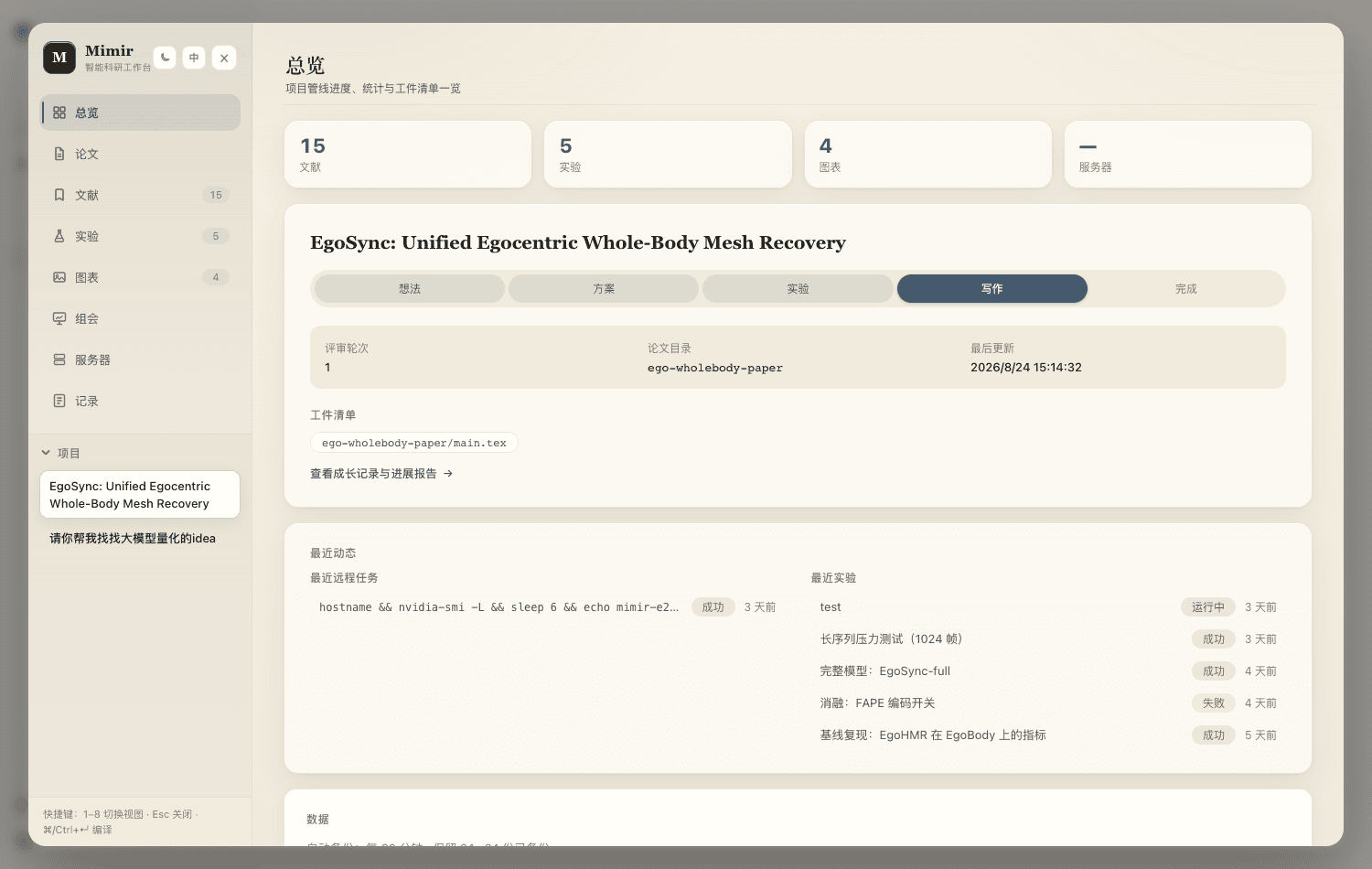
- Eight-view web workbench (sidebar toggle → overlay, dark/light, 中/EN): Overview pipeline & stats · Paper Overleaf-style LaTeX studio (edit → compile → PDF preview, one-click AI fix) · Library arXiv + web search, AI relevance scoring, fullscreen PDF reader · Experiments metric charts, one-click paper figures · Figures upload/organize/insert into the paper · Meetings one-click group-meeting PPT (real paper figures + optional AI illustrations) · Servers GPU fleet probes + remote jobs · Ledger growth-record timeline + one-click progress report
- Agent tools & slash commands:
/research-idea/research-plan/research-review/paper-write/paper-compile, plusarxiv_search,web_search,wiki_note,figure_save,latex_compile,meeting_deck - Nine bundled research skills (literature review, novelty check, experiment planning, citation audit, rebuttal…) that teach the agent the workflow — no setup needed
| Overview | Paper | Library | Experiments |
|---|---|---|---|
| Figures | Meetings | Servers | Ledger |
|---|---|---|---|
▶ Full MP4 demo (22 MB)
Quickstart
Prerequisites: Node.js ≥ 22, the dsh CLI (npm install -g @deepseek-ai/dsh), and a DEEPSEEK_API_KEY for agent sessions.
dsh plugin --profile web add dsh-mimir@latest   # installs and self-activates
dsh web                                          # then open http://127.0.0.1:3080
Click Mimir in the sidebar footer. The wiki persists at ~/.dsh/storages/research_wiki.json; artifacts land under ./.research.
Optional capabilities:
- Paper compilation — install a LaTeX engine (
brew install tectonicis easiest), or setlatex.engineto a binary path - Web search — the sxng CLI ships with the package; give it a SearXNG server with one command (Docker-free, local venv):
bash scripts/setup-web-search.sh - Zotero — set
zotero.apiKey/zotero.userIdin the plugin config (keys at zotero.org/settings/keys)
Configuration
All keys are optional; set them in the profile's cordis.patch.yml (full commented example: examples/mimir-agent/cordis.yml).
| Key | Default | Meaning |
|---|---|---|
workspaceDir | .research | Research workspace root (artifacts, backups) |
latex.engine | auto | latexmk / tectonic probe, or absolute binary path |
search.command | auto | Web search: auto uses sxng from PATH or the bundled copy |
reviewer.maxRounds | 3 | Per-project review-round budget |
backup.enabled / intervalMinutes / keep | true / 60 / 24 | Scheduled wiki snapshots |
skills.enabled | true | Register the nine bundled research skills |
Troubleshooting
…
