liceses/dsh-gitbash-preset
dsh-gitbash-preset
dsh-gitbash-preset is a community DeepSeek Harness plugin. Read the repository README before installing.
Install
npx @deepseek-ai/dsh plugin --profile web add @icelily/dsh-gitbash-presetRestart `dsh web` after install. Bundle APIs can change during the developer preview.
README badge

[](https://dshhub.dev/plugins/dsh-gitbash-preset)Paste this into your README. The star count updates with every catalog sync.
From the README
Excerpt from liceses/dsh-gitbash-preset, cleaned of badges and images.
dsh-gitbash-preset · 让 Windows 上的极简模式用上 Git Bash
English: A DeepSeek Harness plugin that installs a "minimal (Git Bash)" agent preset, so on Windows the minimal mode's command tool runs Git for Windows bash instead of PowerShell.
DSH 的极简模式在 Windows 上不会给你 bash —— 官方按平台分叉,win32 那一支挂的是持久 PowerShell。
这个插件交付一个预设变体「极简模式 (Git Bash)」:persona 与 str_replace_editor 跟官方极简模式逐字一致,
只把命令工具换成 bash,每次调用真正跑在 Git for Windows 的 bash(MSYS) 上。
一句话:Windows 上想要一个写 bash 的极简模式,装它。
[!IMPORTANT] 先看版本边界再动手。 本插件用的是 DSH 早期的「用户预设目录」机制;在本次勘察所用的 DSH
0.1.7-rc.2上,官方已把预设换成 bundle 声明行,那个目录已不再被读取。 详情与出处见 已知限制 → DSH 版本边界。旧版本上是否可用,未在本机验证。
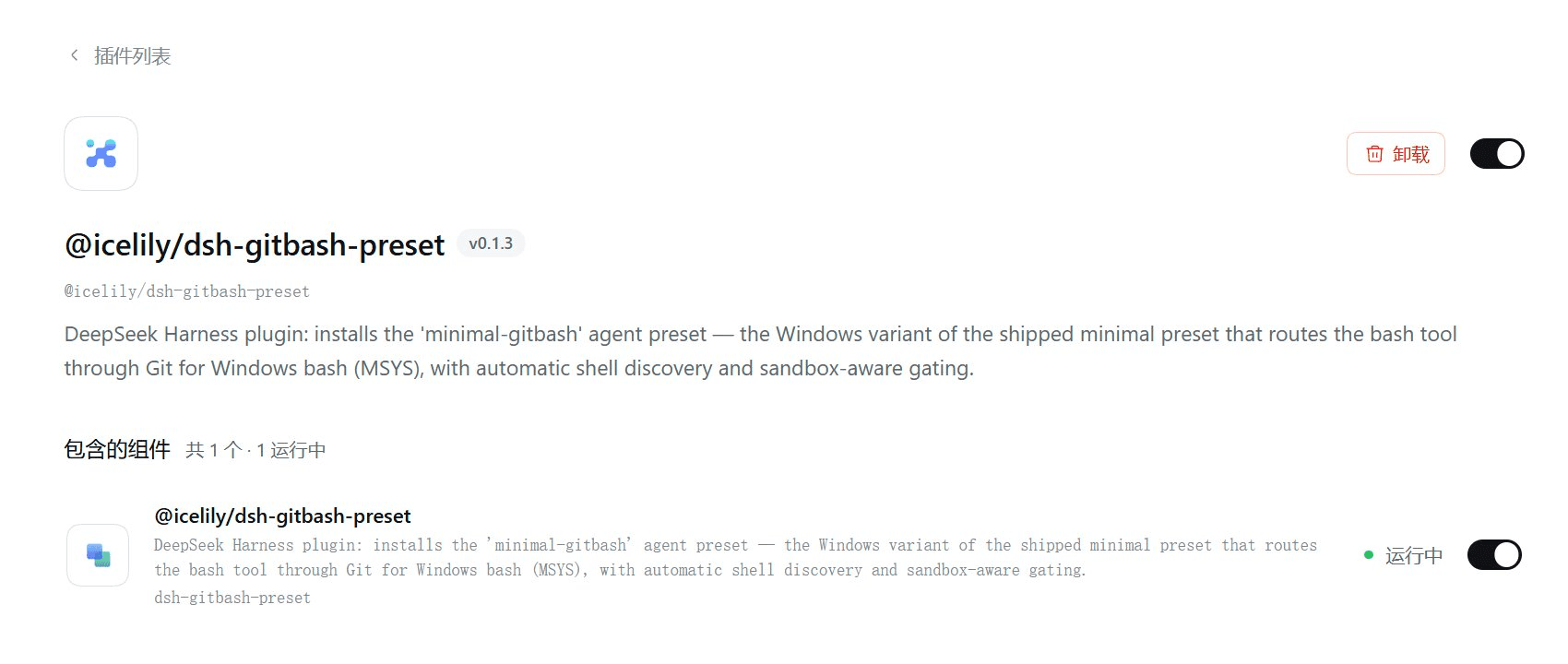
本机实拍:插件装上了、组件「运行中」,但这一页上没有出现可选的预设卡片 —— 这正是上面那条版本边界的现场表现。
<a id="toc"></a>
目录
| 想了解 | 看这里 |
|---|---|
| 装前 / 装后到底差在哪 | 它改变了什么 |
| 三分钟装起来 | 快速开始 |
| 装完之后你得到什么 | 装完之后你得到什么 |
| 它和姊妹插件 dsh-all-gitbash 的区别 | 与 dsh-all-gitbash 的关系 |
| 命令到底怎么跑起来的 | 工作原理 |
| 有哪些可配的字段 | 配置 |
| 出问题 / 不适用 | 已知限制 |
| 想改代码 | 开发 |
<a id="diff"></a>
它改变了什么
DSH 自带的极简模式是按平台分叉的(源码出处:@deepseek-ai/dsh-web-app 的
presets/minimal.patch.yml,同一套分叉也在 dsh-sdk-minimal/cordis.patch.yml 里):
# 官方 minimal 预设的 persistent-shell 组(节选,逐字来自包内文件)
- id: terminal-bash      # 持久 bash
  name: '@deepseek-ai/dsh-terminal-bash'
  disabled: !!js process.platform === 'win32'      # ← Windows 上关掉
- id: persistent-bash
  name: '@deepseek-ai/dsh-tool-bash-persistent'
  disabled: !!js process.platform === 'win32'      # ← Windows 上关掉
- id: terminal-pwsh      # 于是 Windows 拿到的是持久 PowerShell
  name: '@deepseek-ai/dsh-terminal-bash'
  disabled: !!js process.platform !== 'win32'
  config: { shellDialect: pwsh }
- id: persistent-pwsh
  name: '@deepseek-ai/dsh-tool-pwsh-persistent'
  disabled: !!js process.platform !== 'win32'
也就是说:Windows 上的极简模式没坏,只是命令工具是 PowerShell。 本插件给的就是另一种选法。
| 官方极简模式(POSIX) | 官方极简模式(Windows) | 本预设(Windows) | |
|---|---|---|---|
| 命令工具名 | bash | pwsh | bash |
| 命令落点 | bash -c | PowerShell | <git bash> -c(MSYS) |
| 会话状态 | 持久(cd / export 保留) | 持久($env: 保留) | 每次调用新 shell(不保留) |
| 路径写法 | /home/... | C:\...、$env:NAME | /d/...、$NAME |
| 文件工具 | str_replace_editor | str_replace_editor | str_replace_editor(同) |
| persona | 固定一句,complete: true | 同 | 逐字相同 |
| 后台命令 | 有 | 有 | 未启用(enableRunInBackground: false) |
「每次调用新 shell」不是偷懒:Windows 上官方把持久 bash 整条支路关掉了(上面那两行 disabled),
而本插件的执行器是直接 spawn 一个 bash -c(见 工作原理)—— 这是替代设计,不是等价实现。
<a id="quickstart"></a>
快速开始
前置条件:Windows;装了 Git for Windows;DSH 的 Node ≥ 20。
dsh plugin --profile web add @icelily/dsh-gitbash-preset
装完 重启 DSH(插件行在启动时装配,重启时才会把预设文件写进用户预设根)。
注意包名:安装命令必须用包名
@icelily/dsh-gitbash-preset, 不能写仓库名dsh-gitbash-preset—— 后者在 npm 上不是这个包,会装失败。
然后:新建会话 → 选「极简模式 (Git Bash)」→ 把会话沙箱切到「完全访问」,
之后所有 bash 调用直接走 Git Bash。想留在 workspace-write 也可以,让模型在第一次调用失败后
按提示用 sandbox_permissions: "danger-full-access" + justification 单次升级(走正常审批流程)。
⚠️ 先读 已知限制。 本插件依赖的用户预设目录在当前 DSH 上已不再被读取, 装完可能选不到这个预设(出处与核对方式)。
<a id="preset"></a>
装完之后你得到什么
预设文件被复制到 ${DSH_HOME:-~/.dsh}/.agent-presets/minimal-gitbash/(lib/index.js:32-37),
一共三个文件加一份测试。下面是仓库里真实的内容(不是示意)。
agent-presets/minimal-gitbash/preset.yml —— 预设的显示信息:
…