IndieXiaoLong/DSH-Enhance
dsh-enhance
dsh-enhance is a community DeepSeek Harness plugin. Read the repository README before installing.
Install
npx @deepseek-ai/dsh plugin --profile desktop add .Restart `dsh web` after install. Bundle APIs can change during the developer preview.
README badge

[](https://dshhub.dev/plugins/dsh-enhance)Paste this into your README. The star count updates with every catalog sync.
From the README
Excerpt from IndieXiaoLong/DSH-Enhance, cleaned of badges and images.
English | 简体中文
<h1>dsh-enhance</h1> <p><strong>The missing conversation power-up for DeepSeek Harness ✨</strong></p> <p>New-conversation naming, file drag references, edit-and-resend for the last prompt, a message timeline, and a draggable floating ball with chat-width control for the DSH Web GUI.</p><a href="#features">✨ Features</a> · <a href="#install">📥 Install</a> · <a href="#quick-start">🚀 Quick Start</a> · <a href="#development">🛠️ Development</a> · <a href="#faq">❓ FAQ</a>
I use DeepSeek Harness every day. New sessions need useful names; finding a message in a long thread means scrolling; referencing a file means copying its path; correcting the last prompt should be quick.
So I built dsh-enhance: it leaves DSH’s native structure alone and just makes the daily actions smoother.
<a id="features"></a>
✨ Features
| Feature | What you get | |
|---|---|---|
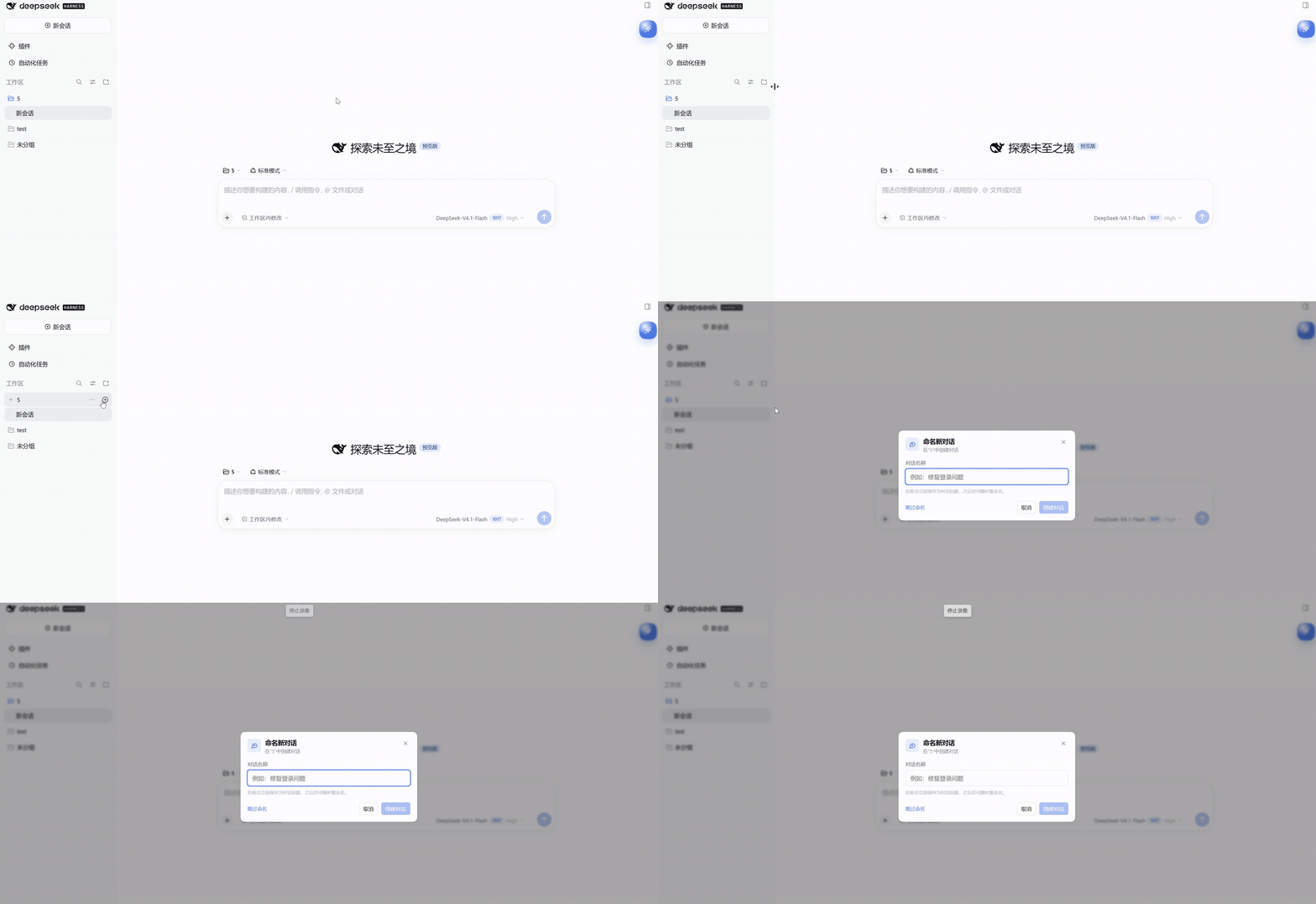
| ✏️ | New conversation naming | Name it from the workspace + before creating it |
| 📎 | File drag reference | Drag a file or folder into the composer as an @path |
| ✍️ | Edit & resend | Stop a turn, edit the sent prompt inline, and send it again |
| 📍 | Message timeline | Scan, preview, and jump through long threads |
| 🫧 | Floating ball & width | Everyday tools one click away; 38–90rem live width |
The GIFs below are recordings from DSH. The UI may look different with another theme or window size.
✏️ New Conversation Naming
Name it before you create it. Clicking + on a workspace title row opens a naming dialog instead of creating another “New Session”.
- Type a name and press Enter; Skip naming keeps the native one-click flow.
- The name is written as the conversation title; before the first turn, the sidebar blank row shows it.
- Turn Name new conversations off in the quick panel to restore the native behavior.
📎 File Drag Reference
Drop a file, get a reference. Open the Files tab in the right sidebar and drag a file or folder row into the composer:
- The composer shows Drop to reference <name>; on release it inserts an
@relative/pathchip. - The file is not moved, copied, or rewritten; the model reads it through its file tools when you send.
- Paths are relative to the conversation workspace root; paths with spaces use
@"...". - Folders are inserted with a trailing
/(@path/) so the model can browse the directory. - The composer gets an accent outline while dragging; dropping elsewhere inserts nothing.
✍️ Edit & Resend the Last Prompt
Stop, tweak, send again. When the conversation is idle, a pencil appears beside Copy in your last sent prompt’s action row. Clicking it expands the prompt into a full-width inline editor with Cancel / Send:
- Edit the text, then click Send (or press Enter; Shift+Enter inserts a line, Esc cancels).
- Sending forks the conversation before the turn that carried that prompt — including the queued inbox copy — sends the edited text into the new branch, and opens it.
- The branch keeps the earlier history and title. The original is archived when archiving succeeds; otherwise it remains in the conversation list.
- Attachments are not resent; the editor warns when the original prompt had one.
DSH's log is append-only and has no public "rewrite this message" call, so the edit is a fork before the turn + resend, not an in-place mutation. The new conversation gets a new Session ID.
…

