Oscar-Williams/dsh-deepcanary
dsh-deepcanary
Know when your DeepSeek Harness tasks need you. Local alerts, quiet notifications, and a task inbox.
Install
npx @deepseek-ai/dsh plugin --profile web add [email protected]Restart `dsh web` after install. Bundle APIs can change during the developer preview.
README badge

[](https://dshhub.dev/plugins/dsh-deepcanary)Paste this into your README. The star count updates with every catalog sync.
From the README
Excerpt from Oscar-Williams/dsh-deepcanary, cleaned of badges and images.
DeepCanary
Let tasks run quietly. Know when they need you. Return to the right session.
English · 简体中文 · Documentation · Changelog
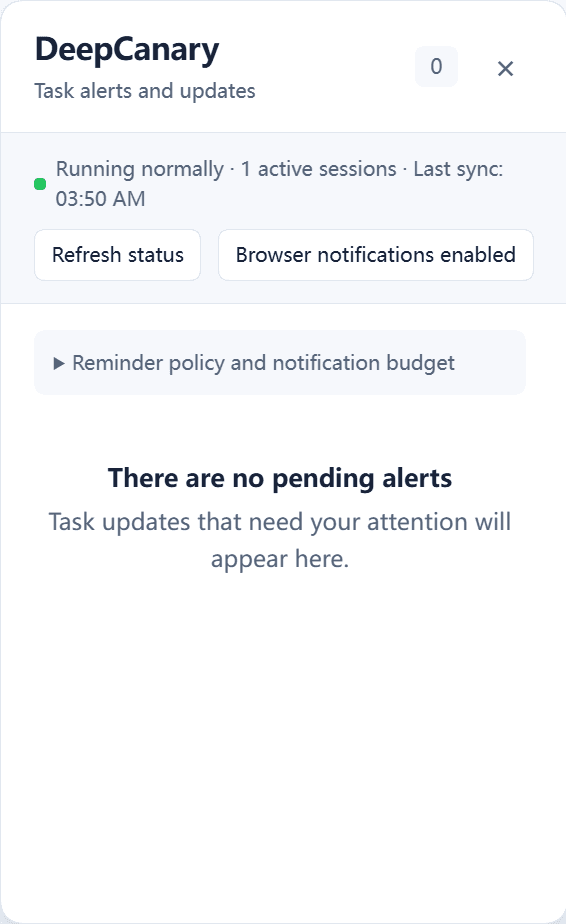
DeepCanary adds a local task inbox to DeepSeek Harness. It brings questions, approvals, failures and completion summaries together, applies quiet notification policies, and returns you to the relevant session.
Release candidate: 0.1.6-rc.4. The supported Host baseline is released DSH 0.2.1-rc.2 for WebUI and official Windows Desktop. Get the package from npm or GitHub Releases. Both latest and next select this RC.
Background jobs remain visible through completion and plugin reload. Inbox places urgent work first, and choosing Already resolved marks the selected reminder handled. Background failures return you to their owning session. Healthy background activity stays quiet.
Choose a delay, review the reminder in Scheduled, adjust its time or restore it to pending. Each arrangement is tracked independently across tabs and reloads. Due reminders use current notification preferences, and Inbox preserves human waits and scheduled work when routine updates arrive in large numbers.
Install
Desktop
Download dsh-deepcanary-0.1.6-rc.4.tgz and SHA256SUMS from the release assets. Open DSH Plugins → Add plugin, select the local tgz through the official package manager, and follow the manager's activation instructions. Save active work before a requested restart. Desktop owns its profile and manages its packages through the application.
WebUI
Use DSH 0.2.1-rc.2 and an explicit Web profile:
dsh --version
dsh plugin --profile web add [email protected] --registry=https://registry.npmjs.org/
dsh web
To run the host through npm, prefix each command with npx --yes --package=@deepseek-ai/[email protected]. For example:
npx --yes --package=@deepseek-ai/[email protected] dsh web
Open the authenticated URL printed by DSH. A built source checkout can use its documented pnpm dsh entry. Use that checkout's own package manager version.
To install the verified GitHub archive, use its local path:
dsh plugin --profile web add ./dsh-deepcanary-0.1.6-rc.4.tgz --registry=https://registry.npmjs.org/
Update and remove
Use the official manager's update control when it offers one. An installation request for an already installed bundle can be refused by the current manager; remove that bundle through the manager before adding its replacement. Follow its applied/restart status and confirm the loaded version.
The Web CLI forwards package operations to pnpm. To update Web, run the installation command with the explicit version above, finish current work, stop that Web Host, start dsh web again and reload its page. Confirm the loaded plugin version. To remove the Web installation:
dsh plugin --profile web remove dsh-deepcanary
DSH profiles own their sessions and configuration. Save active work before changing the owning host process.
Use
…

