Mars-Sea/dsh-commandcode-provider
dsh-commandcode-provider
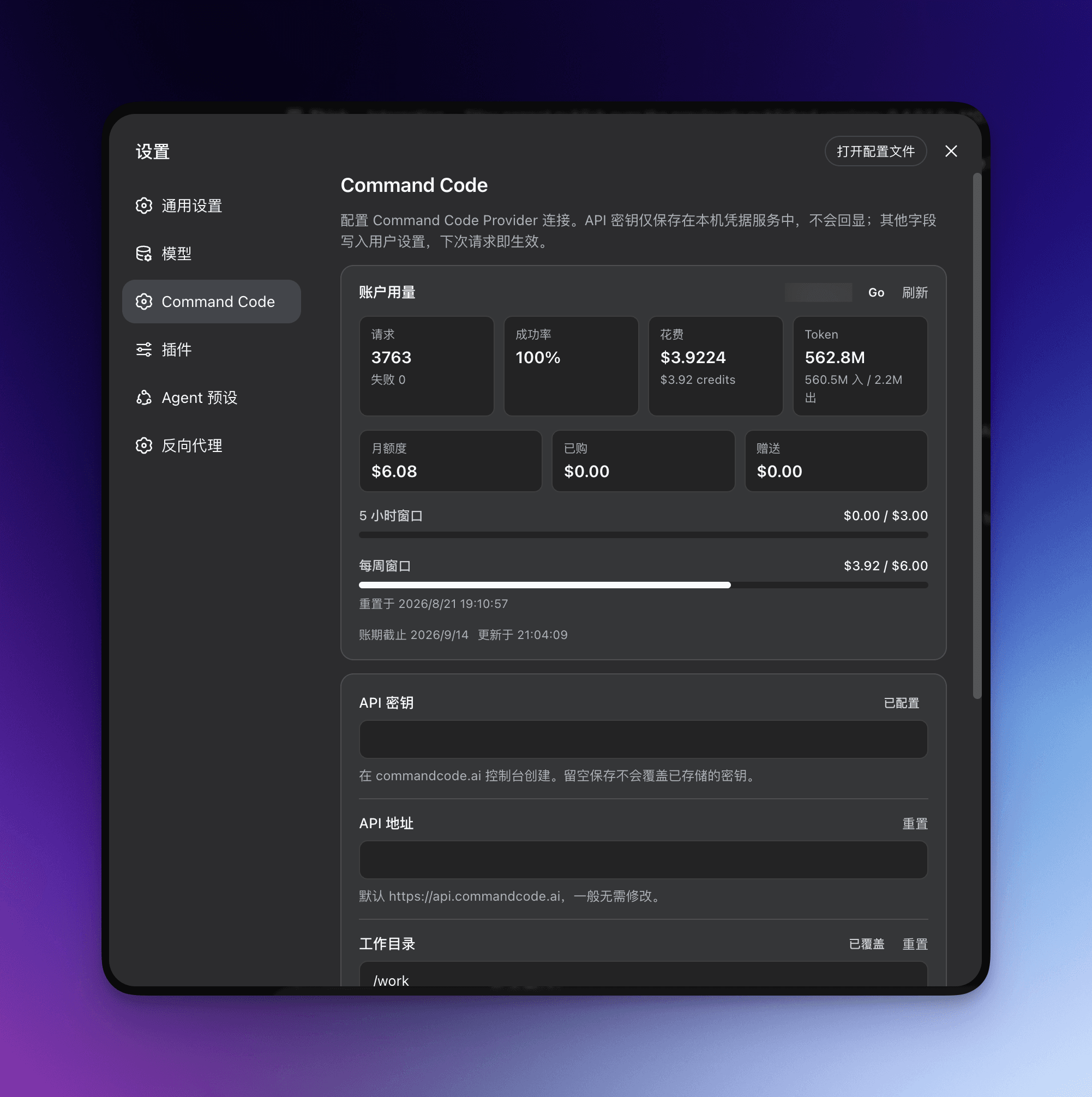
Command Code provider plugin for DeepSeek Harness (dsh). Adds Command Code model access, live model catalog, plan-aware model selection, reasoning effort, image input, web search, and multi-account support.
Install
npx @deepseek-ai/dsh plugin --profile web add @mars-sea/dsh-commandcode-provider@latest`Restart `dsh web` after install. Bundle APIs can change during the developer preview.
README badge

[](https://dshhub.dev/plugins/dsh-commandcode-provider)Paste this into your README. The star count updates with every catalog sync.
From the README
Excerpt from Mars-Sea/dsh-commandcode-provider, cleaned of badges and images.
dsh-commandcode-provider
English | 简体中文
Unofficial DeepSeek Harness LLM provider plugin for Command Code, ported from pi-commandcode-provider (MIT).
Community integration. You need your own Command Code account, API key or subscription, and Command Code's terms apply. Not affiliated with Command Code, Inc.
Quick start
| Verified engines | dsh >=0.2.1-rc.2 <0.2.2-0 (every 0.2.1 RC from 0.2.1-rc.2 on) |
| Install — web | dsh plugin --profile web add @mars-sea/dsh-commandcode-provider@latest |
| Install — terminal | dsh plugin --profile dsh-tui add @mars-sea/dsh-commandcode-provider@latest |
| Config file | $DSH_HOME/settings.yaml → llm-commandcode: |
| API key env | COMMANDCODE_API_KEY |
| Usage dashboard | /commandcode |
Features
- Plugin bundle — one
dsh plugin addinstalls acommandcodeprovider route with the live model catalog. - Settings page — accounts (keys, browser sign-in, live quota, dedicated models), model visibility, privacy switches, connection options.
- Annotated catalog — plan tier, deal/
FREEbadge, peak/off-peak, image support and context window in the picker; free models first. - Multi-account rotation — an exhausted account hands over to the next one; pin a preferred account or route models to dedicated ones.
- Browser sign-in — run the official authorization flow from the settings page; the approved key lands in the local credential store.
- Plans & quota panel — optional sidebar card with the serving account's plan, 5-hour and weekly windows, balances and reset times.
- Session cost estimate — published-rate estimates (
≈) beside the composer token counter, priced per request from durable session history. - Model analysis — tokens, estimated cost, response timing and failures by session or date range. Scope.
- Web search — the dsh
web_searchtool is served by Command Code (/alpha/web-search) with the same key and endpoint as chat. - Zero data retention — optional ZDR routing (
x-cmd-zdr: 1), off by default. - Context & output limits — override the metered context window globally or per model, and cap or omit the per-turn
max_tokens. - Reasoning effort & images — effort levels in the picker; Vision models accept images.
- Terminal UI — the same install serves a dsh-TUI profile with its own
/settings→ Command Code page.
Screenshots
Model picker — plan tier, deal/FREE, peak/off-peak, Image and context annotations:
Usage dashboard — /commandcode per-account report:
Settings page — accounts with live quota, model visibility, privacy switches, connection options:
Install
dsh plugin --profile web add @mars-sea/dsh-commandcode-provider@latest
…

