LAU-MARS/dsh-cad
dsh-cad
deepseek harness 2D and 3D CAD plugin
Install
npx @deepseek-ai/dsh plugin --profile web add dsh-cadRestart `dsh web` after install. Bundle APIs can change during the developer preview.
README badge

[](https://dshhub.dev/plugins/dsh-cad)Paste this into your README. The star count updates with every catalog sync.
From the README
Excerpt from LAU-MARS/dsh-cad, cleaned of badges and images.
dsh-cad — CAD Plugin for DeepSeek Harness
English | 简体中文
A CAD plugin for DeepSeek Harness (dsh): an embedded 3D/2D CAD viewer plus a native parametric modeling tool family (OCCT kernel) in the Web UI, letting the agent build and inspect CAD geometry step by step — "model while you watch".
Preview
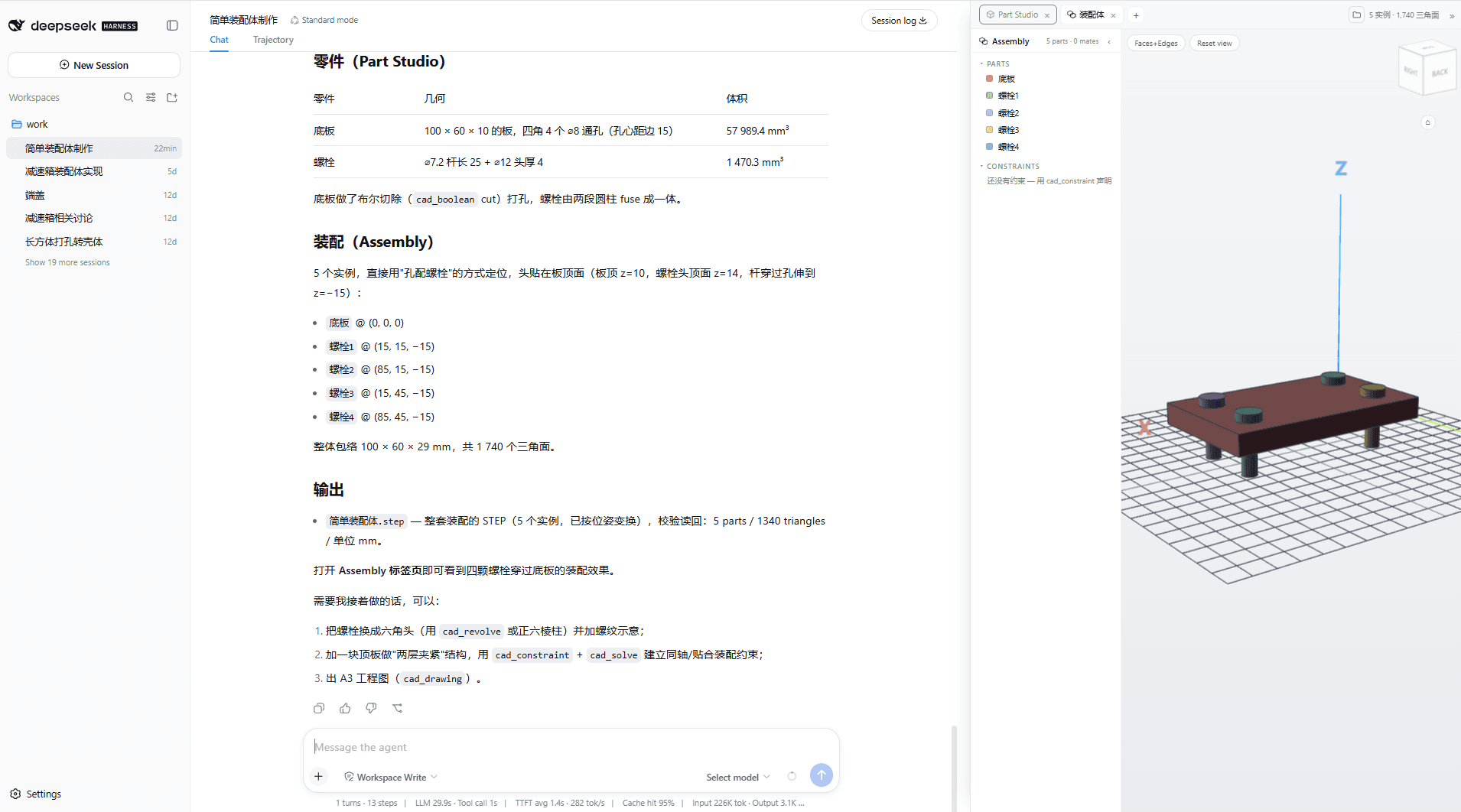
A full modeling session, end to end: the agent builds a parametric assembly from plain chat — a 120×80×8 base plate with R5 rounded corners, then four bolt instances placed at the corners — while the resident CAD panel tracks every step live (parts tree with per-instance colors, ViewCube, "装配体" assembly tab, 5 instances · 1,740 triangles). The finished assembly exports as a structured STEP document and the agent verifies it by reading the file back — 2 solids, 3 products, 2 assembly usages, 1,125.00 mm³:
Feature Overview
| Capability | Description |
|---|---|
| ⚙️ Single-kernel architecture | occt.ts as the primary modeling kernel (true B-splines, native shell/draft, centroid); opencascade.js stays only as the fallback backend; the v0.8 "no editing after shell" seam is gone — fillet/chamfer/boolean keep working after shelling |
| 🔍 CAD viewing | STL / OBJ / STEP / IGES / BREP / DCPRT (3D), DXF / SVG (2D); interactive in-chat card (orbit / zoom / wireframe / pan) |
| 🧭 CAD editor interactions | Onshape-style ViewCube (26-zone click-to-orient), hover/click face & edge picking with live measurement (area mm² / length mm), Faces+Edges / Faces / Wireframe render modes, switchable BRep demo parts (bracket / flange / shaft) |
| 🏗️ Parametric modeling | Primitives, profile extrusion, loft, sweep, revolve, booleans, all-edge fillet/chamfer, shell, draft, patterns (linear/circular), transforms; profiles take curve segments (arcs/circles exact BRep; B-splines sampled approximation) — exact OCCT BRep, not a mesh approximation |
| 🗂️ Codex-style document tabs | The resident display panel gets a tab strip with a "+" menu: Part (Part Studio, the default) / Assembly (instance insert/move/remove) / Drawing (true hidden-line sheets); tabs are closable and keep their state |
| 📁 Multi-document file space | Named documents per workspace (.dsh-cad/docs/), each session bound to its own active document — new sessions start empty instead of inheriting leftovers; a folder button in the panel lists every document (preview / delete), and cad_doc_new / cad_doc_open manage the modeling target from chat |
| 📐 Engineering drawings | GB first-angle layout: front / top / left views + isometric, true OCCT hidden-line removal via the occt.ts kernel (an npm dependency, dashed); sheet frame, title block, overall dimensions, standard scale series; exports SVG / DXF |
| 🔗 Constraint solving & motion | Ansatz geometric constraint solver (one command: npm install ansatz-wasm — a wasm dependency, no Rust toolchain, no native binary): entity/constraint modeling (assembly instances ↔ rigid3 poses mapped automatically), solve-with-writeback, full DOF/residual/redundancy/suggestion diagnostics (LLM-oriented), and parametric kinematic sweeps (cad_constraint / cad_solve / cad_motion) |
| 📐 Geometry measurement | Exact volume (mm³), bounding box, triangle counts, DXF layers |
| 📤 On-demand export | STEP (parametric) / STL (mesh); files are written only when the user asks |
| 🖥️ Resident CAD panel | A permanent panel |
…
