zaizaizhao/dsh-branchmark
dsh-branchmark-workspace
While vibe coding, save an answer you may need later, use Side Chat for a question that suddenly comes up, or open a related conversation for deeper work without losing focus on the current task.
Install
npx @deepseek-ai/dsh plugin --profile web add [email protected]Restart `dsh web` after install. Bundle APIs can change during the developer preview.
README badge

[](https://dshhub.dev/plugins/dsh-branchmark)Paste this into your README. The star count updates with every catalog sync.
From the README
Excerpt from zaizaizhao/dsh-branchmark, cleaned of badges and images.
<a href="README.en.md">English</a> · <a href="#交互演示">交互演示</a> · <a href="#快速开始">安装与使用</a>
BranchMark 是一个 DSH Web 插件:保存值得保留的回答,在 Side Chat 中快速追问,再围绕摘录创建相关会话,用会话树管理不同方案。
开发心路
最近在公司开发,时间紧、任务多,我经常按想法和功能多开几个 Session。有多个方案时,还会 fork 出新的会话。时间一长,注意力被分散,也容易忘记哪些方案还没审核、各个分支从哪里开始。
人脑才是瓶颈啊。
所以做了枝签,把需要记住的内容和需要跟进的会话整理到一起:
- 先记下好想法。 看到有价值的回答,但暂时不想展开,就先保存为枝签,按需要补充备注和标签。
- 分开跟进多个方案。 从摘录创建相关会话,在会话树中查看关系,点击节点就能回到对应讨论。
- 随手问清小问题。 对某段内容不了解,直接打开 Side Chat 快问快答;关闭后销毁临时对话,不留下新的正式会话。
交互演示
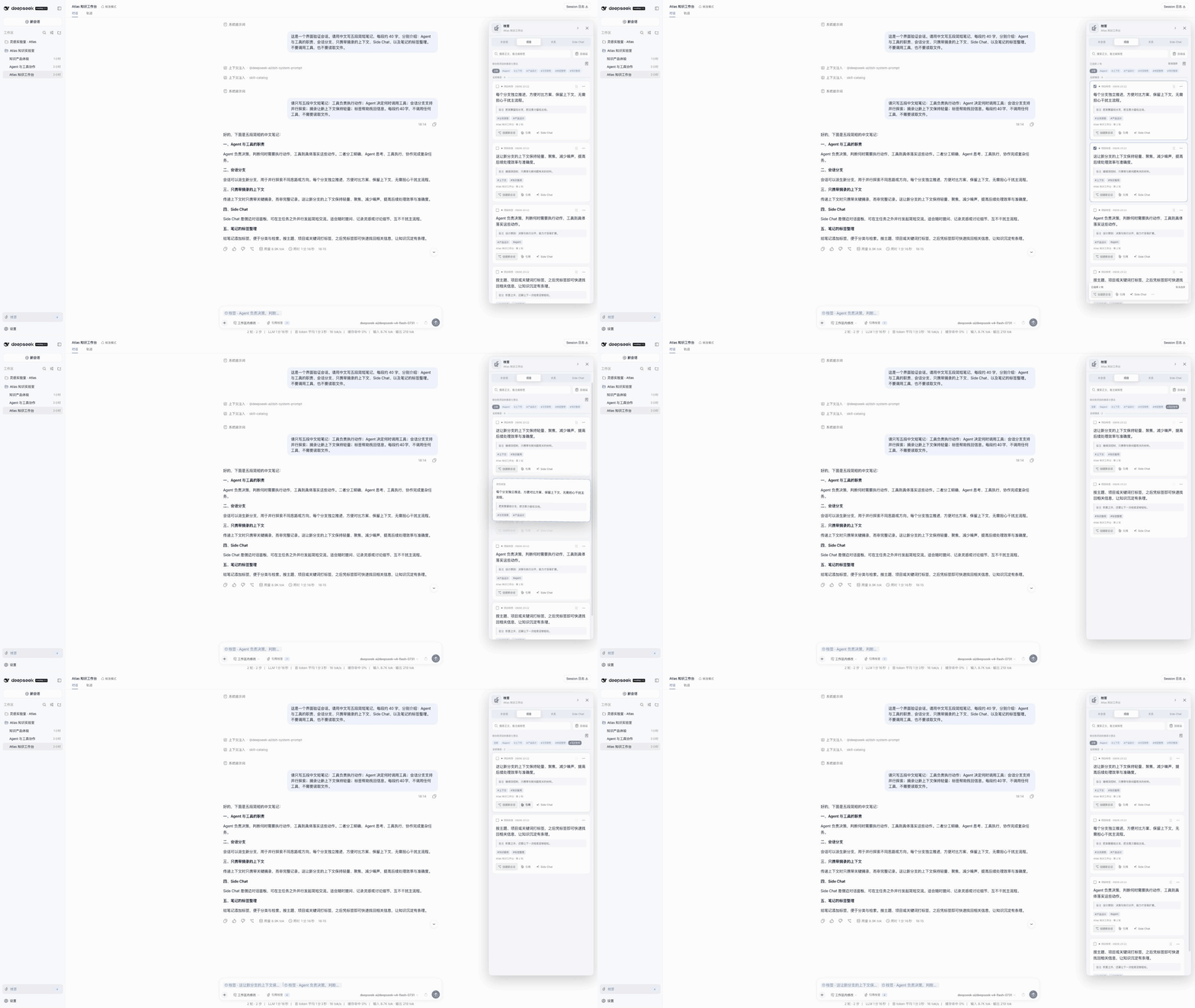
保存、整理与引用枝签
<a href="assets/demo/branchmark-clips-and-organization-demo.gif"><img src="assets/demo/branchmark-clips-and-organization-demo.gif" width="100%" alt="保存与整理枝签,支持备注、标签、多选和排序"></a>
从摘录继续讨论,在会话树中回顾方案
<a href="assets/demo/branchmark-session-tree-and-derived-session-demo.gif"><img src="assets/demo/branchmark-session-tree-and-derived-session-demo.gif" width="100%" alt="在会话树中查看分支、打开会话和继续创建相关讨论"></a>
快速开始
当前兼容组合为 BranchMark 0.1.2-rc.2 + DSH 0.1.2-rc.1,仅支持 Web Profile。Node.js 要求 ^22.19.0 || >=24.0.0。
npm install --global @deepseek-ai/[email protected]
dsh plugin --profile web add [email protected]
dsh --profile web
已安装对应 DSH 的用户,只需执行插件安装命令,再重启 Web Profile。Side Chat 和正式会话提问需要在 DSH 中配置可用模型。
怎么用
- 在已完成的对话消息中选择文字,保存到本会话或项目。项目枝签可在同一工作区的其他会话中复用。
- 打开右侧枝签面板,添加备注、标签,或搜索已经保存的内容。
- 点击 引用,将枝签放入输入框;点击 Side Chat,围绕它临时追问。引用不会自动发送。
- 点击 创建新会话:完整分叉继承来源历史并携带所选枝签;仅携带枝签只带选中的摘录和启用的备注;空白分支不带历史或摘录,但保留组织关系。
- 在 关系 页查看会话树,点击节点继续对应讨论。
枝签与关系保存在本地;发送问题时,所选内容会交给你配置的模型服务。
卸载插件:
dsh plugin --profile web remove dsh-branchmark
卸载后重启 Web Profile;已有枝签数据会保留。
详细配置见 Bundle 使用说明,源码构建与安装见 安装教程,问题反馈请提交 GitHub Issue。本项目使用 MIT License。
社区
LINUX DO — 真诚、友善、团结、专业的技术交流社区。
