HarmlessFunny/dsh-background-by-model
dsh-background-by-model
dsh-background-by-model is a community DeepSeek Harness plugin. Read the repository README before installing.
Install
npx @deepseek-ai/dsh plugin --profile web add dsh-background-by-modelRestart `dsh web` after install. Bundle APIs can change during the developer preview.
README badge

[](https://dshhub.dev/plugins/dsh-background-by-model)Paste this into your README. The star count updates with every catalog sync.
From the README
Excerpt from HarmlessFunny/dsh-background-by-model, cleaned of badges and images.
dsh-background-by-model
English | 中文
Forked from
Tkingxiao/dsh-any-backgroundand renamed todsh-background-by-model.
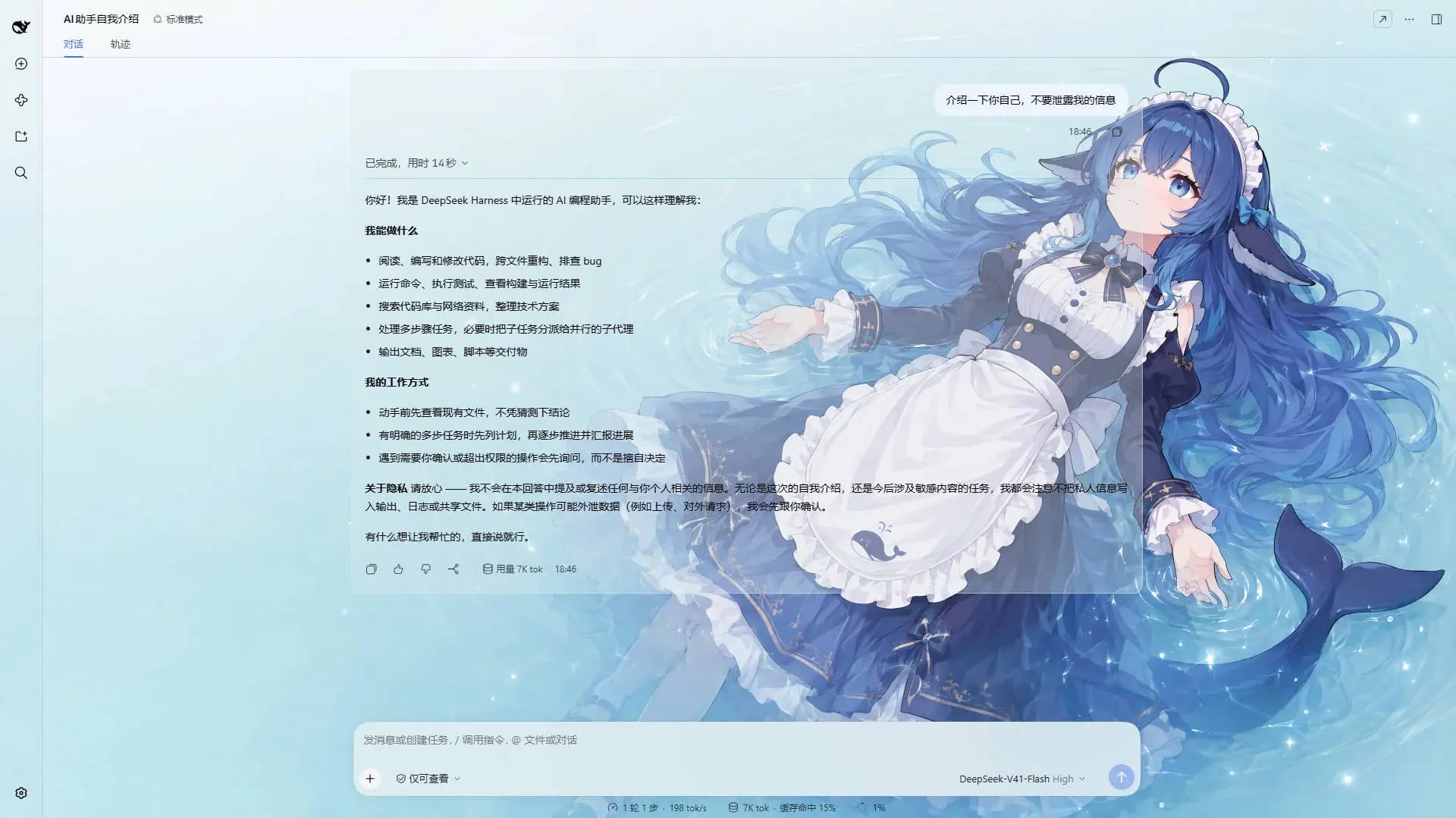
A DeepSeek Harness appearance plugin built around an ordered list of model rules: each rule carries its own images, and each image its own layout mode, framing, theme color, opacity, brightness and blur. Switch the model and the background switches with it, through the global switch effect you choose on the Config page.
v0.3.0 was a breaking release — video wallpapers, generated backgrounds and the single global theme color were removed. See the v0.3.0 entry in CHANGELOG.md.
How Model Rules Work
A rule is a match string plus one complete set of background settings. On a model switch the plugin reads the current session's model name, scans the list top-down, and applies the first rule whose match string appears anywhere in it (case-insensitive) — with rule 1 as the fallback when nothing matches.
Example list:
| # | Match string | Wallpaper |
|---|---|---|
| 1 | deepseek | Image A |
| 2 | flash | Image B |
| 3 | glm | Image C |
| Current model | Result | Why |
|---|---|---|
DeepSeek-Flash | Rule 1 → Image A | deepseek matches first |
GLM-Flash | Rule 2 → Image B | flash is earlier in the list than glm |
Qwen-Flash | Rule 2 → Image B | flash matches |
GLM-Turbo | Rule 3 → Image C | only glm matches |
Kimi-K3 | Fallback → Rule 1 → Image A | no rule matches |
- Order matters — the first match wins, not the best match; drag rules to reorder them.
- An empty match string makes a rule skip matching and act purely as a fallback, so a single rule with an empty match string is "one wallpaper everywhere".
- The match string is compared against provider, model id and display name concatenated, so any of the three can select a rule.
- The current model is read from this session's durable model selection (the
modelSelectionprojection the composer's own picker renders), so switching models inside a session takes effect immediately; the page shows what was read, and marks it host default when only the host-wide default was available.
The example above has no
kimientry, so Kimi falls back to rule 1 = Image A and looks like "nothing happened" — add a rule with the match stringkimi.
Screenshots
One interface, one config — only the current model differs:
<br/> <em>DeepSeek V4.1 Flash · matched the rule containing <code>deepseek</code>: a light wallpaper with a matching theme color</em> <br/> <em>Kimi K2.7 Code · matched the rule containing <code>kimi</code>: a dark wallpaper, and the whole interface reskinned with it</em> <br/> <em>One rule on the Model Background tab · the layout mode, the framing, the theme color and the opacity/brightness/blur all belong to the image being edited</em><sub>Example wallpaper art from <a href="https://space.bilibili.com/4168597">ZipZipPipe</a> on bilibili</sub>
Features
Model rules
An ordered list of rules, matched first-hit against the current model's name, with rule 1 as the fallback.
…

