Ultronen/dsh-archived-chats
dsh-archived-chats
Archive Management for DeepSeek Harness: search archived and unarchived chats, preview conversations, organize tags and notes, archive by workspace, keep ZIP backups, inspect origins and branches, check residual chats manually, and check for updates. Legacy recycle recovery is retained.
Install
npx @deepseek-ai/dsh plugin --profile web add dsh-archived-chats@latestRestart `dsh web` after install. Bundle APIs can change during the developer preview.
README badge

[](https://dshhub.dev/plugins/dsh-archived-chats)Paste this into your README. The star count updates with every catalog sync.
From the README
Excerpt from Ultronen/dsh-archived-chats, cleaned of badges and images.
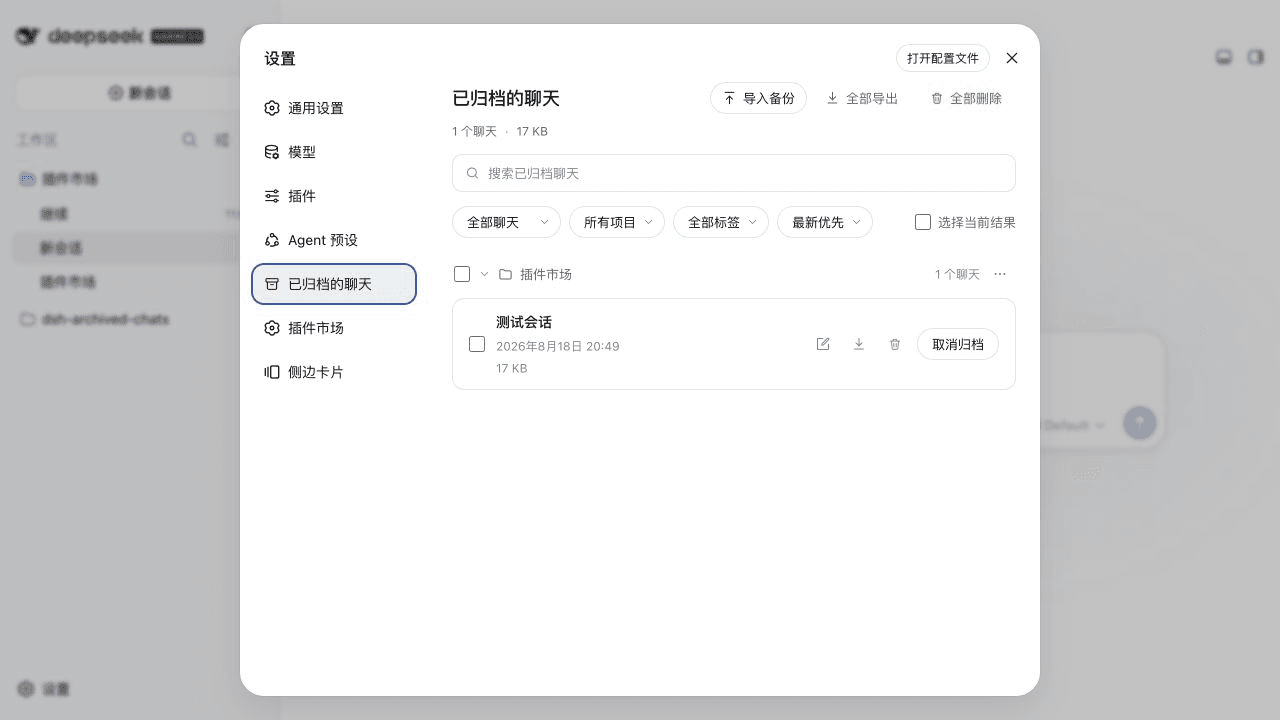
Archive Management adds conversation search, organization and backups to DeepSeek Harness. Find a past solution, preview its context, archive by workspace, or save a ZIP before deleting a chat.
- Find past work: search titles, messages, tool results, tags and notes; open a match with surrounding context.
- Organize chats: manage Archived and Unarchived, including workspace groups, ungrouped chats, bulk actions, tags and notes.
- Keep a backup: export JSON + Markdown ZIPs; preview imports and skip existing IDs instead of overwriting them.
This document describes 1.6.0. New recycle operations and automatic cleanup are retired; see upgrading for existing data.
Install and open
Find dsh-archived-chats in the DSH plugin market, verify author Ultronen, and install. Follow the host's restart prompt, then open Settings → Archive Management (Chinese: 设置 → 归档管理).
Alternatively, use the CLI. web is an example profile; replace it with your running DSH profile and use the same profile for updates and removal:
dsh plugin --profile web add dsh-archived-chats@latest
If installation reports ERR_PNPM_ADDING_TO_ROOT, add -w after add. To update:
dsh plugin --profile web update dsh-archived-chats
First task
- Open Unarchived, click a chat title to preview it, then archive the chat you want to keep. Blank new chats are excluded; running chats require explicit Stop and archive confirmation.
- Search Archived, open a title or matching snippet, and edit tags and notes from the preview.
- Choose Select, check chats, and choose Export selected; narrow layouts place this action in the three-dot menu. Verify the ZIP in browser downloads.
- Unarchive to continue chatting. Before deleting, decide whether to keep a backup: deletion is permanent and cannot be undone.
Pages and capabilities
| Page | Purpose |
|---|---|
| Archived | Search, filter, preview, tags and notes, import/export, unarchive and confirmed permanent deletion. |
| Unarchived | Ordinary workspace and ungrouped chats, preview, individual/workspace/global archiving. |
| Origins & Branches | Read-only sources, forks and subagents related to archived chats. |
| About | Automatic update checks, host and local-checkout detection, copyable installation details, host-supported updates, and manual residual-chat checks. |
| Recycle Bin, when records exist | Recover legacy records to Archived, export protection snapshots, or confirm permanent deletion; hidden when empty. |
…

