omdsh-dev/dsh-annotation
dsh-annotation
dsh-annotation is a community DeepSeek Harness plugin. Read the repository README before installing.
Install
npx @deepseek-ai/dsh plugin --profile web add @changfenhuang/dsh-annotationRestart `dsh web` after install. Bundle APIs can change during the developer preview.
README badge

[](https://dshhub.dev/plugins/dsh-annotation)Paste this into your README. The star count updates with every catalog sync.
From the README
Excerpt from omdsh-dev/dsh-annotation, cleaned of badges and images.
dsh-annotation
Verified hosts: DSH 0.1.6-alpha.1 and the 0.1.2-rc.1 minimum. These are core versions, not Desktop shell versions.
Sidebar file annotations (DSH 0.1.6-alpha.1): select plain text, Markdown, or code in a workspace file preview and use the same annotate, save, and Enter-to-send flow. The editor and model-facing quote include the file path. After reloading and reopening the original file, its markers are restored; identical passages in different files remain separate. PDF, images, and HTML inside iframes are not covered.
English · 简体中文
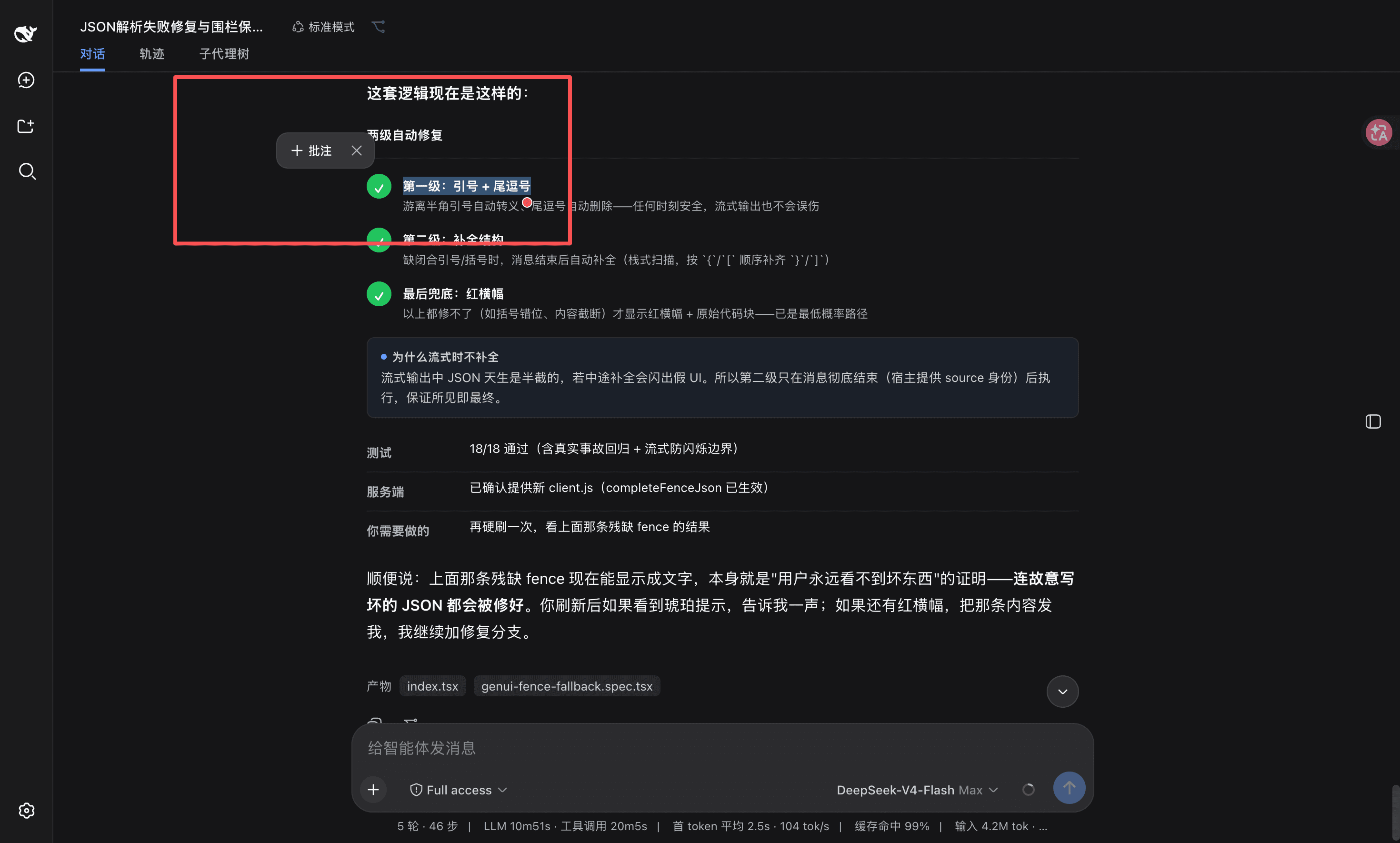
<p align="center">Selection-annotation plugin for DSH Web: select text → annotate → press Enter to send it along with your message; the model replies to each annotation by number.</p> <p align="center"><strong>🌐 <a href="https://omdsh-dev.github.io/dsh-annotation/">Live Product Site — Explore dsh-annotation in DSH</a></strong></p>Select any text in an assistant reply to annotate it (the annotation body may be left empty = just mark the passage). Annotations accumulate across messages and turns. An Annotations ×N chip appears next to the input box — hover to view all annotations, remove them one by one. Press Enter and the annotation block goes to the model together with whatever question is in the input box. The annotation block never shows up as text in your own message bubble — only the question plus the chip (content visible on hover; hidden before paint, zero flicker). The model replies with Annotation 1: … … Annotation N: …, one per annotation, and every Annotation label in the reply is a hoverable chip showing the annotated passage and your note.
Form: official bundle plugin (dsh.bundle + a dsh.client declaration in package.json, injected into the browser via client-modules; the Node half is an empty implementation). Zero core changes — no DSH files are touched; cordis.patch.yml only inserts its own id once, and the profile patch stays [].
Features
| Feature | Description |
|---|---|
| Select-to-annotate | Select assistant text → toolbar "Annotate" → write your note (may be empty); dismiss by clicking elsewhere or pressing Esc |
| Numbered marker + highlight | A blue numbered marker + highlight anchored to the passage, viewport-anchored with collision avoidance, never lost when scrolled out of view |
| Cross-turn collection | Any number of annotations accumulate across messages/turns, numbered from 1 |
| "Annotations ×N" chip | Small chip beside the input box; hover shows every annotation, deletable individually |
| Enter sends with your message | Annotation block + the question in the input box are sent to the model together (the model receives the full content) |
| Hidden in your bubble | The annotation block is removed from your bubble's DOM the moment you send (before the browser paints), leaving only the question + the chip (hover to view); historical messages self-heal after a refresh |
| Numbered reply correspondence | A format instruction is injected into the message so the model replies Annotation 1: … … Annotation N: … one by one |
| Reply annotation chips | Annotation N: in the reply renders as hoverable chips showing the passage + your note |
Interaction flow
…
