liguobao/ds-harness-remote
ds-harness-remote
ds-harness-remote is a community DeepSeek Harness plugin. Read the repository README before installing.
Install
npx @deepseek-ai/dsh plugin --profile web add -wRestart `dsh web` after install. Bundle APIs can change during the developer preview.
README badge

[](https://dshhub.dev/plugins/ds-harness-remote)Paste this into your README. The star count updates with every catalog sync.
From the README
Excerpt from liguobao/ds-harness-remote, cleaned of badges and images.
<strong>English</strong> · <a href="README.zh.md">中文</a> · <a href="docs/README.md">Documentation</a> · <a href="apps/server/README.md">Self-hosting</a> · <strong>Download:</strong> <a href="https://github.com/liguobao/dsh-desktop/releases/latest">Windows</a> · <a href="https://github.com/liguobao/dsh-desktop/releases/latest">macOS</a> · <a href="https://github.com/liguobao/dsh-desktop/releases/latest">Linux</a> · <a href="https://dsh.r2049.cn/app">Web</a> · <a href="https://github.com/liguobao/ds-harness-remote/releases/latest">Android</a>
<a href="https://www.npmjs.com/package/ds-harness-remote">npm</a> · <a href="https://github.com/liguobao/ds-harness-remote">GitHub</a> ·
Connect once. Ready whenever you are.
Continue using your DeepSeek Harness instance from a phone, computer, or browser.
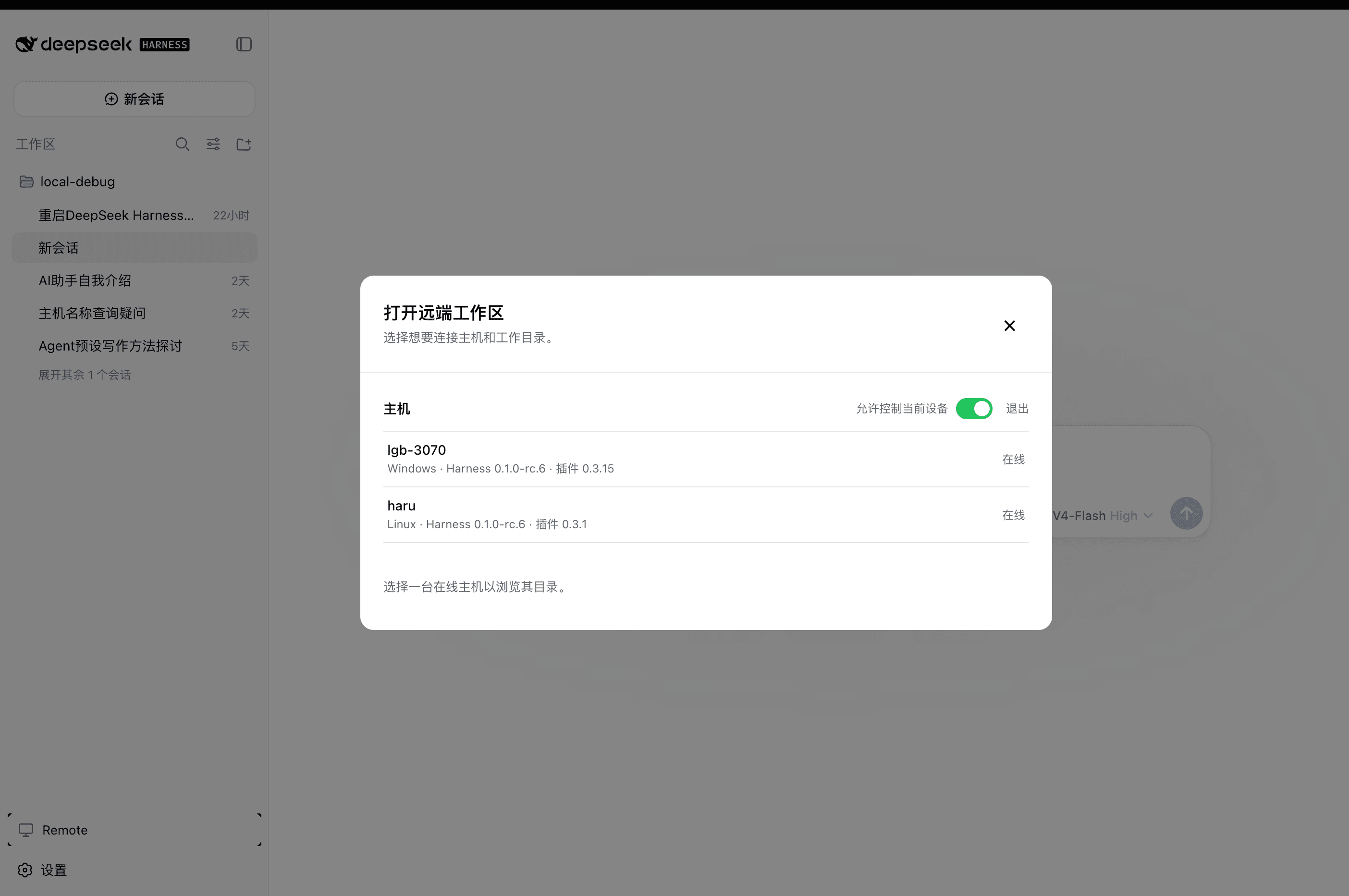
Return to the same Harness session from whichever device is with you. Harness keeps running on your work computer, with the same workspaces, tools, and project setup. Remote is simply another window into that environment.
Features
- Continue active sessions and review their latest progress from another device
- Send new instructions, change direction, and use image prompts with supported Harness versions from
dsh-v0.1.1-rc.2throughdsh-v0.1.6-alpha.1 - Answer questions and permission requests from clients with live conversation controls
- Open workspaces from another authorized computer on the same account
- Reuse the native Harness interface instead of maintaining a separate desktop conversation UI
- Preview remote files between two Harness installations with the optional
dsh-file-viewerplugin - Run a terminal-only dsh-TUI profile as a Host and authorize it with a GitHub or Zhihu QR code
- The Harness Host does not need a public listening port. Connect securely from anywhere with internet access over a bidirectional end-to-end encrypted channel
Install
Path A: DSH Desktop
Install DSH Desktop on Windows, macOS, or Linux. Remote is included and enabled by default, so no separate plugin installation is required.
Path B: Automated installation
macOS / Linux:
curl -fsSL https://dsh.r2049.cn/app/install.sh | bash
Windows PowerShell (Run as administrator):
irm https://dsh.r2049.cn/app/install.ps1 | iex
Follow Quick start to sign in. See the installation guide for configuration, service management, and uninstallation.
Path C: Existing DSH installation
Add the exact package version through DSH's plugin manager for the web profile:
dsh plugin --profile web add -w [email protected]
-w targets the profile's own workspace root. It is required on pnpm below 11, which
otherwise refuses the add with ERR_PNPM_ADDING_TO_ROOT.
Restart Harness after installation.
Do not install this package directly with npm. Only dsh plugin updates the selected profile and
adds the bundle's configuration layer.
Path D: dsh-TUI Host
For terminal Host setup with dsh-TUI, see the dsh-TUI Remote guide.
Quick start
…
