pearjelly/deep-blend
deepblend-studio
Create and refine Blender product scenes in DSH: editable recipes, model imports, real previews, saved revisions and PNG/MP4 delivery.
Install
npx @deepseek-ai/dsh plugin --profile web add @deepblend/dsh-blender-bundleRestart `dsh web` after install. Bundle APIs can change during the developer preview.
README badge

[](https://dshhub.dev/plugins/deep-blend)Paste this into your README. The star count updates with every catalog sync.
From the README
Excerpt from pearjelly/deep-blend, cleaned of badges and images.
DeepBlend Studio
DeepSeek Flash 1017 / DSH 0.2.1-rc.1 适配与实测见适配记录,同时保留旧宿主 0.1.5-rc.2 支持。
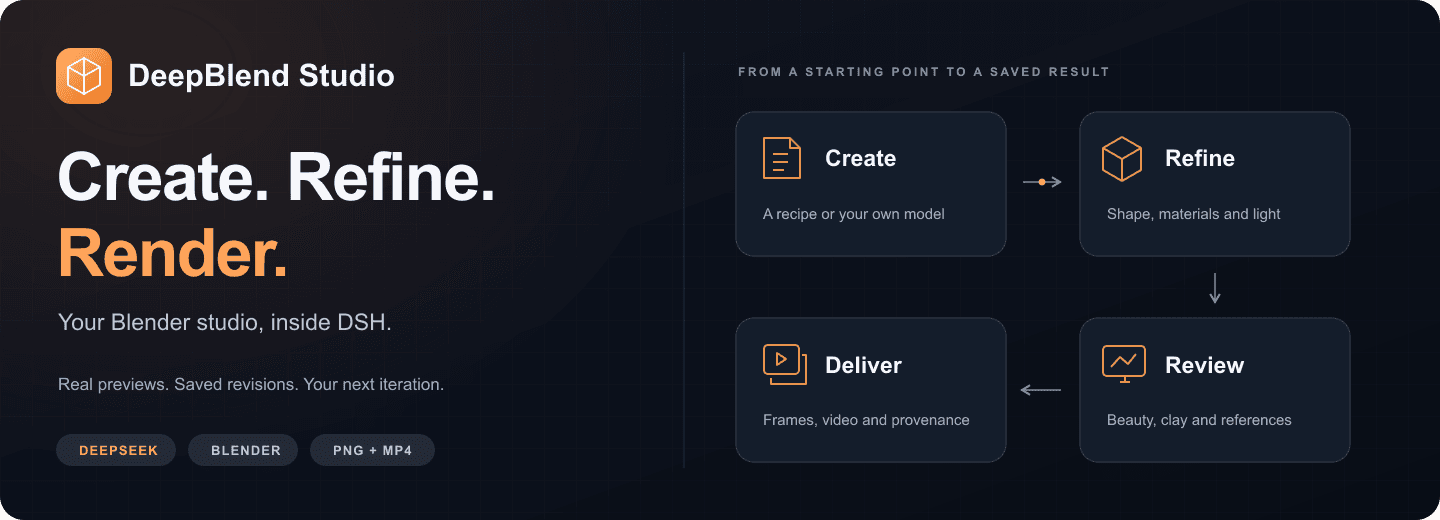
<strong>Your Blender studio, inside DeepSeek Harness.</strong><br> Start with a product recipe or your own model. Shape the scene. Compare real renders. Deliver the result.
English · 简体中文
Quick start · See the workbench · Documentation · Latest release · Contribute
0.21.0 is published on GitHub and npm. Move, turn and place a complete metal lamp on a measured surface in one save, then continue editing its dimensions. Full acceptance, fresh installation and the three public installation routes have been verified. The community catalogs still serve 0.20.0 as of October26; see the release record. The current complete-view candidate saves a new static product view after a move, preserving the original cameras and animation; it is not yet released.
Use Save an editable copy on the Revisions page to download a saved version as a ZIP, optionally with a verified completed video. Preparation supports cancellation, retry and recovery after a reload. How to use it.
Quick start
With Node.js 22.23.3 or newer, DSH 0.1.5-rc.2, pnpm and Blender 5.2.1 ready:
dsh plugin --profile web add @deepblend/dsh-blender-bundle
dsh web
Restart an already running dsh web after installation. In a new session, choose the DeepBlend Studio
preset and open Blender in the sidebar. Both the workbench and agent presets are included.
First time setting up Blender or DSH? Follow the English / Chinese quick-start guide.
FFmpeg and ffprobe are needed when encoding an MP4. Install them with brew install ffmpeg on macOS,
sudo apt install ffmpeg on Debian/Ubuntu, or winget install ffmpeg on Windows. You can create and render scenes before adding them.
<strong>Other install paths and upgrading an existing installation</strong>
Prebuilt bundle:
dsh plugin --profile web add https://github.com/pearjelly/deep-blend/releases/latest/download/deepblend-bundle.tgz
Current source tree:
dsh plugin --profile web add 'github:pearjelly/deep-blend#path:/packages/deepblend/bundle'
The quoted #path: form keeps the shell from treating # as a comment. Source installs may need the build approval
reported by DSH; follow that message. pnpm must be on PATH for every install route.
Already installed? Replace the existing registration before adding the new package, then restart dsh web:
dsh plugin --profile web remove @deepblend/dsh-blender-bundle
dsh plugin --profile web add @deepblend/dsh-blender-bundle
See the installation and upgrade guide for configuration and storage details.
New case: Night Shift
Created through DeepSeek Harness with the installed deep-blend 0.5.0 plugin: Blender’s official CHARGE Packbot, a new industrial set, lighting and six seconds of camera motion. 79 mesh parts, 511,595 polygons, 19 packed images; 1080p / 24 fps / 144 actually rendered frames. An independent DSH replay matched the scene digest; the frame-72 preview differed by at most 1/255 per channel.
…