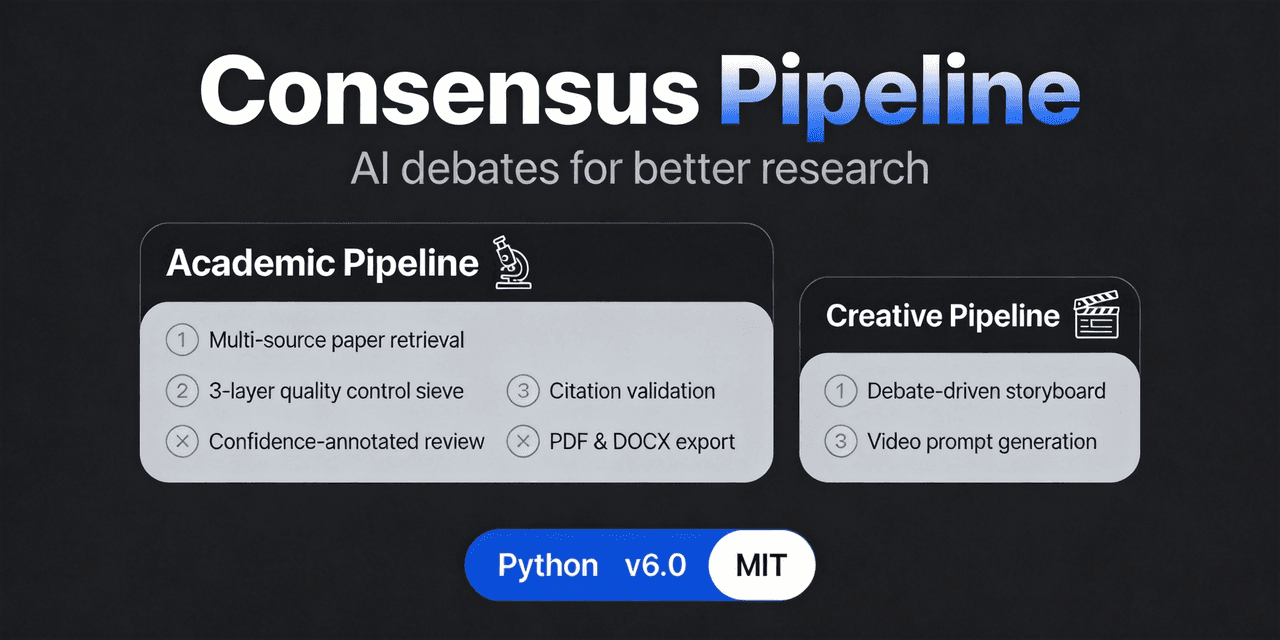
fangqian616/consensus-pipeline
consensus-pipeline
consensus-pipeline is a community DeepSeek Harness plugin. Read the repository README before installing.
Install
npx @deepseek-ai/dsh plugin --profile web add file:./consensus-pipeline/dsh-pluginRestart `dsh web` after install. Bundle APIs can change during the developer preview.
README badge

[](https://dshhub.dev/plugins/consensus-pipeline)Paste this into your README. The star count updates with every catalog sync.
From the README
Excerpt from fangqian616/consensus-pipeline, cleaned of badges and images.
🧠 Consensus Pipeline
Multi-agent debate framework for academic research. Instead of one AI writing a literature review for you — an AI team interviews you, debates each claim, reaches consensus with per-claim confidence scores, and verifies every citation against the source abstracts.
📖 中文文档 · 📦 GitHub Releases · 🔗 Related project: Multivest
⚡ Quick Start
Pick one of three paths (start with 1 or 2):
🚀 1. One-shot installer (fastest)
# Windows PowerShell
irm https://github.com/fangqian616/consensus-pipeline/raw/main/install.ps1 | iex
# macOS / Linux
curl -fsSL https://github.com/fangqian616/consensus-pipeline/raw/main/install.sh | bash
One command clones + installs deps + prints your MCP config.
🤖 2. DSH plugin (AI-driven, recommended)
git clone --depth 1 https://github.com/fangqian616/consensus-pipeline.git
npx -p @deepseek-ai/dsh dsh plugin --profile web add file:./consensus-pipeline/dsh-plugin
Then tell DSH "共识管线开始需求调研" — it runs the requirement interview → department config → multi-round debate → confidence-annotated report. The 📊 控制台 floating button (bottom-right) shows live progress, atomic verification, and full-text upload.
🖥️ 3. Streamlit / CLI (manual)
git clone https://github.com/fangqian616/consensus-pipeline.git
cd consensus-pipeline
pip install -r requirements.txt

# Set the key (export on Linux/macOS, $env: on PowerShell)
export DEEPSEEK_API_KEY="sk-your-key-here"

streamlit run app.py                              # web UI, browser opens
python run_pipeline_v2.py --topic "Your Topic"    # headless CLI
A full run is an offline batch job — start it and let it run in the background, no need to watch. Full details on all three paths (MCP config, full-text upload, custom endpoints) → 📖 Usage
❓ Why Not Just Ask ChatGPT?
A single LLM produces confident-sounding answers with no cross-validation — hallucinations slip through, conflicting perspectives get flattened, and you can't tell which conclusions are solid vs. speculative.
Consensus Pipeline replaces one-shot generation with structured multi-agent debate as a quality gate: every claim is challenged by independent "departments," contradictions are surfaced explicitly, and final conclusions carry confidence annotations (e.g., "42/77 papers, high confidence").
Think of it as built-in peer review — not a single author, but an adversarial committee.
📸 What It Looks Like
Step 1: Requirement Interview
The pipeline starts by interviewing you — an AI agent asks clarifying questions to understand your research scope, constraints, and goals.
Step 2: Smart Department Configuration
Based on your topic, the AI auto-generates 10+ specialized debate departments with multiple debaters per department. Each debater argues from a different methodological perspective.
Step 3: Multi-Round Debate
Watch debaters argue in real-time. Each round, debaters present their position, challenge others' assumptions, and refine their arguments. The pipeline runs 3-8 rounds per department (default), stopping early once debaters converge via dynamic termination.
Step 4: Structured Output
Debate results are structured into JSON with clear roles, positions, and consensus points — ready for report generation.
…
