agentrq/agentrq
agentrq
AgentRQ: Human-in-loop realtime conversational task manager for AI Agents. Self-hosted! Control your own agents from wherever you want Mobile, Web, Desktop. Designed to work well with your own Claude subscriptions and any harness with ACP support.
Install
npx @deepseek-ai/dsh plugin --profile agentrq-<workspace> add @agentrq/dsh-plugin-agentrqRestart `dsh web` after install. Bundle APIs can change during the developer preview.
README badge

[](https://dshhub.dev/plugins/agentrq)Paste this into your README. The star count updates with every catalog sync.
From the README
Excerpt from agentrq/agentrq, cleaned of badges and images.
AgentRQ ── Agent-Human Collaboration Platform
<a href="README.zh-CN.md">简体中文</a> <br /> <br />
AgentRQ is a modern, high-performance platform designed for seamless collaboration between human operators and AI agents. It leverages the Model Context Protocol (MCP) to allow AI models (like Claude) to interact directly with your workspace's task management system.
🚀 Overview
Think of AgentRQ as a shared workspace where humans and AI agents work together seamlessly. You can break down complex goals into manageable tasks, and delegate work directly to your AI agents.
Because agents "see" the workspace state via MCP, they can autonomously pull their assigned tasks, update statuses, request permissions for sensitive actions, and communicate with you—all synchronized instantly across the platform in real-time.
✨ Features
Animated sketches of the main features.
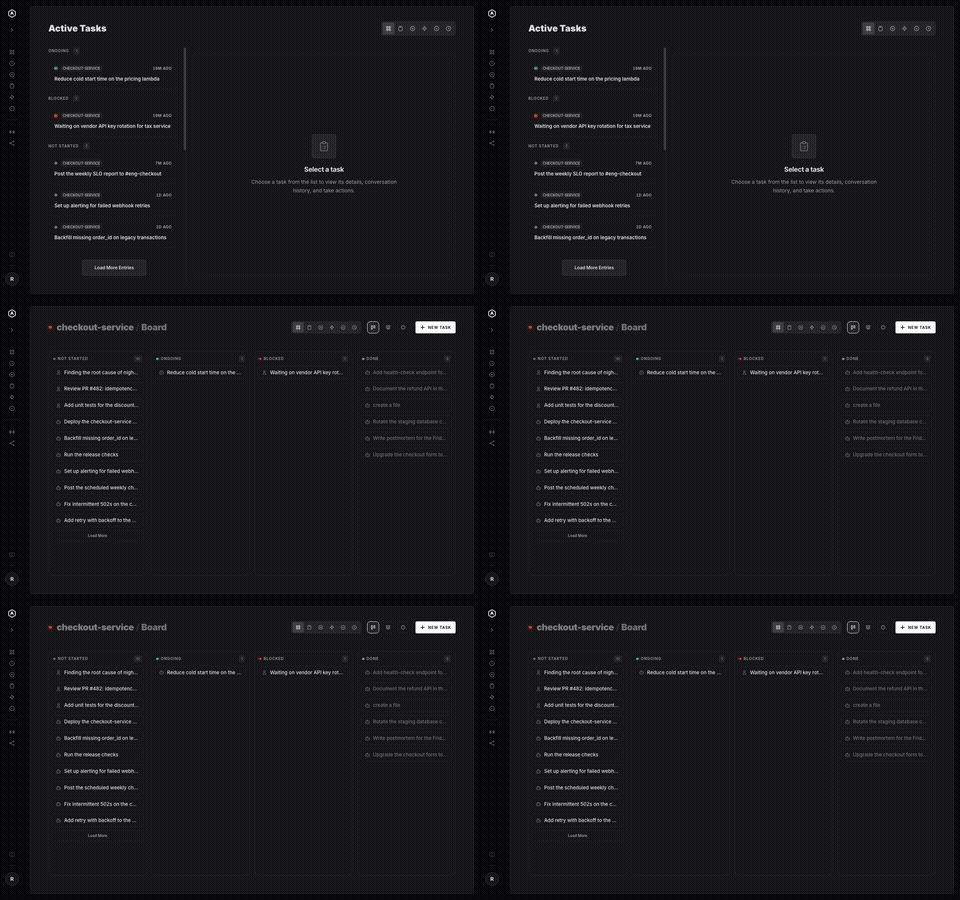
Visual Task Board
Every task Claude creates appears instantly on your board. See what it's working on, what it needs, and what it just finished — all from a clean, fast dashboard you can open on any device, as a list or a Kanban.
Task Scheduling
Give any task a launch date, or a recurring cadence — every 15 minutes, hourly, daily, weekly, custom days. A background poller ticks every minute and spawns the task the instant it's due, no server or agent needing to stay awake and wait.
Events
Events are named signals — qa_passed, deploy_finished, blog_published — that any task can fire when it completes. Wire one to a workspace and that workspace gets a new task automatically, no polling and no glue code.
Workflows
A Workflow is Events and workspaces arranged on a graph. Drag a workspace onto an event to subscribe it; drag an event onto a workspace to emit it on completion. No decision-tree DSL, no YAML — just the shape of your release process, visible.
<td colspan="2"><img src="docs/assets/readme/events-workflows.svg" width="1200" alt="AgentRQ workflows: you drag the release workspace onto the deploy_finished event. claude finishes the qa task, so qa_passed fires and a pulse runs into deploy, which gets a new task; codex deploys, deploy_finished fires and release gets its task; hermes writes the release notes and claude, codex and hermes celebrate." /></td>Tool Call History
The task detail view's History tab lays out a lane-grouped timeline of every tool call and message in a run — Input, Agent, and Tools. Search it, click into any entry, and see exactly what ran, what it returned, and whether it was allowed or denied.
Task Timeline
Under every task, a timeline shows each status it has been in and for how long: a dot per change, with the time spent on the line to the next, stretches waiting on you in yellow and blocked ones in red. Above it, the totals say which agent worked on it and for how long, how long it was blocked or waited for your input, and how long it took from start to close. Every status change is recorded with the task itself, so nothing moves without leaving a dot.
Speech-to-Text
Click the mic on any task description or reply and dictate it instead. Transcription runs on an in-browser Whisper model — your voice is processed on-device and never uploaded anywhere.
Message Send Delay
…