winditer/dsh-prompt-optimizer
dsh-prompt-optimizer
dsh-prompt-optimizer is a community DeepSeek Harness plugin. Read the repository README before installing.
Install
npx @deepseek-ai/dsh plugin --profile desktop add dsh-prompt-optimizerRestart `dsh web` after install. Bundle APIs can change during the developer preview.
README badge

[](https://dshhub.dev/plugins/winditer-dsh-prompt-optimizer)Paste this into your README. The star count updates with every catalog sync.
From the README
Excerpt from winditer/dsh-prompt-optimizer, cleaned of badges and images.
dsh-prompt-optimizer
English | 中文
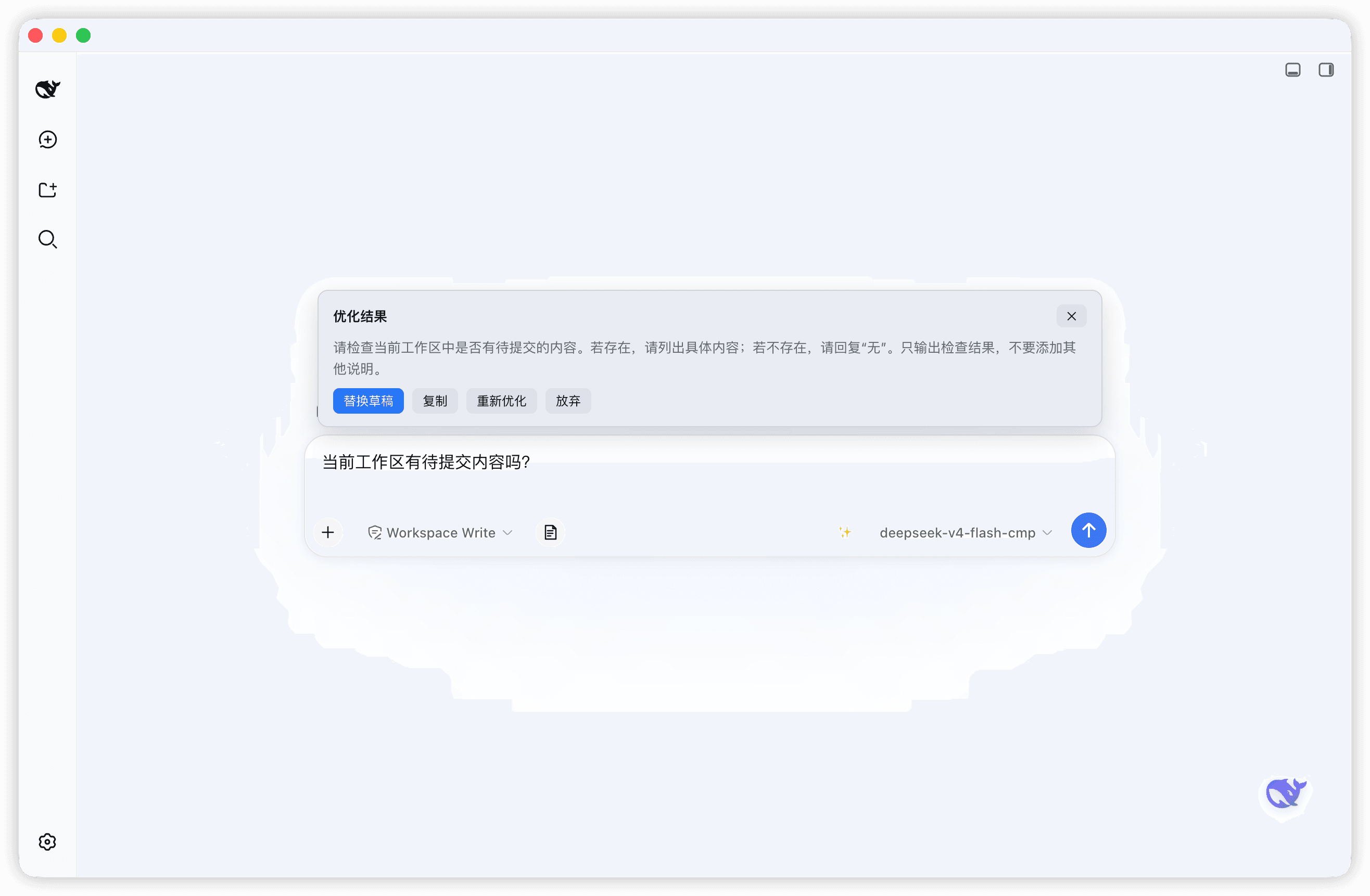
One-click prompt polishing for the DSH composer: select nothing, just type a draft and press ✨ (or Alt+O) — the plugin rewrites it into a clearer, better-structured prompt. Zero-config by default: it follows the current session's model through the harness host services, so no API key is needed. A self-configured OpenAI-compatible endpoint is supported as an alternative.
Features
- One-click optimize — a ✨ button on the composer's right;
Alt+Owhile the composer is focused does the same - True streaming preview — real SSE over the harness
webServer: everytext-deltafromllm.streamis pushed immediately and rendered token by token; reasoning is streamed first, so you watch the model think while it works - Zero-config default — reuses the current session/agent default model (host
agentDefaultModel+llmservices), no API key required - Custom endpoint mode — uncheck "follow session model" and plug in any OpenAI-compatible
/chat/completionsendpoint (base URL + key + model) - Action row on completion — replace the draft in place, copy, re-optimize, or dismiss
- Bilingual UI — follows the DSH language (中文 / English) live, no reload
- Self-hosted config — settings persist in
~/.dsh/prompt-optimizer-config.jsonvia a loopback RPC channel, independent of the host settings registry - Dark-mode ready — all colors follow DSH theme variables; fixed brand blue + white text in deep-night mode
- Local-only credentials — the API key (custom mode only) lives in the local config file and goes only to the endpoint you configured
Screenshots
Requirements
- DSH with a
webordesktopprofile - Node.js
^22.19.0or>=24.0.0(only needed to build from source) - pnpm is recommended when installing into a profile
Install
The bundle entry (
id: prompt-optimizer) is self-declared by this package'scordis.patch.yml— no manual patch file is needed.
From npm
dsh plugin --profile desktop add dsh-prompt-optimizer
For a web profile, use --profile web. Restart DSH (quit fully and reopen), then a ✨ button appears to the right of the composer.
From source (development)
git clone https://github.com/winditer/dsh-prompt-optimizer.git && cd dsh-prompt-optimizer
npm install
npm run build          # produces dist/client.js
dsh plugin --profile desktop add .    # links the workspace into the profile by package name
Or install by hand: in the target profile's package.json (e.g. ~/.dsh/profiles/desktop/package.json):
{
  "dependencies": {
    "dsh-prompt-optimizer": "link:/absolute/path/to/dsh-prompt-optimizer"
    // ...
  },
  "dsh": {
    "profile": {
      "bundles": [ /* ... */, "dsh-prompt-optimizer" ]
    }
  }
}
then pnpm install inside the profile directory and restart DSH.
Uninstall
Remove dsh-prompt-optimizer from the profile's dependencies and dsh.profile.bundles, clean up the installed package, and delete the config file ~/.dsh/prompt-optimizer-config.json if you no longer need it.
Usage
…

