zhuifengqug/pixel-skin
dsh-pixel-skin
dsh-pixel-skin is a community DeepSeek Harness plugin. Read the repository README before installing.
Install
npx @deepseek-ai/dsh plugin --profile web add dsh-pixel-skinRestart `dsh web` after install. Bundle APIs can change during the developer preview.
README badge

[](https://dshhub.dev/plugins/pixel-skin)Paste this into your README. The star count updates with every catalog sync.
From the README
Excerpt from zhuifengqug/pixel-skin, cleaned of badges and images.
dsh-pixel-skin · Red-White Pixel Skin
A Famicom-inspired pixel skin for the DeepSeek Harness Web GUI: warm white surfaces, cartridge red, charcoal text, square geometry, hard shadows, pixel fonts, grid texture, and stepped motion.
中文用户请阅读:README.zh.md
给 DeepSeek Harness Web 换上 Famicom(红白机)配色的像素风皮肤:米白机壳 + 卡带红 + 炭黑,直角、硬阴影、像素字体、网格底、阶跃动画。
特性
- 只覆盖官方语义 token(
--dsw-alias-*/--dsw-specific-*),不碰布局与组件 - 浅色 / 深色两套完整配色
- 中文与英文 UI:Fusion Pixel 12px Proportional SC(OFL-1.1);代码/终端:Fusion Pixel 12px Monospaced SC
- 正文基准约 16px,代码与数字约 17px,避免像素字体显得过小
- 固定版本字体资源失败时回退到系统中文字体,不影响界面功能
- 直角、硬阴影、像素按下位移、方形滚动条、棋盘网格底
- 可选 CRT 扫描线(默认关)
- 与官方 Appearance(浅/深/跟随系统)兼容;与其他主题插件共存时后加载层胜(本插件默认最后加载 → 优先)
- 四套可切换强调色:红 / 蓝 / 绿 / 黄,在 Settings → Pixel skin 分区一键切换,localStorage 持久化
- HP 条式状态:上下文分解条改为方形血量段(系统绿 / 工具蓝 / 消息随主题色),运行中的工具卡片显示「战斗中」斜纹扫动
- GBA 式对话窗:弹窗 / 菜单 / 面板使用双层像素描边,选中项黄色高亮
- 像素球加载动画:圆形 spinner 替换为原创 8-bit 红白像素球(弹跳阶跃动画)
- 回合状态句:思考中的「Deep diving...」可独立替换为 待机… / 正在蓄力… / 正在出招… / 正在进化…(Pixel skin 设置分区或控制台切换)
- 滑块配色可选:能力等级滑块支持蓝系 / 绿系 / 红橙三套由浅到深的单色渐变,也可用自定义取色器生成专属色带
- 能力等级面板:点击模型菜单中的「推理等级」打开 GBA 双描边窗框;使用 Fusion Pixel 字体、EXP 经验条、HP 段格子和像素箭头。
- 推理等级拖动:支持 0–100 拖动、16ms 节流写入 effort,松手或失焦时吸附到最近的模型档位。
- 能力色谱:单色系由浅到深渐深(single-hue, light to dark),最深档仍保持可见颜色;当前格显示白色顶边。
- 自动补全图鉴:无推理档位的模型会出现「补全图鉴」入口,调用
/pixel-declare按 models.dev 和模型家族规则补全配置。
像素球、HP 条与窗框均为原创 8-bit 图形,灵感来自 90 年代掌机游戏界面;未使用任天堂 / Pokémon 官方素材或商标名称。
Screenshots
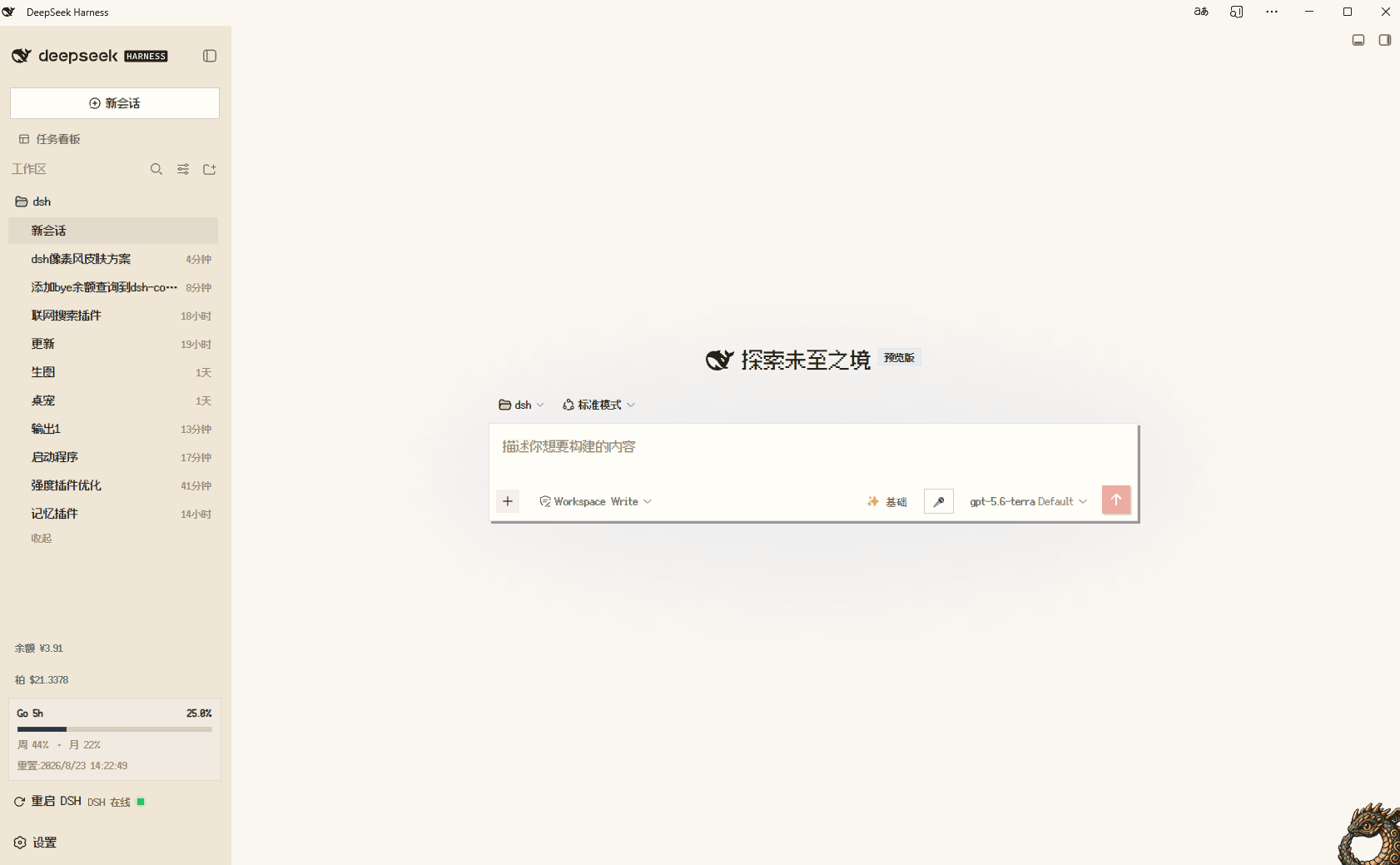
DSH Web home
Settings
安装
DSH Web 安装(推荐)
只需执行下面一条命令。dsh plugin 会在 web profile 中安装、登记并激活这个插件:
dsh plugin --profile web add dsh-pixel-skin
安装后重启 dsh web 并硬刷新浏览器。
作为普通 npm 依赖使用(可选)
如果你要在其他 Node.js 项目中引用这个包,可以使用:
npm install dsh-pixel-skin
# 或
pnpm add dsh-pixel-skin
这一步不会自动把插件加入 DSH Web profile;DSH 用户不需要先执行它。
查看当前 npm 版本:
npm view dsh-pixel-skin version
GitHub 安装(当前可用)
dsh plugin --profile web add github:zhuifengqug/pixel-skin
本地安装
dsh plugin --profile web add D:/dsh/pixel-skin
重启 dsh web 并硬刷新浏览器。之后改 lib/client.js 需要重新构建客户端 bundle;若 DSH checkout 正在运行 pnpm run dev:web,客户端 HMR 可在重载后生效。
开关 / 控制台 API
浏览器控制台:
__PIXELSKIN__.palette('red')      // 切换主题色:red / blue / green / yellow
__PIXELSKIN__.palettes()          // ['red','blue','green','yellow']
__PIXELSKIN__.status('idle')      // 状态句:idle / charge / move / evolve
__PIXELSKIN__.statuses()            // ['idle','charge','move','evolve']
__PIXELSKIN__.effortPalette('blue') // 滑块配色:blue / green / ember
__PIXELSKIN__.effortCustom('#f0a030') // 自定义滑块主色
__PIXELSKIN__.scanlines(true)     // 开启扫描线(false 关闭)
__PIXELSKIN__.off()               // 停用皮肤(刷新后恢复官方外观)
__PIXELSKIN__.on()                // 重新启用
localStorage:
pixel-skin:enabled=0→ 整体停用pixel-skin:scanlines=1→ 扫描线
打包下载
不发布 npm 时,也可以生成本地 tarball:
npm pack
# 生成 dsh-pixel-skin-2.0.0.tgz

dsh plugin --profile web add ./dsh-pixel-skin-2.0.0.tgz
GitHub 仓库地址:https://github.com/zhuifengqug/pixel-skin
Reasoning Panel
…

