keman-ai/dsh-skin-market
dsh-skin-market
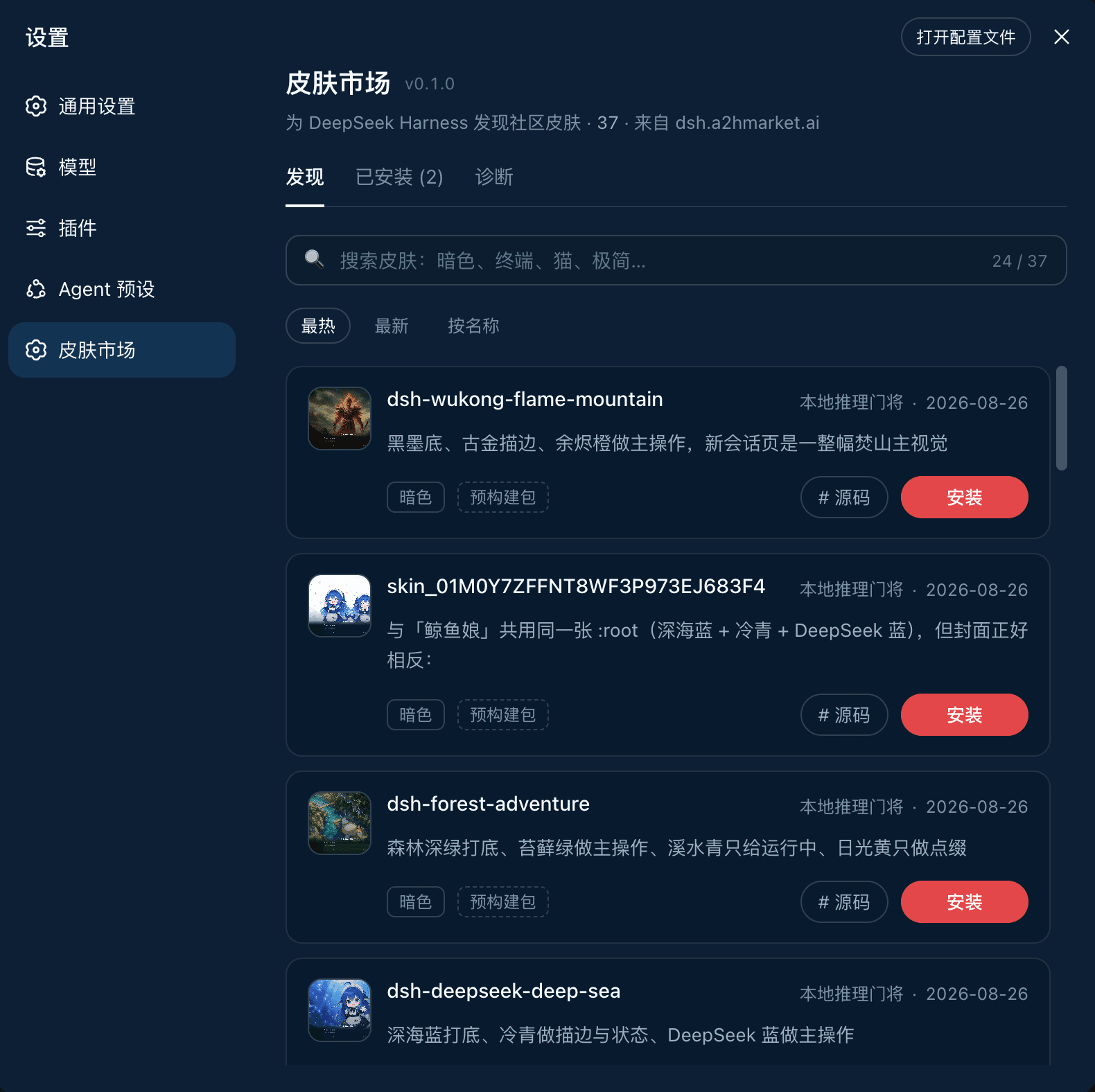
Skin marketplace for DeepSeek Harness — search and install community skins from dsh.a2hmarket.ai right in the settings page
Install
npx @deepseek-ai/dsh plugin --profile web add -wRestart `dsh web` after install. Bundle APIs can change during the developer preview.
README badge

[](https://dshhub.dev/plugins/keman-ai-dsh-skin-market)Paste this into your README. The star count updates with every catalog sync.
From the README
Excerpt from keman-ai/dsh-skin-market, cleaned of badges and images.
<strong>Search for skins inside <a href="https://github.com/deepseek-ai/deepseek-harness">DeepSeek Harness</a> and install them with one click.</strong><br> Install it once, and changing skins never sends you back to the terminal.
<a href="https://dsh.a2hmarket.ai"><strong>dsh.a2hmarket.ai</strong></a> — where the skin catalog comes from, no login required
<b>English</b> · <a href="README.zh-CN.md">简体中文</a>
<b>If this is useful to you, a Star goes a long way</b>
Three tabs
  <h3>Discover</h3>
  <p>Search, sort, install in one click. Each card states whether the skin is a <strong>prebuilt package</strong> or <strong>built from source</strong> — so you know whether the click costs seconds or minutes before you make it.</p>
  <h3>Installed</h3>
  <p>Version, theme id, <strong>enable / disable</strong>, uninstall. It reads the local profile, so it <strong>works offline</strong> — even the previews are served locally, with no extra network use.</p>
<sub><b>Diagnostics</b> · pnpm, the profile path, registry connectivity and the full output of the last install — the first screen to check when something will not install, and far more useful than a screenshot</sub>
The source of every official skin on the site lives in dsh-skin-pack.
Install
dsh plugin --profile web add -w github:keman-ai/dsh-skin-market
Restart dsh once, then open Settings → Skin Market.
dsh --profile web
From then on, installing a skin only takes a page refresh — no restart, no commands.
-wis not optional. The profile directory ships apnpm-workspace.yaml, so pnpm reads it as a workspace root and refuses to install (ERR_PNPM_ADDING_TO_ROOT).-wis the "yes, install into the root" declaration, anddsh pluginforwards it to pnpm verbatim. Both pnpm 8 and 10 need it.
The repository ships its build output (lib/) and has no prepare script, so pnpm runs no build script when installing from a git source and you never have to grant allowBuilds.
If you run harness from source, replace both dsh commands above with pnpm dsh inside the harness directory.
Uninstall
dsh plugin --profile web remove dsh-skin-market
Skins installed through the market do not disappear with it — they are independent dependencies in the profile, uninstalled individually from the market's Installed tab.
Requirements
Browsing needs only dsh and a network. Installing is what needs the command-line tools, because installing is fundamentally running pnpm on your behalf.
…

