dhicoc/dsh-theme-mineradio
dsh-theme-mineradio
A cinematic visual-radio glass theme for DeepSeek Harness (DSH) Desktop — port of the Mineradio music player's champagne-glass aesthetic. Fluid or wallpaper backdrop, light-glass panels, custom knobs, and the drifting-glow cursor treatment.
Install
npx @deepseek-ai/dsh plugin --profile web add https://github.com/dhicoc/dsh-theme-mineradioRestart `dsh web` after install. Bundle APIs can change during the developer preview.
README badge

[](https://dshhub.dev/plugins/dsh-theme-mineradio)Paste this into your README. The star count updates with every catalog sync.
From the README
Excerpt from dhicoc/dsh-theme-mineradio, cleaned of badges and images.
dsh-theme-mineradio
English | 中文
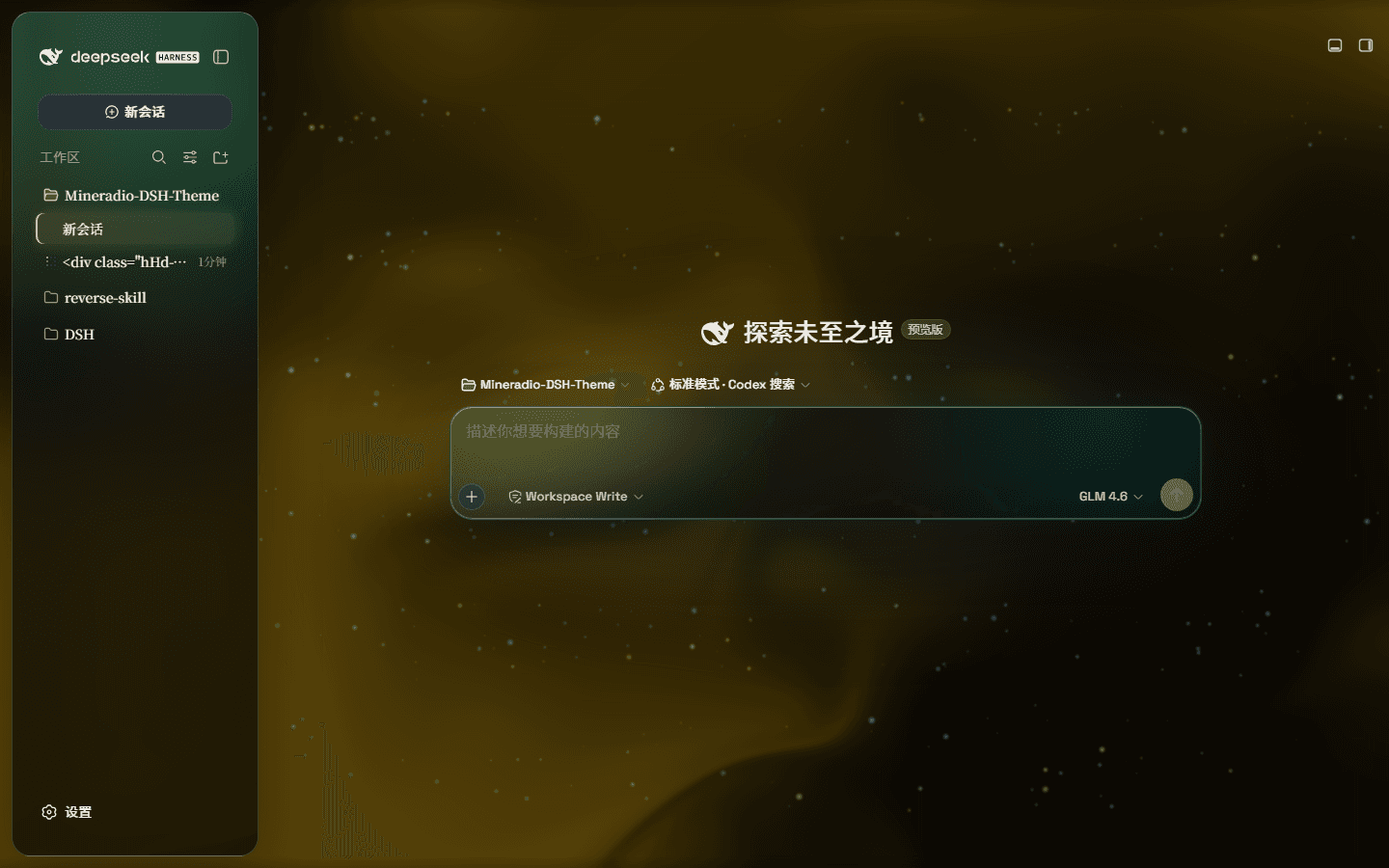
Mineradio is a cinematic glassmorphism theme for the DeepSeek Harness web UI — a faithful re-skin of the Mineradio "private visual radio" identity. The header, sidebar, composer, stats line, and trajectory view become panes of warm champagne glass over a near-black studio backdrop. You can put a video as wallpaper and switch it off and the stock UI comes back exactly, with no source changes to DSH itself.
Screenshots
Real captures of the theme on the DeepSeek Harness UI — dark, light, and the settings panel:
| Dark | Light |
|---|---|
A full-size gallery is also hosted at https://dhicoc.github.io/dsh-theme-mineradio/.
What ports from Mineradio
- Champagne-gold identity — the signature palette (
#f4d28achampagne,#7ad7c2mint,#ff5367ember rose over a warm near-black#08090B) drives every alias token: surfaces, hairline strokes, text ink, buttons, scrollbars, and warm-tinted shadows with a gold bloom. - Typography — Inter + Noto Sans SC for the UI, self-hosted so there's no shell/fontsource dependency.
- Cinematic glow — a champagne-gold ambient bloom sits behind the glass; the spotlight hue knob sweeps it from warm amber to mint while keeping the brand warm.
- Fluid backdrop — a living fluid board (hue + depth adjustable, defaults to warm gold) or your own wallpaper (image or video) with its own blur and frost.
Features
- Two modes: Mica restyles the layout into floating glass cards (blur and frost adjustable), while Compatibility Mode keeps the stock layout byte-for-byte and only swaps the material to generic glass — other plugins' UI gets the same treatment automatically
- Free backdrop: a living fluid board (hue adjustable) or your own wallpaper (fills the page, aspect preserved, with its own blur and frost); light wallpapers look best in light mode, dark wallpapers in dark mode
- Background brightness: follows the resolved scheme — dark mode darkens (0–50), light mode brightens (50–100), 50 is unchanged
- Ambient decor: particle whale in the chat center, star particles, and an interactive dot-grid mesh — all toggleable
- Champagne glow: a pointer-tracking glow over the glass panes, plus a hover press-down for tactile depth
- One switch: off restores the stock UI exactly, and every effect is removed with the plugin
Installation
Windows (one command)
powershell -ExecutionPolicy Bypass -Command "Invoke-WebRequest 'https://github.com/dhicoc/dsh-theme-mineradio/raw/main/install.ps1' -OutFile install.ps1; .\install.ps1"
Installs the latest release by default. No git needed — the installer falls back to a plain zip download. It links the plugin into the profile's node_modules and registers ui-mineradio in cordis.patch.yml (idempotent — safe to run again). Reload the web UI and it is on.
Pin a version or track the dev branch:
.\install.ps1 -Version 'v1.0.0'   # a specific release
.\install.ps1 -Version 'main'     # the development branch
Manual / via pnpm
dsh plugin --profile web add https://github.com/dhicoc/dsh-theme-mineradio
The dsh.bundle manifest registers ui-mineradio automatically, so no manual patch is needed. (The installer adds this equivalent entry for source installs:)
- insert:
    - id: ui-mineradio
      name: 'dsh-theme-mineradio'
…

