jiangwangyang/dsh-theme-blackhole
dsh-theme-blackhole
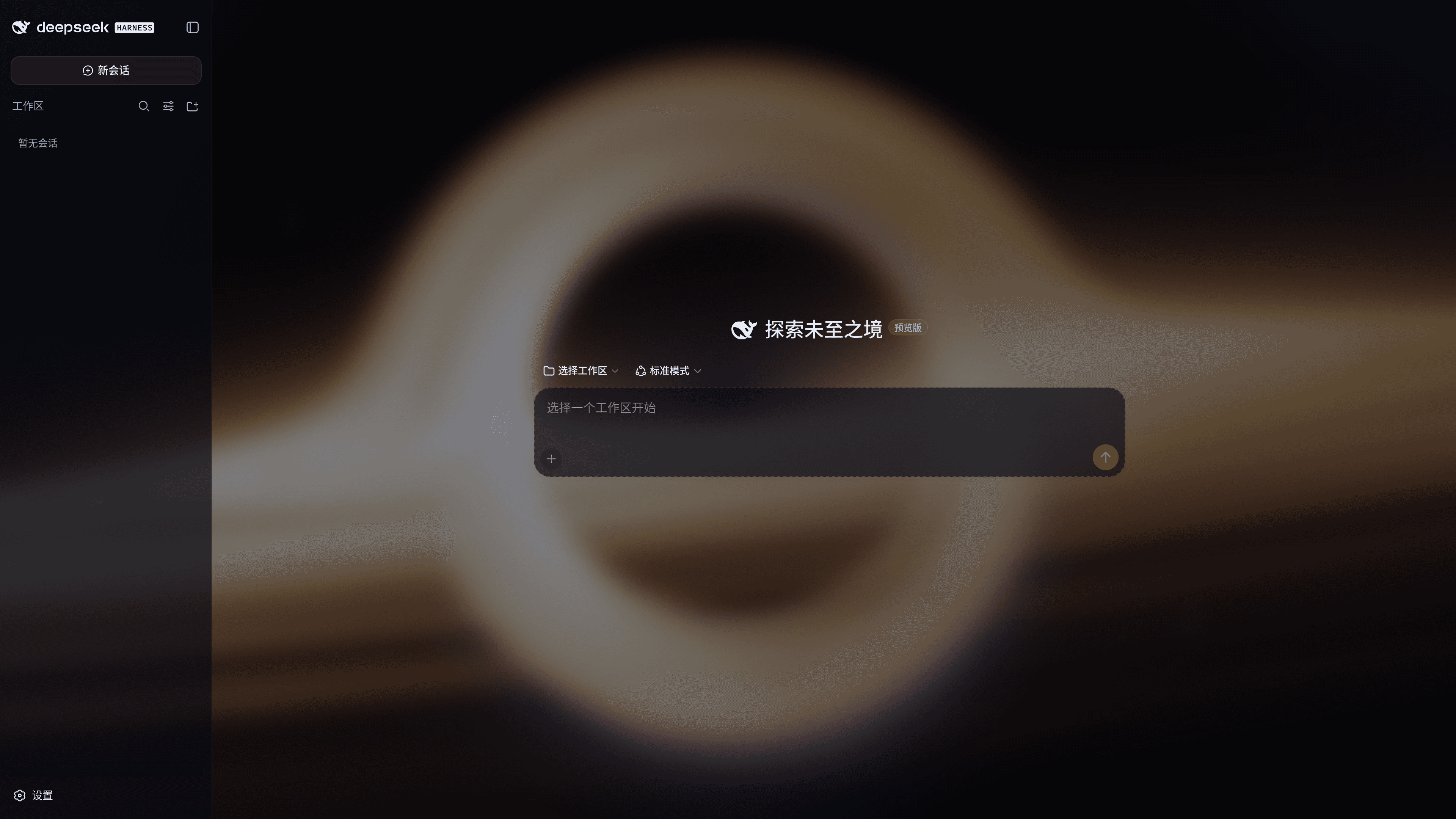
A black hole theme plugin for the dsh (DeepSeek Harness) Web UI: a WebGL real-time ray-traced Schwarzschild black hole as the application background, paired with a deep-space glass panel palette, switchable from Settings > General > Theme - Black Hole.
Install
npx @deepseek-ai/dsh plugin --profile web add github:jiangwangyang/dsh-theme-blackholeRestart `dsh web` after install. Bundle APIs can change during the developer preview.
README badge

[](https://dshhub.dev/plugins/dsh-theme-blackhole)Paste this into your README. The star count updates with every catalog sync.
From the README
Excerpt from jiangwangyang/dsh-theme-blackhole, cleaned of badges and images.
dsh-theme-blackhole
English | 中文
A black hole theme plugin for the DeepSeek Harness (dsh) Web UI: a WebGL real-time ray-traced Schwarzschild black hole as the application background, paired with a deep-space glass panel palette, switchable from Settings > General > Theme - Black Hole.
Features
- WebGL Schwarzschild black hole background: null-geodesic ray tracing renders gravitational lensing, the accretion disk and the photon ring in real time, with a slow automatic camera orbit
- Deep-space glass panels: translucent dark token overrides plus backdrop blur let the black hole show through softly behind the content; the brand accent becomes accretion-disk amber
- First-class theme: registered into the theme runtime; the settings row toggle syncs both ways with the appearance settings, persists across reloads, and boots without flashing the default theme
- Performance-friendly with graceful degradation: half-resolution rendering, 30fps cap, honors the system reduced-motion preference, and falls back to a pure-black deep-space backdrop when WebGL is unavailable
Installation
This plugin relies on the webServer service of a web profile. It only works with profiles that include a web server (such as web); do not install it into headless profiles.
dsh plugin --profile web add github:jiangwangyang/dsh-theme-blackhole
Usage
After installing and starting, go to Settings > General > Theme - Black Hole:
- Turn on: switches to the black hole theme; the toggle is persisted and survives reloads and restarts
- Turn off: restores your previous built-in theme (light / dark / follow system); your original preference is never lost
- Switch away from the appearance row: when you switch back to a built-in theme in the appearance settings, the toggle is written back to off, keeping the two settings consistent
How It Works
Overall Architecture
The plugin consists of a host side and a client side, plus two static assets:
| Part | File | Responsibility |
|---|---|---|
| Host side | src/index.js | Serves /blackhole/* static assets (read from disk per request); registers the theme-blackhole settings namespace; injects boot assets into index.html when the toggle is on |
| Client side | src/client/index.js | Build-free client bundle: registers the black hole theme into the ThemeRuntime, registers the settings row, and drives the DOM visuals according to theme activation |
| Palette | assets/blackhole.css | --dsw-* design token overrides gated by html[data-dsh-blackhole] |
| Renderer | assets/blackhole.js | Schwarzschild black hole WebGL renderer, exposing only the window.DshBlackhole = { start, stop } controller |
Boot Injection and Gating
…

