ccq1/dsh-side-panel
dsh-side-panel
dsh-side-panel is a community DeepSeek Harness plugin. Read the repository README before installing.
Install
npx @deepseek-ai/dsh plugin --profile web add github:dsh-external/dsh-side-panelRestart `dsh web` after install. Bundle APIs can change during the developer preview.
README badge

[](https://dshhub.dev/plugins/dsh-side-panel)Paste this into your README. The star count updates with every catalog sync.
From the README
Excerpt from ccq1/dsh-side-panel, cleaned of badges and images.
dsh-side-panel
[!IMPORTANT] 本项目已停止维护并归档。推荐使用功能更完整、仍在持续维护的 DSH-better-sidebar。本仓库保留现有代码和历史版本,仅供参考。
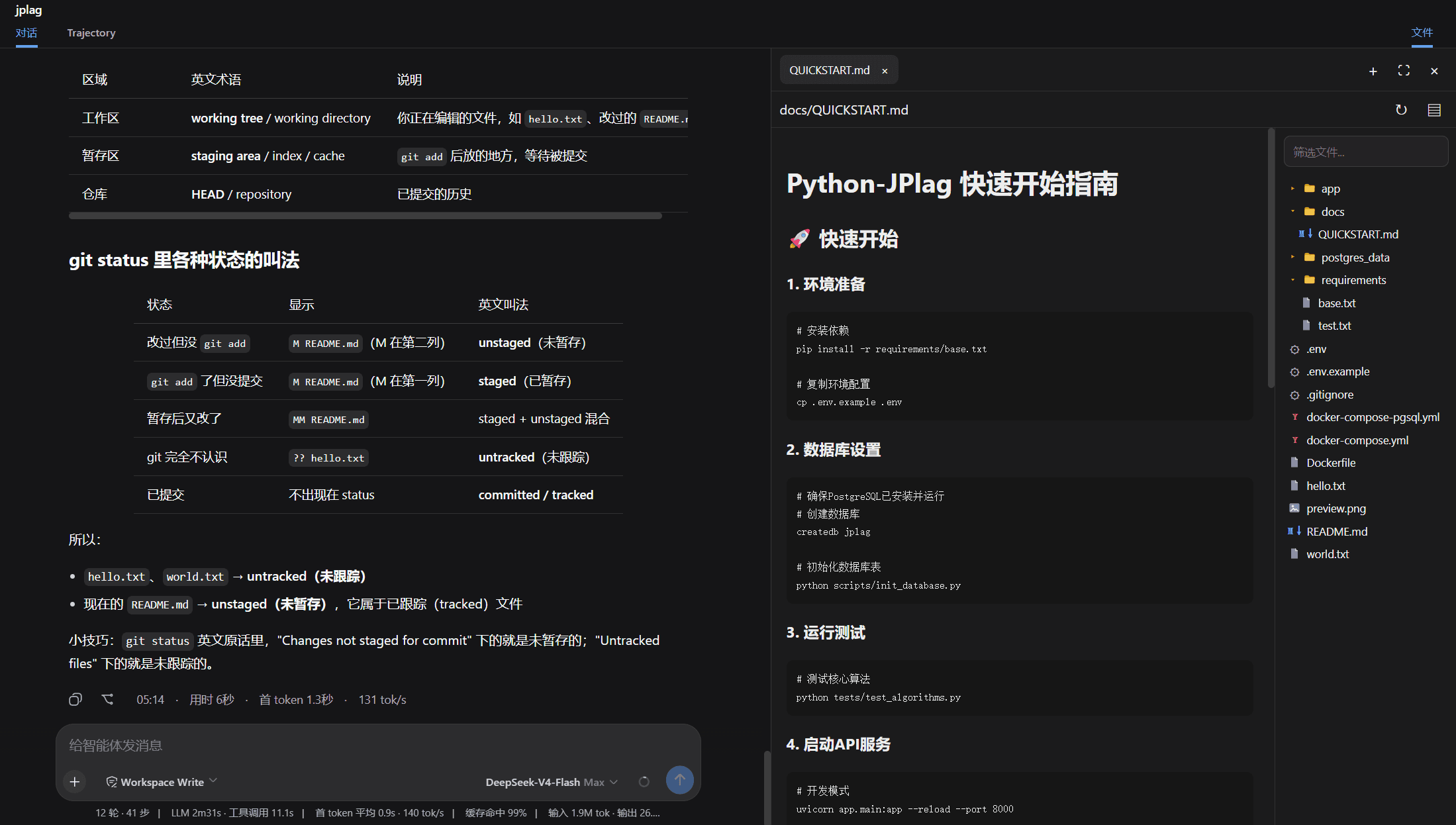
DSH Web 的右侧工作区面板,在当前会话旁集中提供 Git 审查、终端和文件操作。 可以点击dsh会话区弹出的文件链接,会自动打开相应的文件以供审阅。
功能
- Git审查,可以查看工作区和暂存区的文件,以及dsh每轮修改的代码,后续会增加回退。
- 文件浏览器, 可以在会话区点击文件跳转到文件浏览器浏览文件。
- 终端,在当前工作区直接运行命令,无需离开工作区,专注你的任务。
安装
从 github-dsh-external仓库安装
dsh plugin --profile web add github:dsh-external/dsh-side-panel
dsh web
或者可以先从git clone 到本地,然后从本地目录安装
git clone [email protected]:dsh-external/dsh-side-panel.git
cd dsh-side-panel
npm install
npm run build
dsh plugin --profile web add .
配置
组合包默认启用以下配置:
- insert:
    - id: side-panel
      name: '@dsh-external/dsh-side-panel'
      config:
        maxTextBytes: 2097152
        maxImageBytes: 10485760
        searchMaxResults: 200
| 配置项 | 默认值 | 说明 |
|---|---|---|
maxTextBytes | 2 MiB | 可读取和编辑的单个文本文件大小上限 |
maxImageBytes | 10 MiB | 可预览的单个图片大小上限 |
searchMaxResults | 200 | 文件筛选返回的最大结果数 |
