CHplus0/dsh-shell-command
dsh-shell-command
DeepSeek Harness (DSH) plugin: a /! command trigger (run one command, analyze output, inspired by Claude Code's ! gesture) and a /terminal command (interactive PTY popup with on-demand history reference).
Install
npx @deepseek-ai/dsh plugin --profile web add dsh-shell-commandRestart `dsh web` after install. Bundle APIs can change during the developer preview.
README badge

[](https://dshhub.dev/plugins/dsh-shell-command)Paste this into your README. The star count updates with every catalog sync.
From the README
Excerpt from CHplus0/dsh-shell-command, cleaned of badges and images.
dsh-shell-command
English | 中文
A DeepSeek Harness plugin that brings Claude Code's ! gesture to DSH, split into two modes:
| Command | Behavior |
|---|---|
/! <command> | Run a shell command, analyze its output. Inspired by Claude Code's ! prefix — runs the command in the session workspace and delivers the output to the model for immediate analysis. |
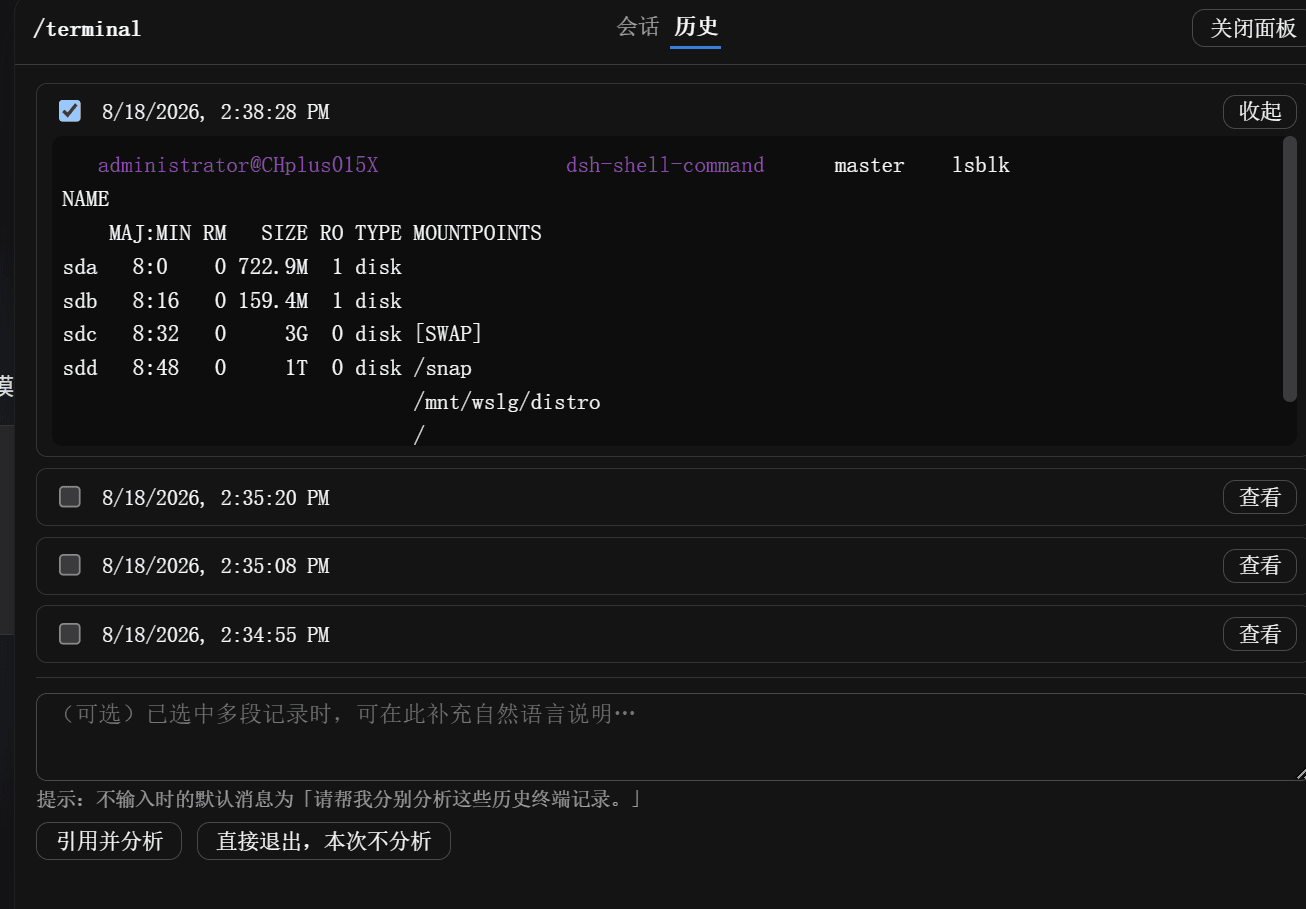
/terminal | Open an interactive terminal popup. Closing never sends anything to the model — if the session received input, the transcript persists and the panel jumps to a history tab (new entry pre-selected) where you can reference it into the model on demand. |
Note: DSH's input trigger system only supports / and @ as trigger characters, so we use /! instead of a bare ! prefix.
Install
Requires the dsh CLI and Node >= 22.
# from a registry / npm
dsh plugin --profile web add dsh-shell-command

# from a local checkout (live link for development)
dsh plugin --profile web add "link:/path/to/dsh-shell-command"
Restart the web surface once (dsh web) so the host-side command loads. It appears in the input / menu automatically.
Quick Start
Your first /! command
Type in the input box:
/! df -h
The command runs immediately, and the output is delivered to the model for analysis. You'll see a message like:
Shell Command Output
Command:df -h
[output here]
The model then analyzes the disk usage and may suggest actions if issues are found.
Your first /terminal session
- Type
/terminalin the input box - A floating terminal panel opens with two tabs: 会话 (Session) and 历史 (History)
- In the Session tab, try some commands:
pwd ls -la git status - Click 退出 (Exit) in the header to close the terminal
- The panel stays open and automatically jumps to the History tab
- Your just-closed session is pre-selected and expanded
- Choose what to do:
- Click 引用并分析 to send it to the model for analysis
- Click 直接退出,本次不分析 to skip and close the panel
Command Details
/! <command> — Single-command analysis
Runs the command in your session workspace and immediately delivers the output to the model for analysis. This is the DSH equivalent of Claude Code's ! prefix.
When to use:
- Quick status checks:
/! git status,/! npm test - System diagnostics:
/! df -h,/! free -h,/! top -bn1 | head -20 - File searches:
/! find . -name "*.log" -mtime -1 - One-off operations where you want immediate AI insight
Examples:
/! git log --oneline -10
# → Model summarizes recent commits and may spot patterns

/! npm run build
# → Model analyzes build output, flags warnings or errors

/! ps aux | grep node
# → Model explains running Node processes
Technical details:
- Output is bounded (
maxOutputBytes, tail retained) and formatted for analysis - The command text and lifecycle are logged to the trajectory (
command/run/command/done) - Requires an active model conversation (won't work on the first message before any model request)
/terminal — Interactive terminal
An interactive PTY popup (persistent shell, live WebSocket stream). Best for:
- Exploratory debugging: run multiple commands, observe behavior
- Iterative testing: modify → test → modify cycles
- Multi-step operations: setup → execute → verify workflows
How it works:
…

