Modellix/dsh-modellix
dsh-modellix
DeepSeek Harness plugin for Modellix Web Search and Web Fetch.
Install
npx @deepseek-ai/dsh plugin --profile web add dsh-modellixRestart `dsh web` after install. Bundle APIs can change during the developer preview.
README badge

[](https://dshhub.dev/plugins/dsh-modellix)Paste this into your README. The star count updates with every catalog sync.
From the README
Excerpt from Modellix/dsh-modellix, cleaned of badges and images.
dsh-modellix
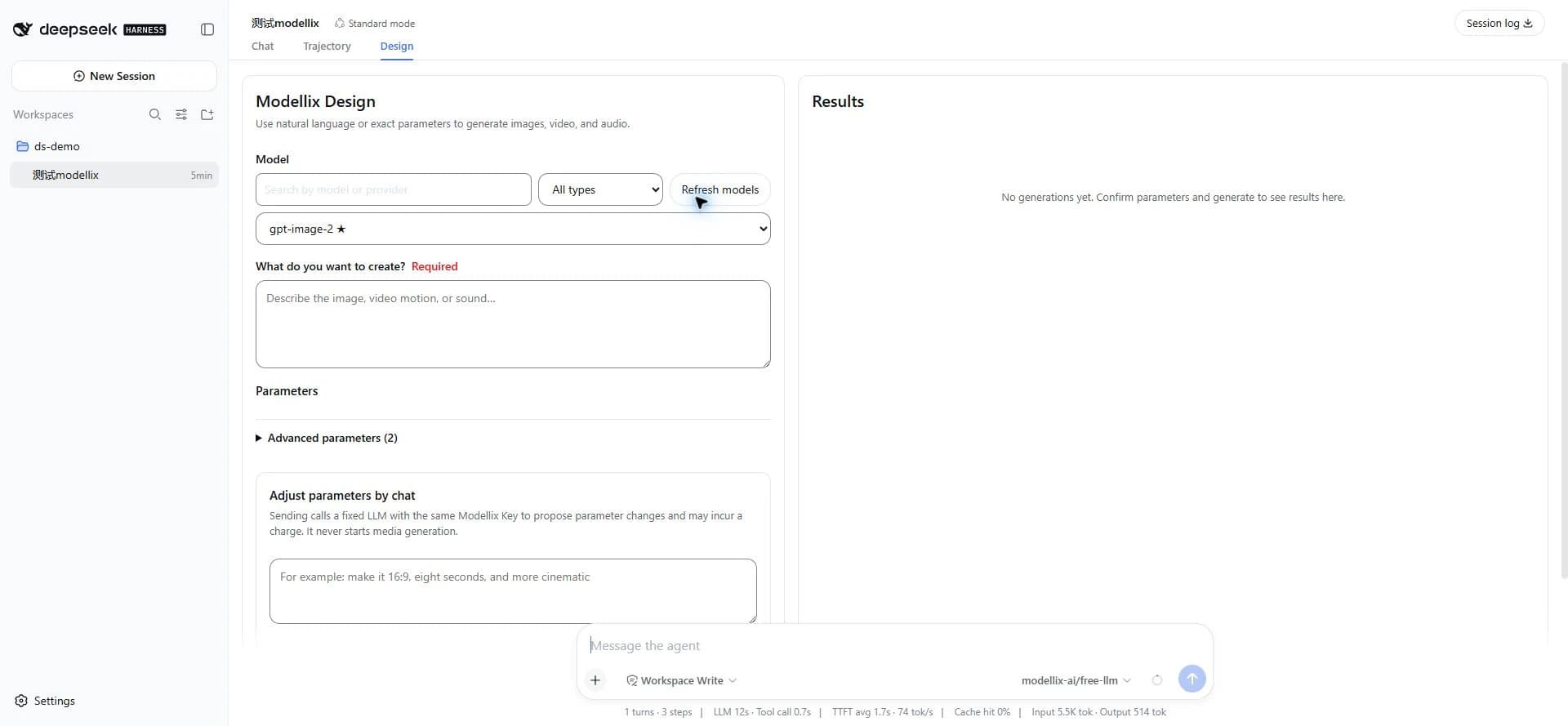
A Modellix Profile Bundle for DeepSeek Harness: one Modellix API Key provides schema-driven Design media generation, a live LLM model catalog, and native Web providers.
Harness and this plugin currently use prerelease interfaces. Before upgrading Harness, check this package's peer dependencies and CHANGELOG.
Feature overview
| Feature | User experience | Actual behavior |
|---|---|---|
| Design | Select a model, enter a prompt, and adjust parameters on the left; review tasks and results on the right | Reads the live image, video, and audio catalog and each model's public Schema; submits a billed generation only once |
| LLM | Quickly switch Modellix models in the Harness model selector | Merges the live catalog into the Harness llm-pi-ai Modellix provider |
| Web | Use the native Harness web_search and web_fetch tools | Registers Modellix Search/Fetch providers without creating duplicate custom tools |
The first-run dialog contains an API Key field and Design, LLM, and Web switches. All three switches are on by default and can later be disabled independently in Modellix settings.
Requirements
- DeepSeek Harness
0.1.1-rc.2 - Published-package runtime: Node.js
^22.19.0 || >=24.0.0 - Source development and release verification: Node.js
24.18.1and pnpm11.24.0(see.nvmrcandpackageManager) - A valid Modellix API Key
dsh-modellix contains its own Harness integration. It neither installs nor invokes modellix-cli at runtime.
Installation
For a Windows-first walkthrough from this source checkout, see Using dsh-modellix locally or its Chinese edition.
Install the published package into the target Web profile, inspect the merged configuration, then start or restart that profile:
dsh plugin --profile web add dsh-modellix
dsh --profile web --dump-config
dsh --profile web
--dump-config should show the dsh-modellix Bundle layer and a plugin row whose id is modellix. Replace web if you use a different profile.
You can also build a tarball from trusted source and install the artifact:
pnpm install --frozen-lockfile
pnpm run verify:release:static
pnpm pack
dsh plugin --profile web add ./dsh-modellix-0.1.1.tgz
Installing TypeScript source directly from Git requires the installation phase to produce lib/. Until the package provides a verified prepare flow, use the published package or a local tarball.
First-time setup
- Open the Harness Web UI and wait for the “Connect Modellix” dialog.
- Enter the API Key and confirm whether the three default-on Design, LLM, and Web switches match your needs.
- Select “Save and enable.” After a successful save, the browser never displays the Key again; it only shows Credential status and source.
- Select “Configure later” if you are not ready. This does not mark the plugin as usable; the next explicit use of an enabled Modellix capability that needs a Credential requests it again.
The API Key can come from either source:
- Enter it during first-time setup or in settings, where the Harness Credential service stores it.
- Supply
MODELLIX_API_KEYin the Harness launch environment. An environment-sourced Key is read-only in the UI; restart Harness after updating it.
…

