ChuanTianML/dsh-local-share
dsh-local-share
Local, privacy-first Markdown and self-contained HTML sharing for DeepSeek Harness sessions
Install
npx @deepseek-ai/dsh plugin --profile web add [email protected]Restart `dsh web` after install. Bundle APIs can change during the developer preview.
README badge

[](https://dshhub.dev/plugins/dsh-local-share)Paste this into your README. The star count updates with every catalog sync.
From the README
Excerpt from ChuanTianML/dsh-local-share, cleaned of badges and images.
DSH Local Share
Select and locally share one or more DeepSeek Harness conversation turns as Markdown, self-contained HTML, or a long PNG, with privacy-first redaction and no uploads. DSH Local Share is an independent community plugin.
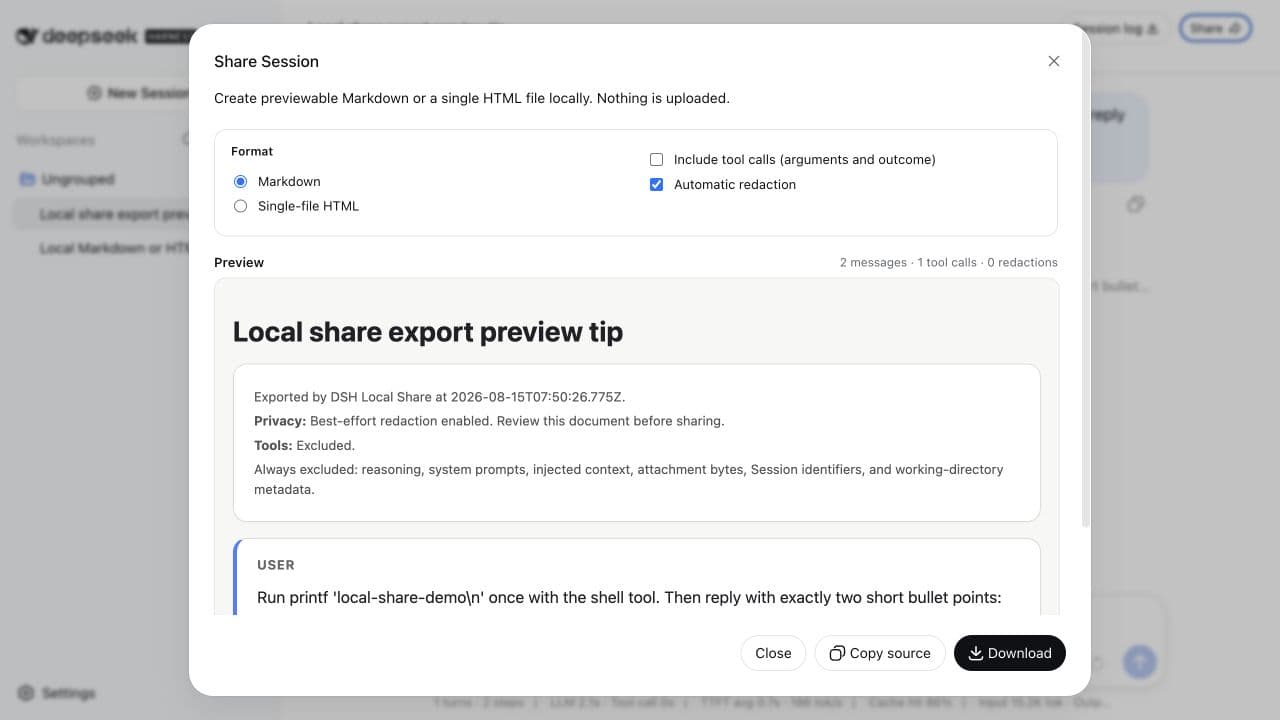
Turn selected conversation turns or a complete DSH Session into a reviewable document without uploading the conversation. DSH Local Share adds a Share action to the Web Session header, builds a local preview, and lets you copy or download the result.
- Select one or more conversation turns, or share the complete Session
- Markdown, one script-free self-contained HTML file, or one long PNG
- Safe GFM rendering for assistant headings, lists, tables, and code
- Best-effort redaction enabled on every dialog opening
- Stable, flicker-free preview before copy or download
- Tool names, bounded arguments, and outcomes are opt-in
- Tool result bodies and model reasoning are never exported
- No cloud service, account, public-link backend, or outbound request
- Zero model-visible text and zero model-token overhead
Assistant Markdown is rendered into a calm, readable document while the human prompt remains literal. This privacy-safe product mockup uses fictional data:
Quick start
DSH is currently a developer preview. Install the exact npm release into the Web profile, then start DSH:
dsh plugin --profile web add [email protected]
dsh --profile web
GitHub remains an alternative source:
dsh plugin --profile web add github:ChuanTianML/dsh-local-share#v0.4.1
Open a non-empty Session and select Share in its header. The safe defaults are Markdown, tool calls excluded, and redaction enabled.
To remove the plugin:
dsh plugin --profile web remove dsh-local-share
Upgrading from DSH Share 0.1.0
Version 0.2.0 and later use a distinct package and plugin id to avoid colliding with an
unrelated community plugin named dsh-share:
dsh plugin --profile web remove dsh-share
dsh plugin --profile web add [email protected]
See the privacy flow
The dialog starts safe. If redaction is turned off, copy and download stay locked until the user gives a fresh acknowledgement; reopening the dialog restores the safe defaults.
The recording uses the real Web application and an isolated DSH profile. The example Session contains benign demonstration text only.
Install with a Coding Agent
Use this plugin when the user wants to share selected DSH conversation turns without uploading the complete Session or its export. Installation, configuration, and verification use inspectable CLI commands and one YAML profile patch. Paste this request into a Coding Agent that has terminal access to the machine where DSH is installed:
Install DSH Local Share 0.4.1 into my DeepSeek Harness Web profile.

…

