dat-lequoc/dsh-kiro
dsh-kiro
Kiro provider for DeepSeek Harness with Builder ID login, live model discovery, and reasoning effort controls
Install
npx @deepseek-ai/dsh plugin --profile web add github:dat-lequoc/dsh-kiroRestart `dsh web` after install. Bundle APIs can change during the developer preview.
README badge

[](https://dshhub.dev/plugins/dsh-kiro)Paste this into your README. The star count updates with every catalog sync.
From the README
Excerpt from dat-lequoc/dsh-kiro, cleaned of badges and images.
dsh-kiro
English | 中文
Kiro provider for DeepSeek Harness, with multi-method Kiro login, automatic token/profile refresh, live account model discovery, Claude/open-weight streaming, tool calls, and reasoning effort controls.
The bundle registers the kiro provider route and mounts itself when installed. No API key or manual cordis.yml entry is required.
This is an independent integration and is not affiliated with or endorsed by AWS or Kiro. Kiro and its logo are Amazon trademarks; see NOTICE.md.
Install
dsh plugin --profile web add github:dat-lequoc/dsh-kiro
dsh --profile web
From a DeepSeek Harness source checkout, use its launcher:
cd ~/deepseek-harness
pnpm dsh plugin --profile web add github:dat-lequoc/dsh-kiro
pnpm dsh --profile web
Built lib/ artifacts are committed, so a GitHub install does not need to execute a dependency build script.
Features
- Sign in from Settings → Kiro with AWS Builder ID, IAM Identity Center, Google, or GitHub.
- Import a Kiro refresh token, API key, or CLIProxyAPI-compatible Microsoft external-IdP credential.
- Sign in with the same methods from a terminal using the included
kiro-logincommand. - Discover and persist the account's CodeWhisperer profile ARN so refreshed tokens keep the correct profile.
- Fall back to Kiro IDE/CLI's existing
~/.aws/sso/cachesign-in when no plugin-managed login exists. - Query Kiro's
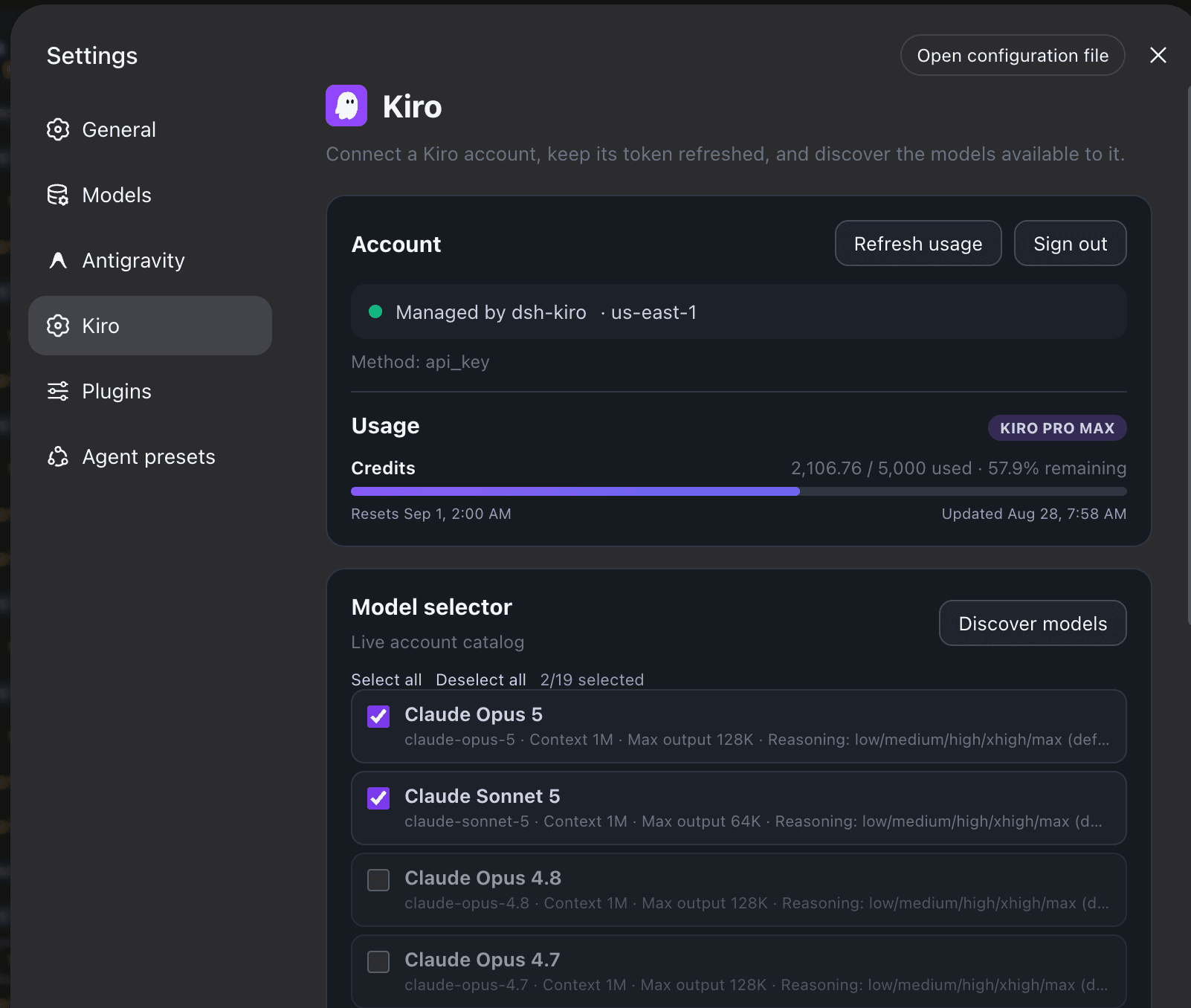
ListAvailableModelsendpoint so the model picker reflects the signed-in account (Opus, Sonnet, Haiku, and available open-weight routes). - Show the account plan, credit usage, and reset date, with a compact persistent model allowlist.
- Auto-discover each model's reasoning efforts, including
none,xhigh, andmaxwhere Kiro offers them. - Stream text, reasoning, and tool calls from Kiro's Amazon EventStream protocol.
- Send images to every model whose catalog entry accepts them, which unlocks image attachments and the harness's own image-reading tool.
- Support direct egress or an authenticated HTTP/HTTPS
CONNECTproxy. - Hot-reload
llm-kirosettings without restarting DSH.
Sign in
Web
Open Settings → Kiro and select a method:
- AWS Builder ID uses the standard device-code flow.
- IAM Identity Center uses a device flow with your
https://<company>.awsapps.com/startURL and region. - Google / GitHub uses Kiro's social device flow. The page shows a one-time
XXXX-XXXXcode and anapp.kiro.dev/account/deviceauthorization URL while the plugin waits for completion. - Refresh token, Kiro API key, and Microsoft external IdP JSON validate/import an existing credential without exposing it back to the browser status API.
- An import reports what it actually verified: an API key is checked against the live model catalog first, so the page can say
Credential verified · 19 models available. A refresh token reports verification because the exchange minted a real access token; external-IdP JSON is only reshaped locally, so it saysCredentials savedrather than claiming a check that never happened. On success the dialog closes, the pasted secret is dropped from the page, and the usage card is re-read for the account that now applies.
After an OAuth login, the plugin queries ListAvailableProfiles, saves the selected profile ARN with its managed credential, and uses the ARN's region for inference.
Terminal
…

