ZJUZhiyuCai/dsh-ivory
dsh-ivory
Calm, auditable Claude-inspired theme for DeepSeek Harness — light/dark/mobile, safe Markdown preview, zero telemetry, zero runtime dependencies.
Install
npx @deepseek-ai/dsh plugin --profile web add dsh-ivoryRestart `dsh web` after install. Bundle APIs can change during the developer preview.
README badge

[](https://dshhub.dev/plugins/dsh-ivory)Paste this into your README. The star count updates with every catalog sync.
From the README
Excerpt from ZJUZhiyuCai/dsh-ivory, cleaned of badges and images.
<strong>A calm, warm-neutral interface for DeepSeek Harness.</strong><br> Light and dark. Desktop and mobile. English and Chinese. Zero telemetry.
<a href="https://github.com/ZJUZhiyuCai/dsh-ivory/blob/main/README_zh-CN.md">简体中文</a> · <a href="https://github.com/ZJUZhiyuCai/dsh-ivory/blob/main/SECURITY.md">Security</a> · <a href="https://github.com/ZJUZhiyuCai/dsh-ivory/blob/main/CHANGELOG.md">Changelog</a>
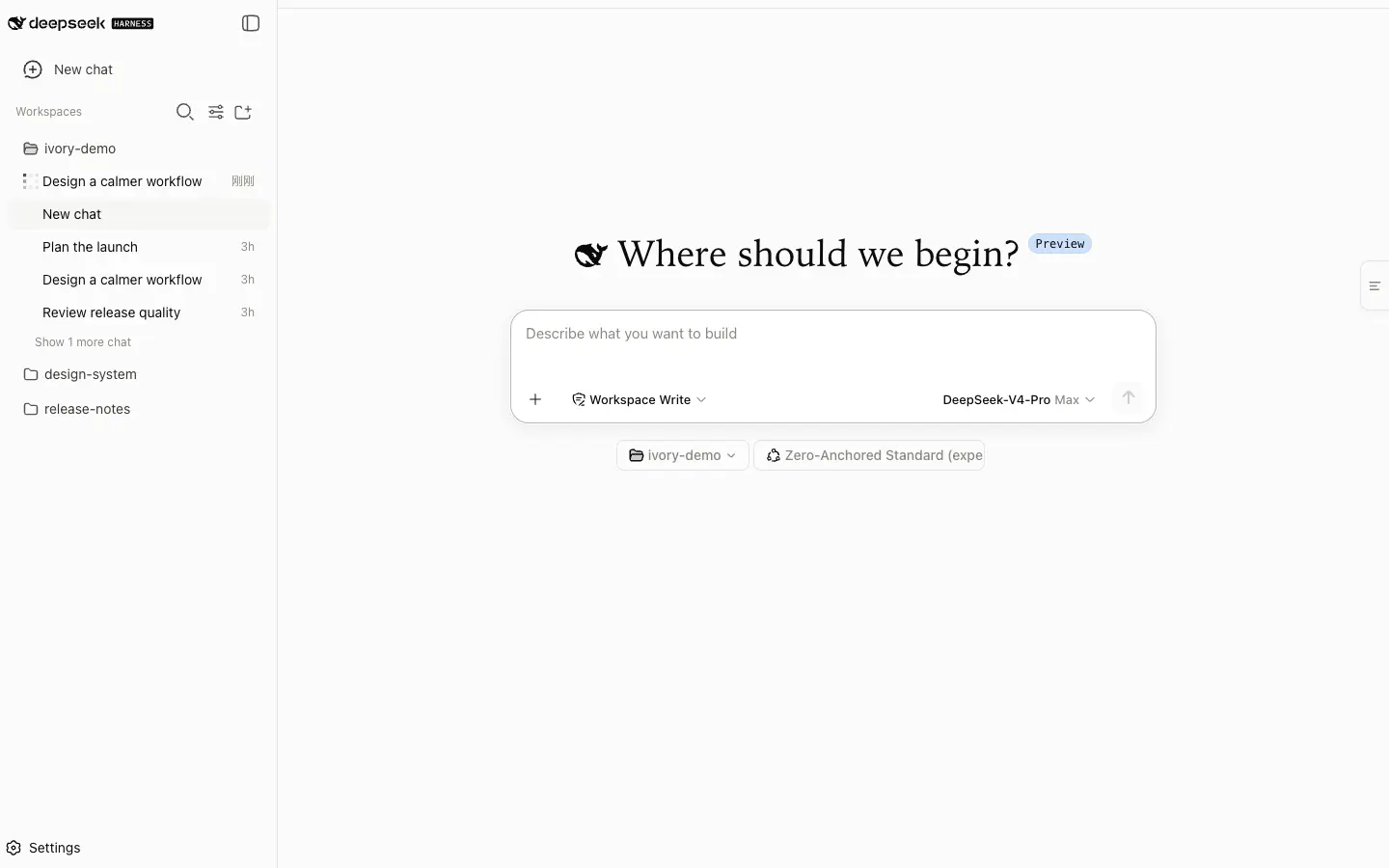
Ivory gives the DSH web interface a quieter reading rhythm without changing how the harness works. Warm neutrals replace cold grays, editorial type improves long responses, and the conversation stays usable from a narrow phone window to a wide desktop. DeepSeek branding and every native DSH capability remain in place.
Quick start
dsh plugin --profile web add dsh-ivory
dsh web
Hard-refresh the page with Cmd/Ctrl + Shift + R, then open
Settings → Ivory Theme. The main theme is enabled by default; the optional
focus mode stays off until you choose it.
<strong>Pin a release or uninstall</strong>
Install the exact GitHub release without using npm.
dsh plugin --profile web add github:ZJUZhiyuCai/dsh-ivory#v0.2.6
Remove Ivory and return to the native DSH interface.
dsh plugin --profile web remove dsh-ivory
Made for everyday DSH
| Area | What Ivory changes |
|---|---|
| Appearance | A complete warm-neutral palette for light and dark mode, with restrained shadows, corners, and editorial typography. |
| Responsive layout | Fluid conversation geometry tested at 375, 768, 1,440, and 1,920 pixels. |
| Reading and copying | Independent controls for prose, user bubbles, and code blocks, plus a small end-of-response marker. |
| Markdown documents | A bounded, DOM-built preview for .md output with source view always available and HTTP(S)-only links. |
| Accessibility | Keyboard focus, reduced-motion behavior, forced-colors fallbacks, and WCAG AA muted text contrast. |
| Compatibility | Structural styling degrades to stable theme tokens when the verified DSH selector contract changes. |
A closer look
<td width="72%"><img alt="Ivory conversation view on desktop" src="https://raw.githubusercontent.com/ZJUZhiyuCai/dsh-ivory/main/assets/conversation-light.png"></td>
<td width="28%"><img alt="Ivory conversation view on mobile" src="https://raw.githubusercontent.com/ZJUZhiyuCai/dsh-ivory/main/assets/mobile-light.png"></td>
<td align="center"><sub>Focused desktop conversation</sub></td>
<td align="center"><sub>390 px mobile layout</sub></td>
Quiet by design
Ivory is a browser-only visual plugin. Its host entry point is intentionally inert.
| Boundary | Ivory behavior |
|---|---|
| Bundled runtime dependencies | None. DSH client modules and React are peers. |
| Filesystem and process access | None. |
| Network requests and telemetry | None. |
| Persistent data | Two local preference flags in localStorage. |
| User content | Presented in the browser; copied only after an explicit click. |
| Third-party branding | No Anthropic fonts, logos, icons, or application code. |
…

