nanpaidashi/dsh-honcho-sync
dsh-honcho-sync
DSH plugin: auto-sync conversation turns to Honcho memory service
Install
npx @deepseek-ai/dsh plugin --profile web add npm:@nanpaidashi/dsh-honcho-syncRestart `dsh web` after install. Bundle APIs can change during the developer preview.
README badge

[](https://dshhub.dev/plugins/dsh-honcho-sync)Paste this into your README. The star count updates with every catalog sync.
From the README
Excerpt from nanpaidashi/dsh-honcho-sync, cleaned of badges and images.
@nanpaidashi/dsh-honcho-sync
Honcho Memory Plugin for DeepSeek Harness — give your AI persistent, cross-session memory backed by a self-hosted Honcho v3 service.
中文 | English
What it does
- Auto-sync: Every conversation turn is automatically synced to Honcho (with debounce). Sync cursors persist across restarts.
- Hybrid recall: Semantic search across both raw messages AND reasoned conclusions (explicit/deductive/inductive) in parallel.
- Memory injection: On session start, relevant peer cards, representations, and semantic recall results are injected into the system prompt.
- 25 tools: Full Honcho v3 API surface exposed as DSH tools — search, profile, session management, peer management, conclusions, dreaming, queue monitoring.
Requirements
- DeepSeek Harness (DSH) with web profile
- A running Honcho v3 instance (self-hosted)
- Node.js >= 18
Installation
# From npm
dsh plugin --profile web add npm:@nanpaidashi/dsh-honcho-sync dsh web

# Or from GitHub
dsh plugin --profile web add link:https://github.com/nanpaidashi/dsh-honcho-sync dsh web
Then restart DSH:
systemctl --user restart dsh-web
# or: dsh web --restart
Upgrading
If you installed an earlier version (v0.6.x or v0.7.0):
# Re-run the same install command — it pulls the latest version and overwrites
dsh plugin --profile web add npm:@nanpaidashi/dsh-honcho-sync dsh web
# or
dsh plugin --profile web add link:https://github.com/nanpaidashi/dsh-honcho-sync dsh web

systemctl --user restart dsh-web
The install is idempotent: it replaces the plugin source file in place. Your configuration (settings panel) and sync state (~/.dsh/honcho-sync-state.json) are preserved — no data loss, no re-configuration needed.
v0.8.0 → v0.8.1 changelog
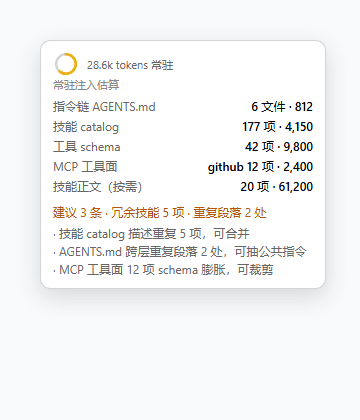
- Context efficiency: Reduced registered tools from 25 to 4 (
honcho_recall,honcho_ask,honcho_remember,honcho_context) — saves ~7K tokens of tool schema injection per session - Injection quality: Added
_filterRepresentation()— removes Pattern [medium]/[low] blocks, Premises/Sources provenance chains, and orphan Type/Sources lines from representation injection - Injection quality: Added
_assembleByPriority()— assembles memory-context parts by priority (peer-card > session-summary > semantic-recall > representation) instead of fixed order - Injection budget:
injectionMaxCharsdefault 8000 → 4000,reprMaxObsdefault 8 → 4 - Tool descriptions: Shortened all tool descriptions to ~100 chars
v0.7.x → v0.8.0 changelog
- DSH 0.1.0-rc.8 compatibility: Added
normalizeToolParameters()to convert legacy parameter shorthand to standard JSON Schema - DSH 0.1.0-rc.8 compatibility: Added
output.renderreturning content blocks array (required by DSH >= 2026) - README: Removed settings panel references — configuration is done via environment variables in
~/.config/systemd/user/dsh-web.service - Fixed
conclusions/queryrequiringfiltersparameter - Fixed response parsing for
/search,/peers/list,/summaries - Fixed
POST /conclusionsbody format - Fixed
schedule_dreamparameter name (dream_type) - Added 4 tools:
honcho_conclude,honcho_conclude_list,honcho_conclude_query,honcho_message_get - Hybrid recall now searches messages + conclusions in parallel
Uninstalling
…