chouyong/dsh-fork-graph
dsh-fork-graph
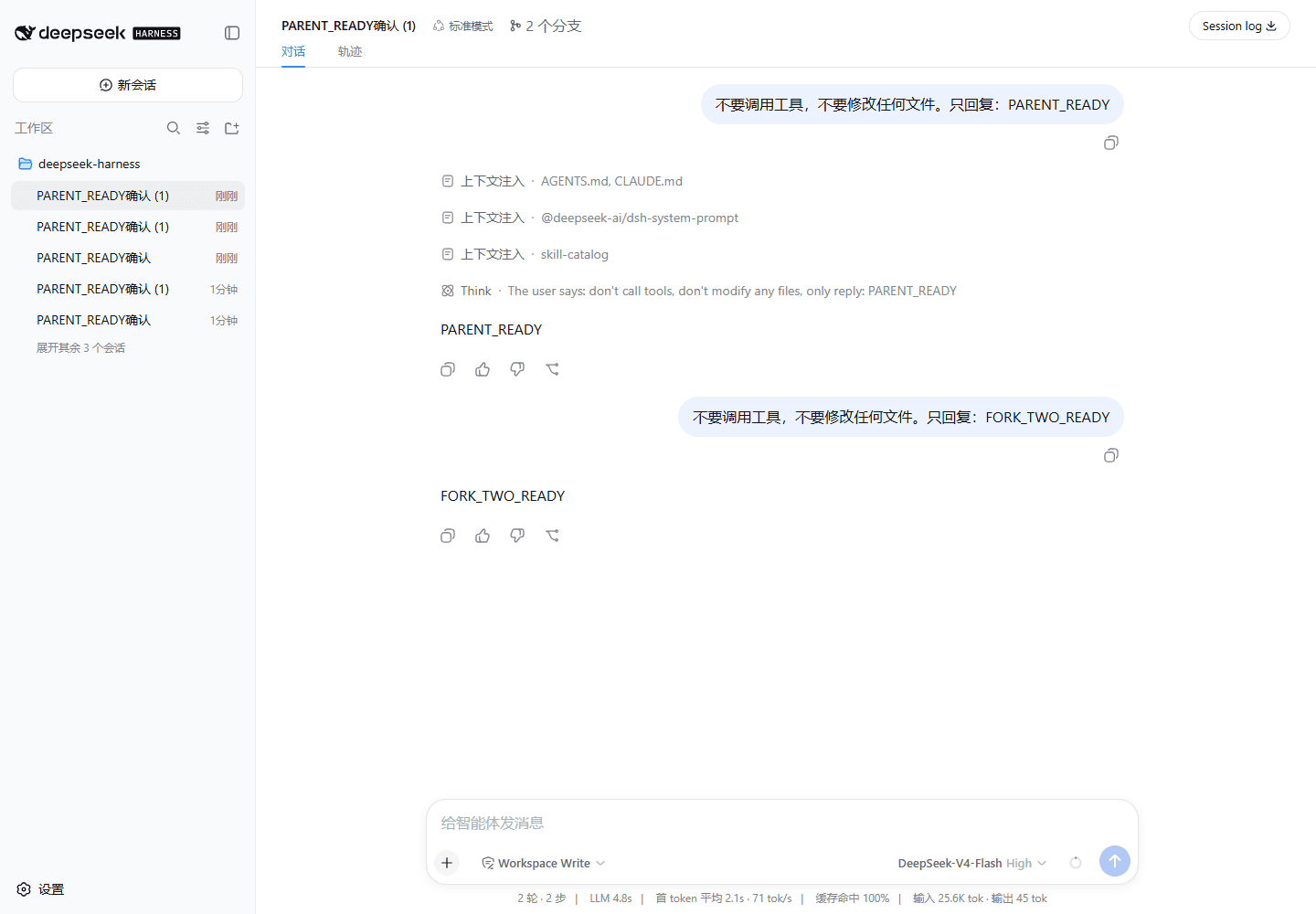
See your DSH conversation's fork history as a git graph — coloured branch lanes in the session header, click to jump. A pure-derivation DeepSeek Harness Web plugin.
Install
npx @deepseek-ai/dsh plugin --profile web add github:chouyong/dsh-fork-graphRestart `dsh web` after install. Bundle APIs can change during the developer preview.
README badge

[](https://dshhub.dev/plugins/dsh-fork-graph)Paste this into your README. The star count updates with every catalog sync.
From the README
Excerpt from chouyong/dsh-fork-graph, cleaned of badges and images.
dsh-fork-graph
English | 简体中文
See your conversation's fork history as a git graph — right in the session header.
A DeepSeek Harness (DSH) Web plugin. Fork a session in DSH and you get a child that inherits the parent's history — but the sidebar only shows a flat list with indentation. This plugin draws the actual branch topology: coloured lanes, curved fork lines, one row per session, click to jump.
The SVG above is rendered by the plugin's own layout code (scripts/render-preview.ts); the two PNGs are genuine captures from a running DSH Web session.
Why
Agent work does not stay linear. You fork at a good checkpoint to try something risky, a subagent goes off to audit one file, yesterday's dead end becomes today's starting point. After a day of that you have eight sessions and no idea which came from which.
A flat list tells you what exists. A graph tells you what came from what — which is the question you actually have when you are looking for "the session where it still worked".
What it does
- Branch topology, not indentation. Each branch gets its own coloured lane; forks are drawn as curves leaving the parent commit dot.
- One row per session with its title, plus the facts that change how you read it:
current,running,subagent,forks into N. - Click to jump. Any node navigates to that session.
- Focused by default. Shows the lineage family of the session you are in, not every session you ever had.
- Appears only when it is useful. No fork in this lineage → the control does not render at all.
- English and Chinese, following the page language.
What it deliberately does not do
- No writes. No session events, no RPC, no persisted state, no prompt content. It reads the session list the host already maintains and draws it. Composing the plugin out removes one button and nothing else.
- No second source of truth. It renders the host's own list store — it never keeps a copy that could drift from the sidebar.
- No forking UI. DSH already has fork actions in the chat view; this plugin visualises the result rather than duplicating the verb.
Install
Requires DSH, Node.js ^22.19.0 || >=24.0.0, and pnpm.
dsh plugin --profile web add github:chouyong/dsh-fork-graph
dsh web
A git install builds from source, so pnpm ≥10 will refuse the package's prepare script until you allow it. The first add prints the exact key — put it in that profile's pnpm-workspace.yaml:
allowBuilds:
  dsh-fork-graph: true
then run the add again. Pin a commit (github:chouyong/dsh-fork-graph#<sha>) if you want later pushes to have no effect on what runs on your machine.
If the git install reaches prepare but fails because the published DSH packages request the unpublished @deepseek-ai/dsh-compact, install the prebuilt tarball instead:
cd path/to/dsh-fork-graph
npm install --ignore-scripts --legacy-peer-deps
npm run build
npm pack
dsh plugin --profile web add ./dsh-fork-graph-0.1.0.tgz
To remove:
dsh plugin --profile web remove dsh-fork-graph
How it works
…

