MDR-EX1000/dsh-desktop-kit
dsh-desktop-kit
dsh-desktop-kit is a community DeepSeek Harness plugin. Read the repository README before installing.
Install
npx @deepseek-ai/dsh plugin --profile web add dsh-desktop-kitRestart `dsh web` after install. Bundle APIs can change during the developer preview.
README badge

[](https://dshhub.dev/plugins/dsh-desktop-kit)Paste this into your README. The star count updates with every catalog sync.
From the README
Excerpt from MDR-EX1000/dsh-desktop-kit, cleaned of badges and images.
dsh-desktop-kit
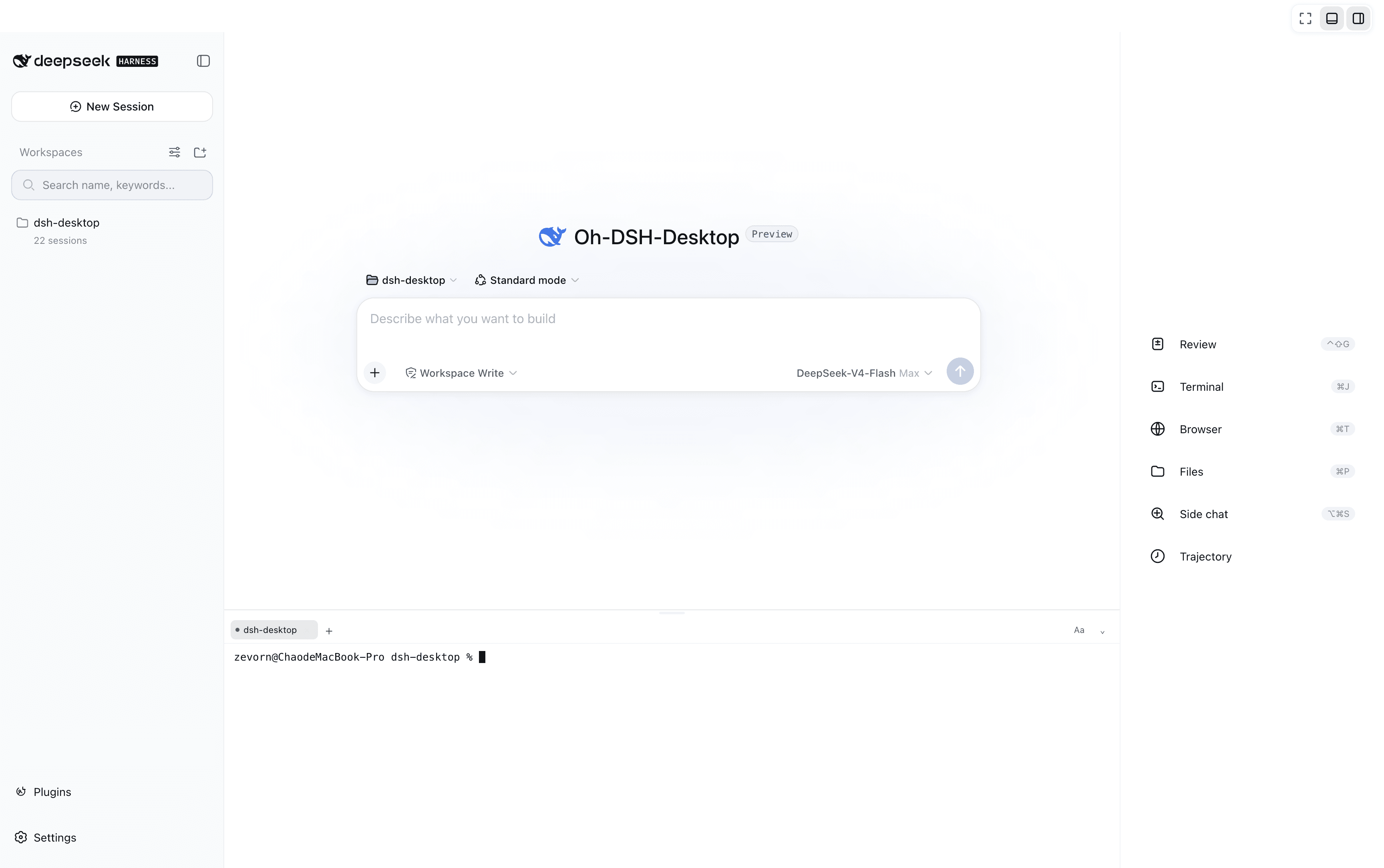
Self-owned desktop shell for DeepSeek Harness (DSH): a small plugin plus a native Tauri window over the harness web surface.
dsh web starts → the plugin spawns the shell on the served loopback URL → you get DSH in a real desktop window, with the browser tab still available as a second client. No fork, no repackaged runtime, no second profile — everything stays a plugin over your existing harness.
Why not the third-party shell?
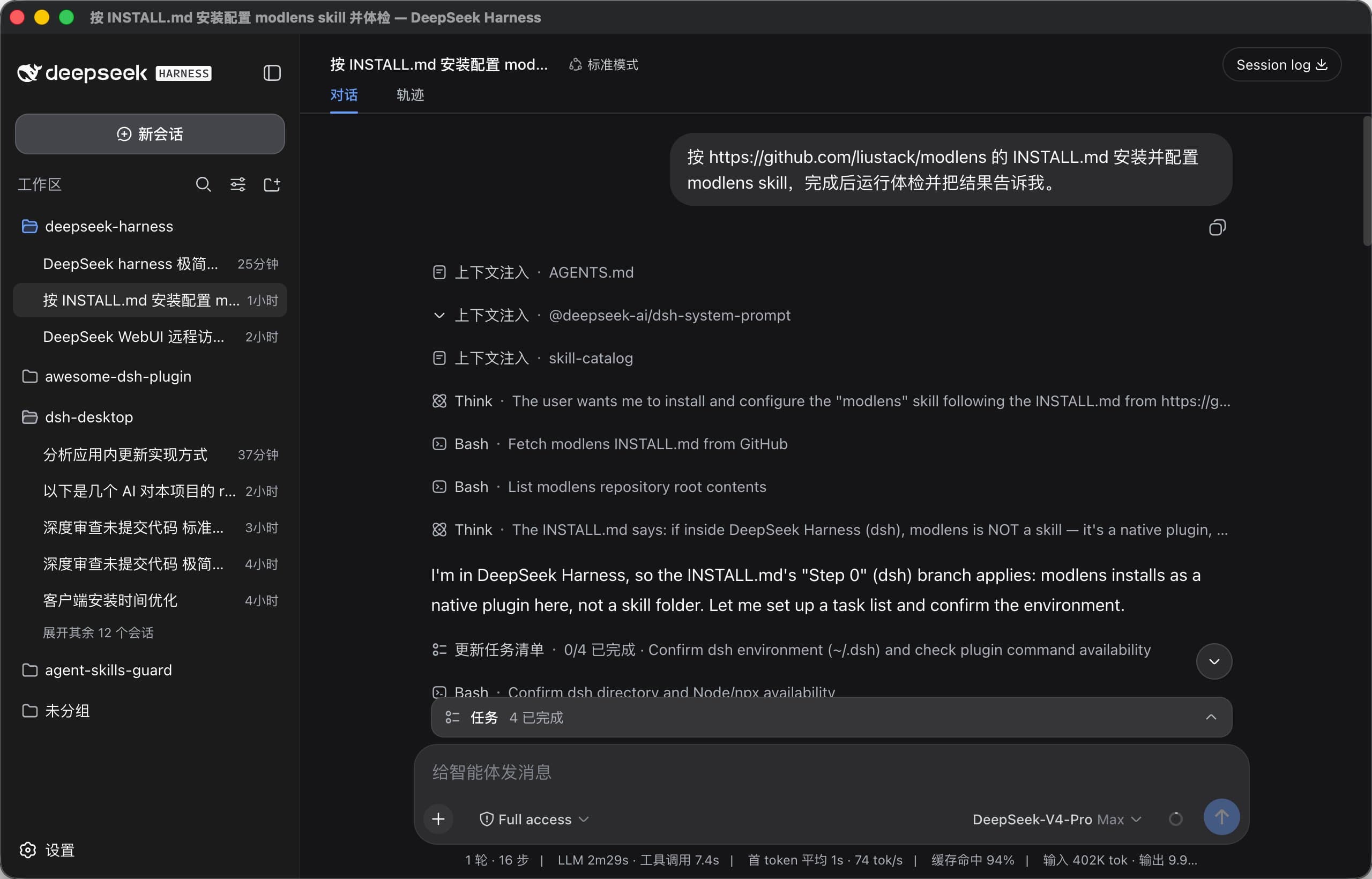
dsh-desktop is great and was the blueprint. We rebuilt a smaller one for one concrete reason: real macOS fullscreen. Its window is frameless with a web-drawn title bar and never wires up setFullscreen — the maximize button is zoom, not a native fullscreen Space. This shell uses a plain decorated window, so the green traffic-light button and Ctrl+Cmd+F give you true macOS fullscreen out of the box.
Features (v0.1)
- Native window on the loopback web surface — same origin the browser uses, so the whole SPA and every plugin work unchanged (verified with
dsh-rw). - Real macOS fullscreen — decorated window, native fullscreen Space, no custom title bar needed.
- Single instance — a second launch focuses the existing window instead of opening another.
- Lifecycle contract — closing the window exits the shell with code 0, and the plugin shuts the harness down; plugin teardown kills the shell. No orphaned processes on either side.
- Graceful degradation — no shell binary found? The harness keeps serving the web UI in the browser, with an actionable log line.
- Small — system WebKit (WKWebView), no bundled Chromium; the shell binary is a few MB.
- External links that work —
target="_blank"/ cross-origin links are delegated to the system browser via the shell'skit_open_externalcommand (a bare WKWebView renders them dead otherwise). - Browser-style zoom — Cmd/Ctrl +
=/-/0zooms the page (persisted), something a bare WKWebView does not offer.
Deliberately not in v0.1: tray, OS notifications, file panel, in-app updater, control channel. The architecture (control pipe over stdin/stdout, dshdctl: protocol) is documented in the blueprint and can grow later.
Architecture
dsh web  (your existing web profile)
  └─ dsh-desktop-kit (this plugin, inject: [webServer])
       └─ spawns dsh-desktop-kit <url> <title>   (the Tauri shell)
            └─ native WKWebView window on http://127.0.0.1:<port>
                 window closed → exit 0 → plugin shuts the harness down
The plugin resolves the shell binary in order: config.bin / DSH_DESKTOP_KIT_BIN → $DSH_HOME/bin/dsh-desktop-kit → PATH → ~/.local/bin/dsh-desktop-kit.
Install
Requires the dsh CLI and macOS (other platforms are untested but should work).
# 1. the plugin
dsh plugin --profile web add dsh-desktop-kit          # npm (once published)
# or from a checkout / GitHub release tarball:
dsh plugin --profile web add /path/to/dsh-desktop-kit

# 2. the shell binary (prebuilt on the Releases page, or build it yourself)
mkdir -p ~/.dsh/bin
cp dsh-desktop-kit ~/.dsh/bin/        # from the release download
# or: cd shell && cargo build --release && cp target/release/dsh-desktop-kit ~/.dsh/bin/

# 3. restart dsh web — the native window opens with it
To uninstall: dsh plugin --profile web remove dsh-desktop-kit and delete ~/.dsh/bin/dsh-desktop-kit.
…