omdsh-dev/dsh-custom-tool
dsh-custom-tool
Create and manage sandboxed JavaScript tools for DeepSeek Harness with a Monaco editor and model-driven tool lifecycle.
Install
npx @deepseek-ai/dsh plugin --profile web add https://github.com/omdsh-dev/dsh-custom-tool/archive/refs/tags/v0.1.2.tar.gzRestart `dsh web` after install. Bundle APIs can change during the developer preview.
README badge

[](https://dshhub.dev/plugins/dsh-custom-tool)Paste this into your README. The star count updates with every catalog sync.
From the README
Excerpt from omdsh-dev/dsh-custom-tool, cleaned of badges and images.
dsh-custom-tool
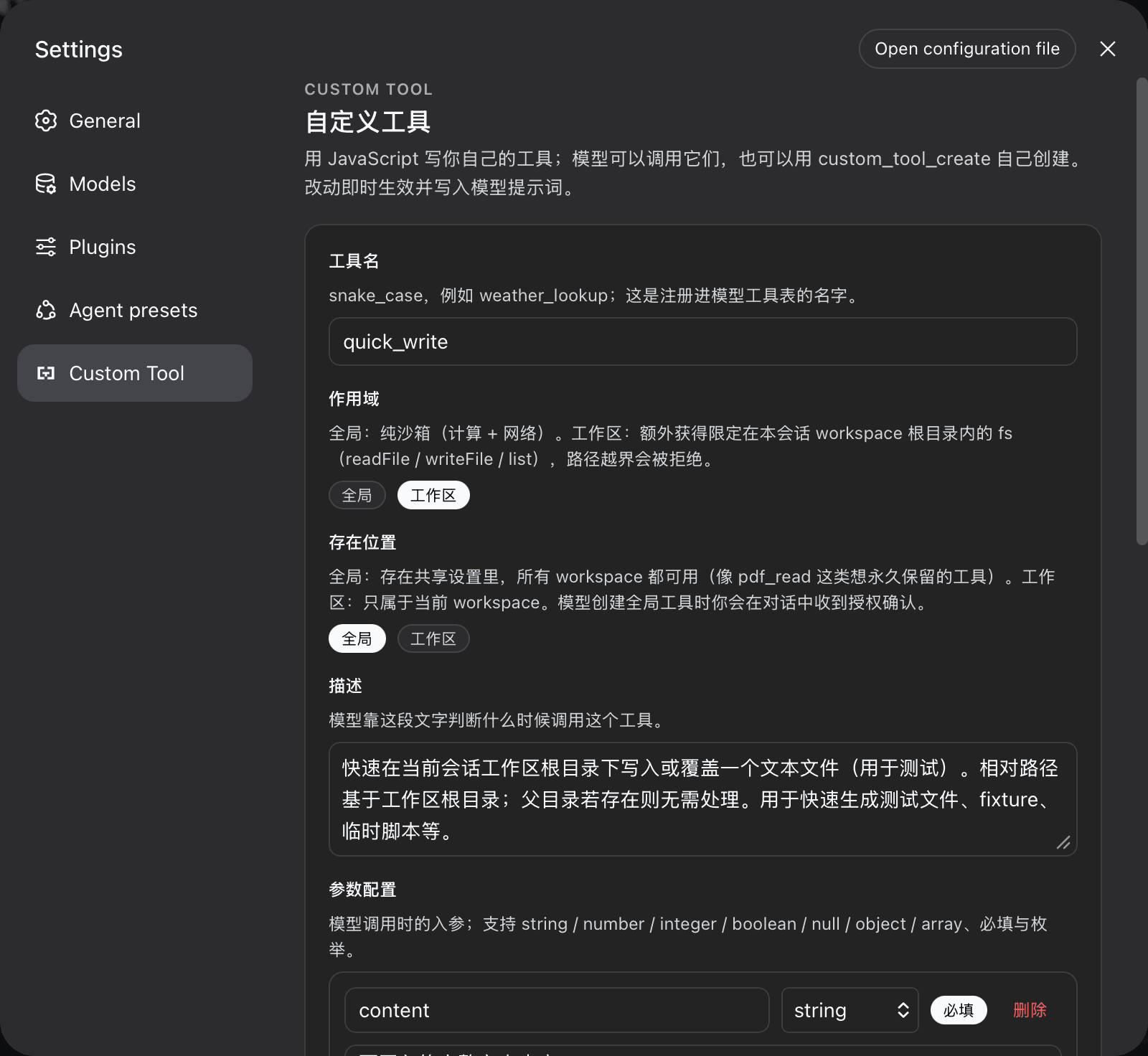
Custom tools for the DeepSeek Harness: users author their own JavaScript tools in the settings UI with a Monaco (VS Code) editor and TypeScript intellisense, and the model grows and prunes the same toolset itself through custom_tool_create / custom_tool_remove / custom_tools_list. Every tool is durable, hot-registered, and written into the model prompt on the next step.
Problems it solves
- Users cannot extend their agent: before this plugin, adding a capability meant shipping a harness package. Now a tool is a form in the settings UI — name, description, parameters, code — saved live and callable by the model immediately.
- The model cannot grow itself:
custom_tool_createlets the model persist tools mid-session (hot-registered, visible on its next step), with the same validation gate the UI uses — the model cannot persist anything the settings UI would refuse. - User-authored code runs in a restricted worker: every call executes in a fresh worker thread inside a
node:vmrealm with an explicit allowlist, Node Permission Model, and hard budgets. The worker receives no inherited environment variables, filesystem access outside its configured scope, or child-process capability.
Features
- Settings UI (
Custom Toolsection, own nav glyph): list, create, edit, enable/disable, delete. Model-created and workspace-scoped tools are badged. Every string follows the harness locale (Chinese / English) and switches with the language preference. - Monaco editor: VS Code engine + TypeScript language service;
argstyped from the parameter schema,env/sandbox globals declared, completions and diagnostics live. Editor and TS workers are bundled inline — the client bundle is a single file. - Durable store: tools live in the
custom-toolssettings namespace (schema defaults, composition base, user document — the ordinary settings layering). Edits apply live; restart restores them. - Live registration: enabled tools register into
ctx.toolsthe moment the settings write commits; disabled/removed tools unregister immediately. The harness assembles tool schemas into the system prompt automatically. - Model self-service:
custom_tool_create(upsert by name),custom_tools_list, andcustom_tool_removeshare the UI's validation gate and the ownership rules below.
Tool scopes and permission boundaries
Every tool declares one of two execution scopes. The boundary is the core security contract of this plugin:
global (default) | workspace | |
|---|---|---|
| Purpose | pure computation, external data, workflows | recurring file tasks inside the session workspace |
fetch (network) | per allowNetwork config | per allowNetwork config |
console, timers, TextEncoder, URL, … | yes | yes |
fs capability | no | readFile / writeFile / list, confined to the session workspace root |
require / import / process | never | never |
Confinement rules for the workspace scope
…
