Anionex/dsh-computer-use
dsh-computer-use
Accessibility-first macOS Computer Use bundle for DSH with fresh observations, stale-state rejection, scoped permissions, and safe input.
Install
npx @deepseek-ai/dsh plugin --profile web add @anionex/dsh-computer-useRestart `dsh web` after install. Bundle APIs can change during the developer preview.
README badge

[](https://dshhub.dev/plugins/dsh-computer-use)Paste this into your README. The star count updates with every catalog sync.
From the README
Excerpt from Anionex/dsh-computer-use, cleaned of badges and images.
DSH Computer Use
Native macOS control for DeepSeek Harness that keeps your real cursor and foreground application alone by default; the Bundle may bring the target app forward before keyboard input for reliable typing.
DSH Computer Use gives an Agent fresh Accessibility observations, exact process/window targeting, stale-state rejection, scoped application access, and verified post-action state. Semantic Accessibility comes first; mouse, drag, wheel, and keyboard fallback are routed to the selected process instead of the global desktop.
English | 中文
Why it is different
Accessibility permission lets a process inspect and operate macOS UI elements, but the permission itself does not prevent focus stealing or cursor movement. Those behaviors depend on the input route.
The default DSH Computer Use route is deliberately non-interfering:
- No system-cursor movement: the helper contains no cursor-warp path.
- No global pointer injection: click, scroll, and drag fallback use a pid/window-targeted SkyLight route, not the global HID event stream.
- No pointer-triggered activation: semantic Accessibility, process-targeted pointer input, and
keyboardPolicy: preserverun without activation;keyboardPolicy: activate(Bundle default) brings the target app forward before keyboard fallback, matching Codex Computer Use. - A separate Agent cursor: click, scroll, and drag actions animate a click-through, nonactivating software cursor while the macOS system cursor remains untouched. It appears only while the exact target application is frontmost and follows a speed/acceleration-shaped curved path. Click and scroll wait for arrival before input; drag reaches and presses at the start point, then tracks the destination while the native drag runs.
- No blind replay: every action is tied to an exact, unexpired observation and returns fresh state.
The result is a native action layer that can operate many background applications while the user continues working in the current foreground application.
What it adds
- Observe before acting. Return a bounded Accessibility tree, indexed elements, exact app/process/window metadata, permission state, and an optional screenshot Artifact.
- Bind actions to state. Every element exposes an observation-local index and opaque
targetHandle; exact lookup remains compatible, while explicitly allowed rebinding accepts only a unique native or semantic identity inside the same process and window. - Prefer semantic input. Use
AXPress, editable values, selected-text assignment, and advertised Accessibility actions before pointer fallback. - Route fallback to the target. Keyboard input goes to the selected pid; pointer input goes to the selected pid and
CGWindowIDwith window-local coordinates, resolving the app window under the point so arbitrary screen coordinates work. - Return fresh evidence. Every successful action settles for a bounded interval and returns a new full or diff observation.
- Scope application access. Read and control leases are separated by Agent, Session, turn, and exact bundle id; high-impact actions require one-use confirmation.
- Keep the model surface focused. Execution Tools appear only after the current Agent loads the Computer Use Skill.
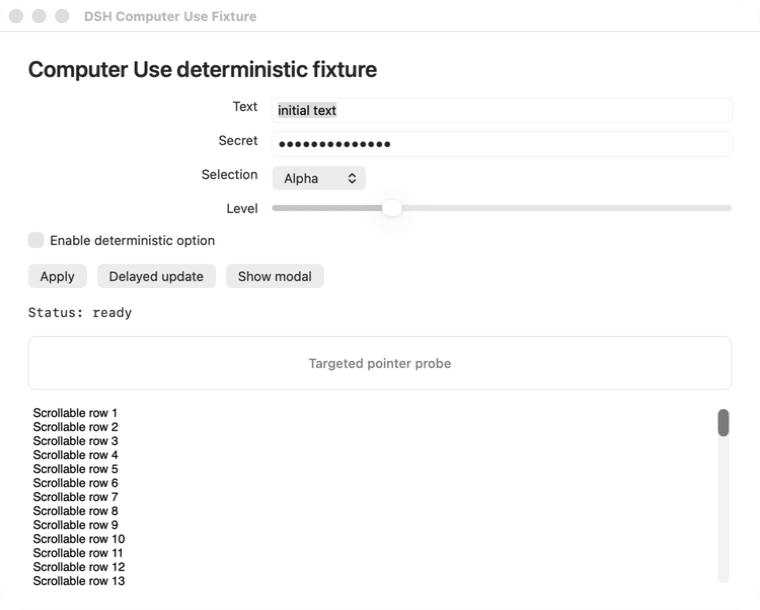
Proof: a never-active background fixture
…
