Jannchie/dsh-bill
dsh-bill
DSH (DeepSeek Harness) plugin: per-session cost line + cost attribution report, priced by llm-pricing
Install
npx @deepseek-ai/dsh plugin --profile web add dsh-billRestart `dsh web` after install. Bundle APIs can change during the developer preview.
README badge

[](https://dshhub.dev/plugins/dsh-bill)Paste this into your README. The star count updates with every catalog sync.
From the README
Excerpt from Jannchie/dsh-bill, cleaned of badges and images.
dsh-bill
English | 中文
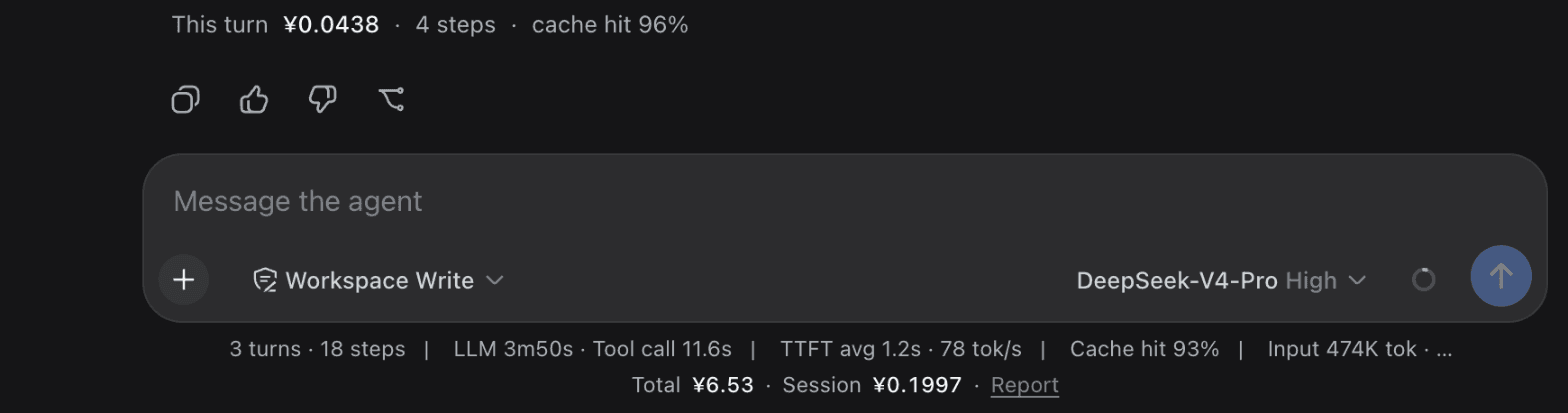
Cost tracking for DSH (DeepSeek Harness). A line under each turn tells you what that turn cost; the Cost tab tells you what the money went on.
Install
dsh plugin --profile web add dsh-bill
Restart dsh web to pick it up.
Features
- Cost attribution — the bill split by kind of content: tool output, model output, system prompt, terminal commands (grouped by
git/pnpm/rg), tool input, attachments, system reminders, user input. The sunburst drills in. - Per-turn cost — one line under every finished turn: what it cost, how many steps, the cache-hit rate. It reads the session log itself, so turns from before you installed the plugin are covered too.
- Always on screen — a line under the shipped stats line (all-time, this session, peak share), and today's spend against the budget in the sidebar. Each of the four surfaces can be turned off individually in settings.
- Report — a Cost tab in the conversation, beside Chat and Trajectory: total, tokens, cache hit, peak share, monthly forecast, account balance; broken down by model, by session, and by purpose (including loop overhead such as context compaction); a daily trend and a weekday × hour heatmap.
- Budget — a daily / monthly / all-time limit that turns amber past 80% and red when you go over.
- Multi-currency — live rates for ~166 currencies; each model's base rate is shown in the currency its vendor prices it in.
- Agent tool —
bill_stats, so the model can answer questions about spend directly. - English and Chinese follow the DSH language setting; history from before the install is backfilled from the session log.
How it differs from similar plugins
Three substantive differences:
No hand-maintained price table. Every other plugin ships a built-in table of 2–4 DeepSeek models, which means no prices at all once you switch provider — and which is why they all need a "edit the price table by hand" entry point. dsh-bill pulls models.dev and OpenRouter through llm-pricing, covering 8000+ entries, so a new model is priced the day it ships.
Price is a timeline, not a number. The others compute a cost and store it (or recompute at today's price), so history goes wrong the moment a vendor changes its rates or a call crosses a peak/off-peak boundary. dsh-bill prices each call at that call's own instant, and never recomputes history.
It answers "on what". The others answer only "how much" — they consume the provider's aggregate token counts and never look at the request content. dsh-bill splits the request into classified segments at capture time and apportions cost by position in the cache prefix.
They do some things better: usage-stats reads balances and subscription quotas from 11 providers (dsh-bill only does DeepSeek), cost-meter can read OpenCode Go's subscription quota, and both surface more always-on entry points than dsh-bill does.
Point-by-point comparison (read from source, sampled 2026-08-16)
The sample is the cost-related plugins under the GitHub dsh-plugin topic with ★ ≥ 40, plus the four published to npm. Lower-starred plugins such as deepseek-harness-wallet were not checked individually.
…

