Junkrat9527/dsh-autovision
dsh-autovision
dsh-autovision: paste an image into a text-only model composer and a configured multimodal model transcribes it to text automatically. Twin-provider auto-routing + agent-callable read-image tool. No built-in keys, no relay.
Install
npx @deepseek-ai/dsh plugin --profile web add @iroam2375/dsh-autovisionRestart `dsh web` after install. Bundle APIs can change during the developer preview.
README badge

[](https://dshhub.dev/plugins/dsh-autovision)Paste this into your README. The star count updates with every catalog sync.
From the README
Excerpt from Junkrat9527/dsh-autovision, cleaned of badges and images.
dsh-autovision
Vision for text-only models inside DeepSeek Harness — paste an image, and a configured multimodal model transcribes it to text automatically. No model switching, no built-in keys, no relay.
dsh-autovision gives text-only models (DeepSeek, GLM, …) real image support in the DeepSeek Harness web UI. It registers a transparent twin provider for every pure-text model, routes image-bearing requests to a multimodal model you configure yourself, and feeds the transcription back as text — so the text model "sees" the image without you switching models or touching the request.
⭐ If this plugin saves you time, please star the repo — it helps other dsh users find it.
Why
DeepSeek Harness only lets a model receive images when that model declares image input (inputModalities). Pure-text models (e.g. deepseek-*, glm-*) reject image messages — pasting a screenshot into a session either fails silently or errors out.
Existing workarounds made you switch models, use a third-party relay, or hardcode a key. dsh-autovision keeps your setup: the plugin never ships a key, never proxies through a relay, and never touches your model config. It simply borrows the multimodal model you already configured in dsh settings to transcribe images to text.
Features
- Zero-friction, transparent — every pure-text model gets a
<provider>-autovisiontwin registered at runtime.agent/requestauto-redirects each request to the twin, so you never switch models and never editsettings.yaml. - Paste → text, automatically — attach an image in the composer; it is transcribed by your configured vision model and injected into the text model's context. The original image stays visible in the UI (thumbnail + message), and the durable log keeps the original.
- Clean model selector — the twin's
listModelsreturns[], so the model picker shows only your real models. No noise. - Agent-callable
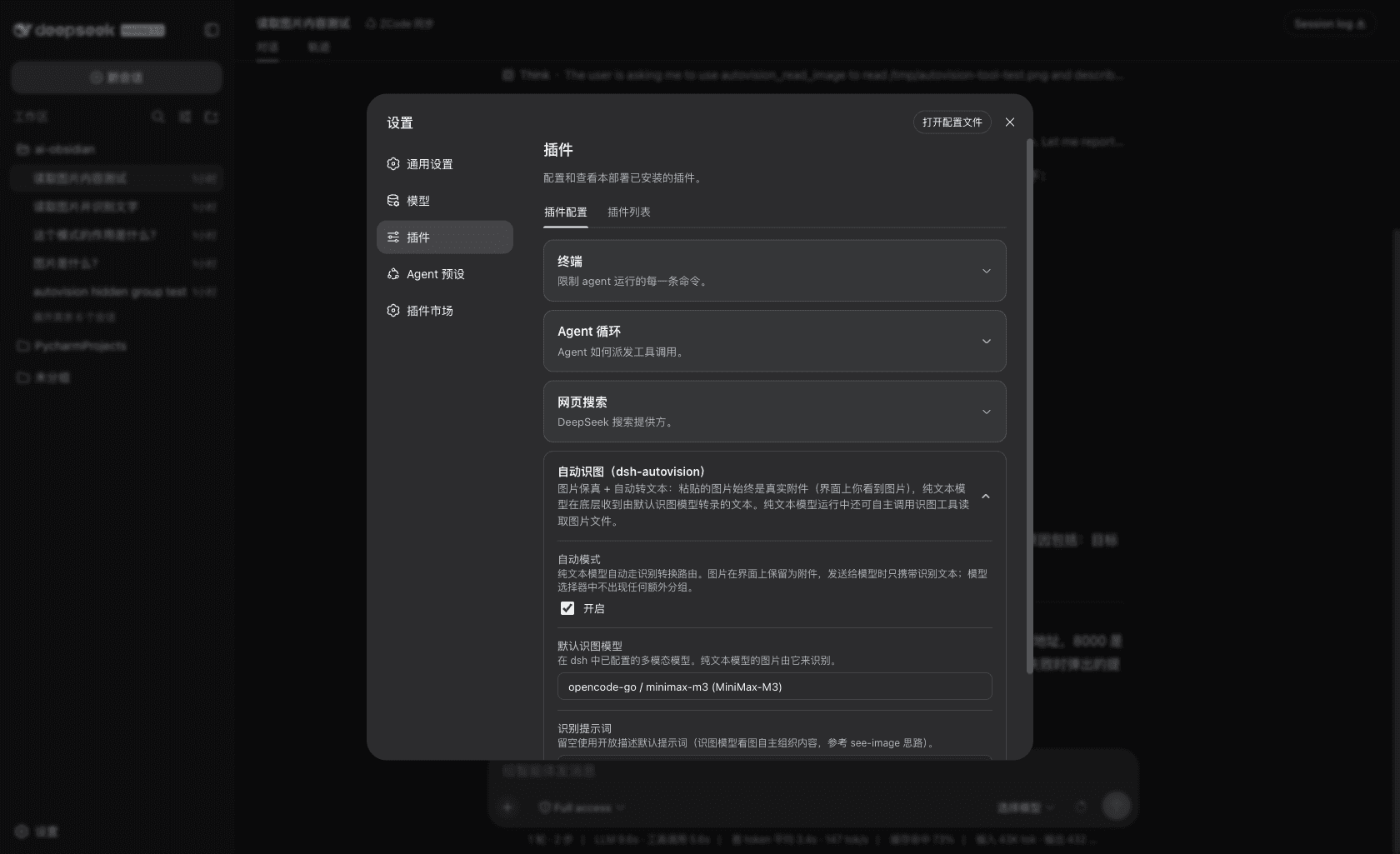
autovision_read_imagetool — the model can actively read an image file during a run, with its own per-task prompt (e.g. "transcribe every word", "describe the UI state"). - No built-in credentials — the recognition engine is whatever multimodal model you configure as the default vision model in the plugin settings (e.g.
opencode-go,minimax-m3). No API key, no relay URL, nothing hardcoded. - Survives
dsh upgrade— pure plugin implementation, zero patches to dsh core, zero config rewrites.
Install
Requires dsh web ≥ 0.1.0-rc.6.
dsh plugin --profile web add @iroam2375/dsh-autovision
The npm package is published as
@iroam2375/dsh-autovision(the bare namedsh-autovisionis unavailable on npm — too similar to the existingdsh-auto-vision). The plugin itself is still addressed by its bundle iddsh-autovision.
Restart dsh web, open 设置 → 插件 (plugin settings) → Autovision, and pick a default vision model (any multimodal model available in your LLM providers, e.g. minimax-m3 / opencode-go). That model does all the transcribing; nothing else is configured.
If you develop locally, the standard bundle wiring is used: add
"dsh-autovision"todsh.profile.bundlesin your profile'spackage.json. Do not also manuallyinsertit intocordis.patch.yml— that producesduplicate loader entry id: autovisionat boot.
Usage
…