Ratevoid/dsh-aseprite
dsh-aseprite
Unofficial Aseprite-compatible pixel editor and sprite animation plugin for DeepSeek Harness.
Install
npx @deepseek-ai/dsh plugin --profile web add --store-dirRestart `dsh web` after install. Bundle APIs can change during the developer preview.
README badge

[](https://dshhub.dev/plugins/dsh-aseprite)Paste this into your README. The star count updates with every catalog sync.
From the README
Excerpt from Ratevoid/dsh-aseprite, cleaned of badges and images.
dsh-aseprite
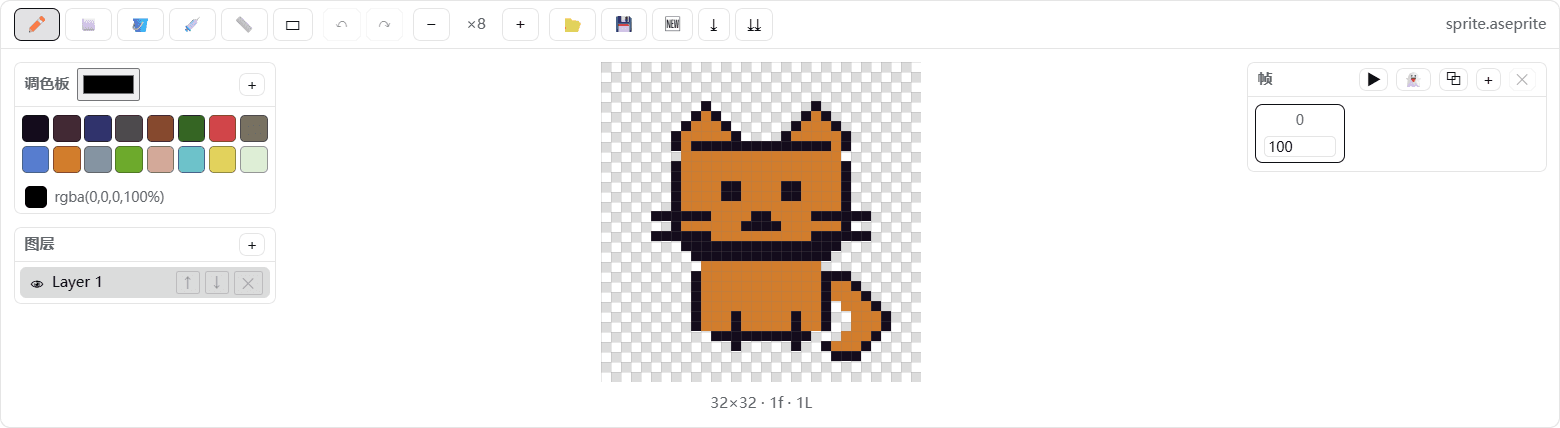
A pixel-art and sprite-animation editor plugin for DeepSeek Harness. It is compatible with Aseprite project files and requires no Aseprite installation.
- 🎨 Adds a 🎨 button to the conversation header; click it to open or close the editor dock above the message input.
- ✏️ Tools: pencil, eraser, bucket fill, picker, line, rectangle, and rectangular region selection, with undo, redo, wheel zoom, grid, onion skinning, adjustable brush/eraser size, and draggable left/right/top/bottom panel splitters.
- 🤖 Select a region, click ASK, describe a local adjustment, and send an enlarged PNG crop plus the selection coordinates to the active DSH conversation. The AI response is reviewed in chat; editor pixels are not changed automatically.
- 🧩 Blueprint workflows: click 🧩 in the toolbar to open a ComfyUI-style visual node graph; drag nodes and click input/output ports to connect them.
- Passive blueprints such as transparent cropping, pixel outlines, and crop-plus-outline run locally, can be reused indefinitely after one creation, and never call the LLM.
- Active blueprints contain an LLM node and send the selected image plus node prompt to the current conversation AI.
- Click AI Create Blueprint and describe a complete task. The assistant's dsh-blueprint JSON is automatically parsed, validated, and stored in the browser library—no manual JSON copying. The library has UI import/export controls.
- 🧅 Layers: create, delete, reorder, and toggle visibility.
- 🎞️ Animation frames: add, duplicate, delete, set frame duration (ms), and preview playback.
- 🎨 Palettes: built-in DB16 and PICO-8-style 16-color palettes, custom colors, extra palettes, and color picking.
- 💾 Reads and writes .aseprite project files in pure JavaScript, with no Aseprite installation required; supports RGBA, grayscale, indexed-color reading, compressed cel decoding, current-frame PNG export, and sprite-sheet PNG export.
Demo
Canvas close-up:
The transparent canvas uses a standard square checkerboard:
How it works
- Host (
lib/index.js): a minimal loader entry that exposes thedsh.clientdeclaration; the editor runs entirely in the browser. - Client (
client/client.js): follows thewindow.__ModuleLoader__.load({ id, factory })contract and registers the header button and dock throughctx.slotsatconversation.session.header.actionsandconversation.input.dock. - Codec (
src/ase-codec.js): implements the Aseprite file format specification, writing 32bpp RGBA, raw cels, and modern palette chunks that Aseprite can open directly.
Project structure
…

