Aik358/dsh-anchored-monitor
dsh-anchored-monitor
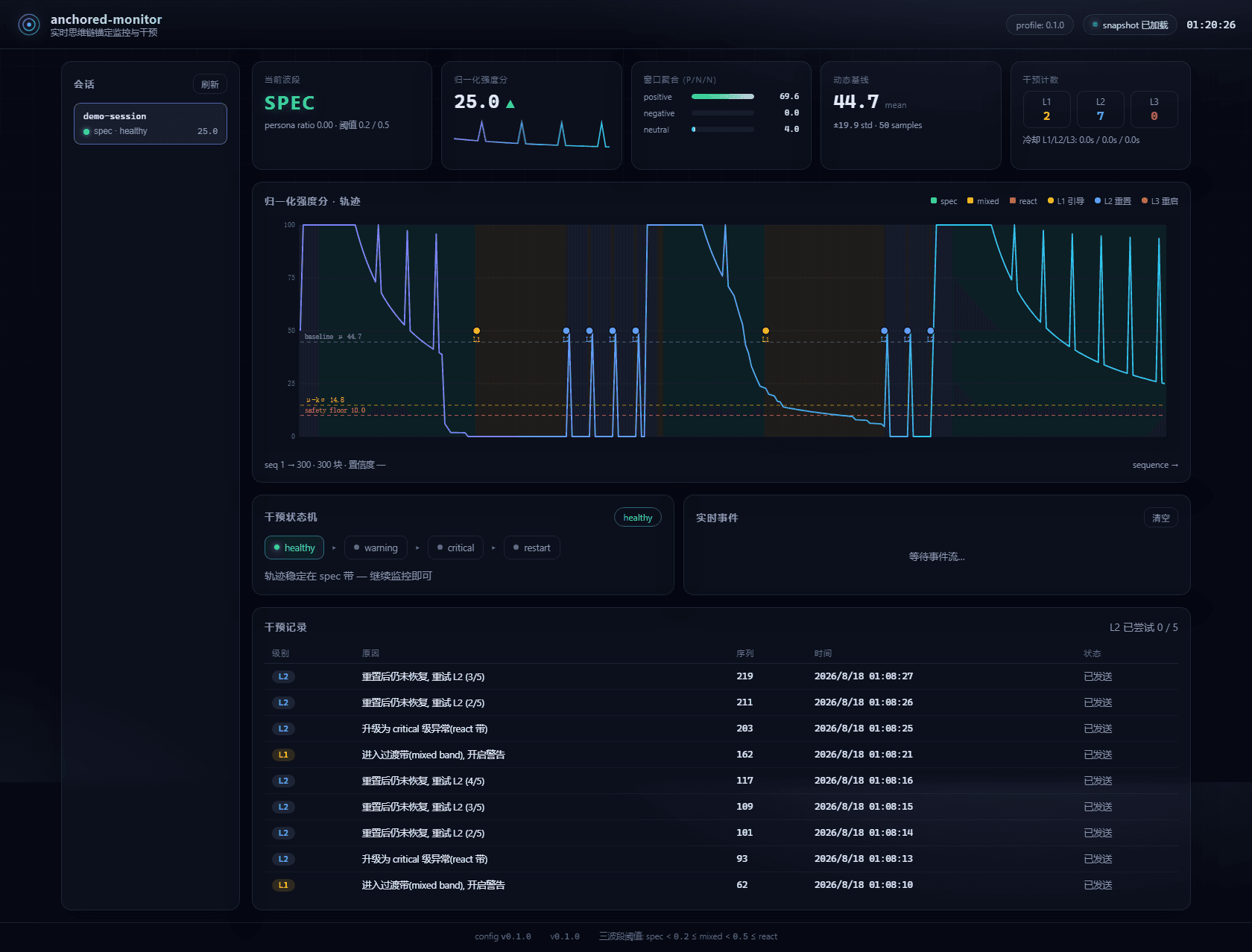
Real-time chain-of-thought anchoring monitor & intervention plugin for DeepSeek Harness: three-band (spec/mixed/react) fingerprint detection, L1 hint / L2 reset / L3 restart interventions, liquid-glass web overlay + rheostat bar, standalone monitor process with JSONL experiment logs.
Install
npx @deepseek-ai/dsh plugin --profile web add @a9i5k4/dsh-anchored-monitorRestart `dsh web` after install. Bundle APIs can change during the developer preview.
README badge

[](https://dshhub.dev/plugins/dsh-anchored-monitor)Paste this into your README. The star count updates with every catalog sync.
From the README
Excerpt from Aik358/dsh-anchored-monitor, cleaned of badges and images.
dsh-anchored-monitor
English | 简体中文
In one sentence (一句话说清): it's a whip for DeepSeek V4 Pro. When the model falls from the focused, high-capability mode ("We need…" / "I will…") into the scattered, low-focus mode ("let me…"), the whip cracks — and pulls it back. 这是给 DeepSeek V4 Pro 加的一根鞭子——当它从「We need / I will」的高专注、高能力模式, 跌落到「let me」的发散、低专注、低效率模式时,就抽它一鞭,让它改回去。
Real-time chain-of-thought anchoring monitor & intervention for DeepSeek Harness. Watch the we / let's / let me fingerprint of every reasoning block, stay in the spec band, and pull the model back automatically when the trajectory drifts.
What it is, in one line
Don't touch a thing and it's simply a live gauge of how hard your model is thinking right now. Thinking intensity, three-band state and the ECG-style curve, tucked into the corner of your screen — a real-time visualization of your model's thinking efficiency / capability intensity.
- Visualization first (default — no intervention until you want it): a real-time thinking-efficiency / capability-intensity gauge.
- Intervention when you need the whip: only cracks when the trajectory drifts into the scattered "let me" band — and it auto-continues the task.
- 「滑动变祖器」meme skin: flip the gauge into a Liang-o-meter that live-queries DeepSeek V4 Pro's "梁系强度" (from focused-humble to emperor-slacking) while it runs.
Open the settings page and you can tune every parameter — and one-click Reset to defaults if you ever change too much.
Which mode does it pair with?
You don't need to force-install dsh-anchored-standard.
The monitor never checks a preset's name. It reads every session's reasoning
blocks (~/.dsh/sessions/*/events.jsonl) and scores them purely by the
we / let's / let me fingerprint (spec band < 0.2, mixed 0.2–0.5, react ≥ 0.5).
So any preset that implements the anchored-standard discipline — anchor the
first turn with the Minimal persona (46-character persona + bash/str_replace_editor),
then plan in a collective "we" style without "let me" — pairs with this plugin.
Renamed / derivative presets work too: 梁神模式 (Liang-god Mode), liangshen,
and any other preset built on the same anchoring idea. The L2 reset payload is
fully self-contained (the Minimal 46-character persona + the dual tools ship in
this plugin's own config), so nothing is imported from another repo at runtime.
⚠️ One caveat: if the session was never anchored in the first place, it stays in the react band and L2 keeps firing — that's a fight loop, not monitoring. Keep interventions OFF (monitor-only) unless you're on the model this whip was tuned for.
When to turn interventions on / off — the whip is tuned for DeepSeek V4 Pro 0813:
- ✅ DeepSeek V4 Pro 0813 → interventions ON (recommended).
- ❌ Any other model → interventions OFF (monitor-only) — keep it as a pure live gauge.
This exact advice is shown right inside the plugin's panels:
ℹ Tip: keep interventions on only for DeepSeek V4 Pro 0813; turn them off (monitor-only) for other models.
Why this exists
…

