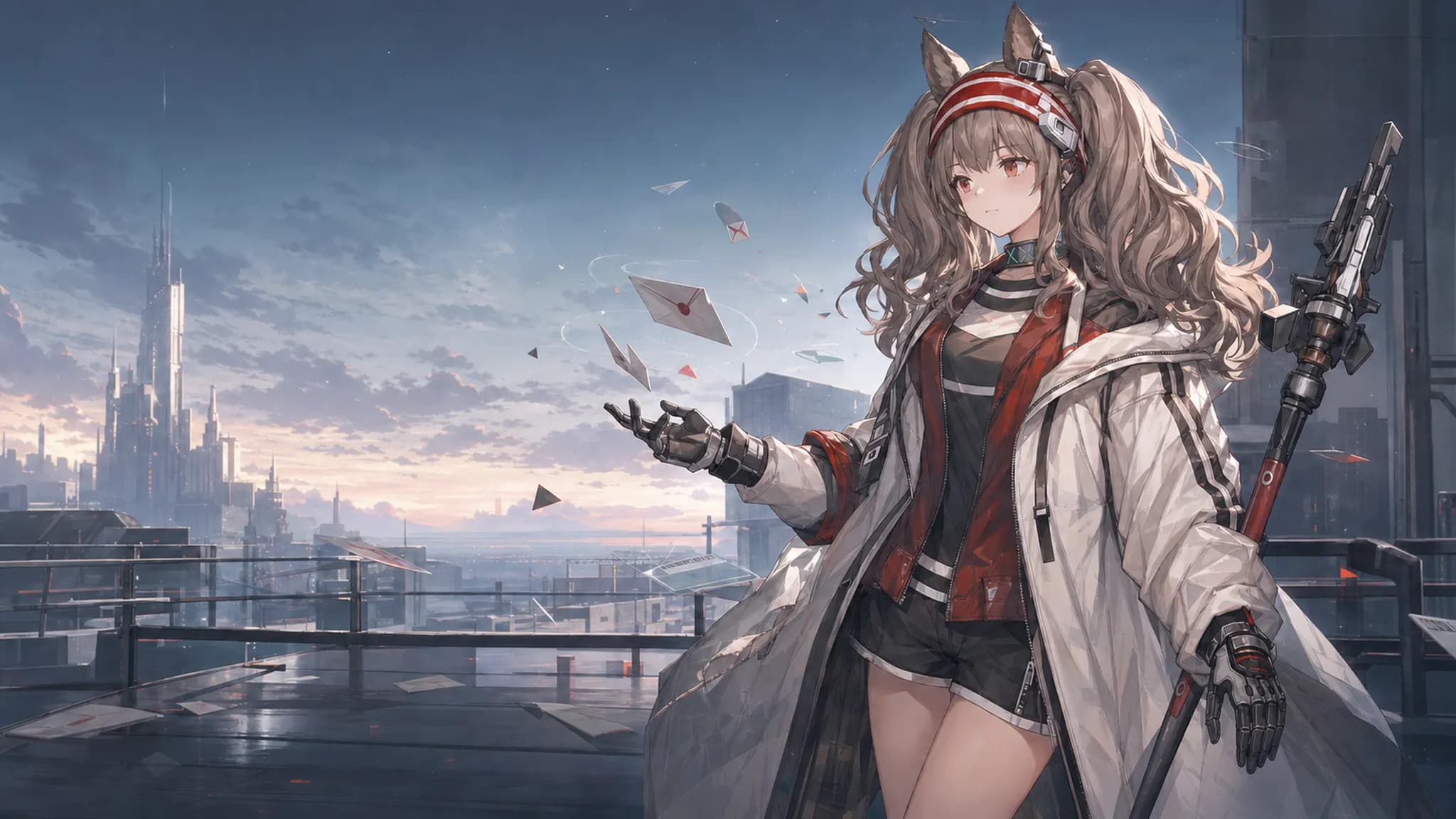
bilbillm/deepseek-harness-angelina-themes
dsh-angelina-themes
Angelina light and dark glass themes with parallax for DeepSeek Harness
Install
npx @deepseek-ai/dsh plugin --profile web add github:bilbillm/deepseek-harness-angelina-themesRestart `dsh web` after install. Bundle APIs can change during the developer preview.
README badge

[](https://dshhub.dev/plugins/deepseek-harness-angelina-themes)Paste this into your README. The star count updates with every catalog sync.
From the README
Excerpt from bilbillm/deepseek-harness-angelina-themes, cleaned of badges and images.
DeepSeek Harness Angelina Themes
把 Codex 的安洁莉娜亮色、暗色主题移植到 DeepSeek Harness 的独立 dsh-plugin。它保留 Harness 原生的对话布局和控件行为,只把视觉层替换成安洁莉娜主题:背景图、视差、磨砂玻璃、清晰的文字层级,以及在低性能或移动环境下的优雅降级。
English: README.en.md
先看效果
亮色主题使用清晨屋顶和暖灰色玻璃;暗色主题使用夜景和低亮度冷色玻璃。两种主题都给输入区、菜单、对话框和消息气泡保留足够的背景分离度,文字不会直接压在人物或高对比背景上。
<td width="50%"><img src="./src/assets/angelina-light-hero.webp" alt="安洁莉娜亮色主题主视觉"></td>
<td width="50%"><img src="./src/assets/angelina-dark-hero.webp" alt="安洁莉娜暗色主题主视觉"></td>
<td align="center"><b>Angelina Light</b><br><sub>明亮、偏暖、适合日间长时间工作</sub></td>
<td align="center"><b>Angelina Dark</b><br><sub>低亮度、偏冷、适合夜间使用</sub></td>
视差分层
背景和人物不是一张被整体移动的图片,而是两张透明/不透明图层。指针移动时,远景只做很小幅度位移,人物和信件做更明显的位移;标题、选择器、输入框和正文保持原位,避免阅读时跟着晃动。
<td width="50%"><img src="./src/assets/angelina-light-parallax-background.webp" alt="亮色视差背景层"></td>
<td width="50%"><img src="./src/assets/angelina-light-parallax-foreground.webp" alt="亮色视差前景人物层"></td>
<td align="center"><b>Background layer</b><br><sub>城市、天空、屋顶与月光位置</sub></td>
<td align="center"><b>Foreground layer</b><br><sub>安洁莉娜、信件和前景碎片</sub></td>
细节一览
| 区域 | 视觉处理 | 交互边界 |
|---|---|---|
| 新建对话 / 活跃对话 | 共用同一套背景构图和视差层;活跃对话额外使用浅层背景模糊和低透明度 tint | 对话文字、标题、按钮、输入框不参与位移 |
| 顶栏、侧栏、菜单、listbox、dialog | 叶节点磨砂玻璃,不给固定定位的祖先 frame 叠加 backdrop-filter | 菜单打开时仍保持清晰的边界和阴影 |
| Composer、输入框、用户消息气泡 | 半透明填充 + 背景模糊 + 轻微饱和度,沿用 Harness 默认形状 | 不改变原生尺寸、键盘行为和按钮布局 |
| 设置页 | 主题选择行、浅色/深色预览、独立持久化选择 | 卸载插件时恢复宿主主题和 body 属性 |
| 视差层 | 亮色双层;暗色低幅度单层 | prefers-reduced-motion、触摸、窄屏、失焦和页面隐藏时停用或复位 |
<td width="50%"><img src="./docs/screenshots/glass-actions-menu.png" alt="会话操作菜单的磨砂玻璃效果"></td>
<td width="50%"><img src="./docs/screenshots/glass-sort-menu.png" alt="会话排序菜单的磨砂玻璃效果"></td>
<td align="center"><b>操作菜单</b><br><sub>半透明底色、细边框和柔和阴影</sub></td>
<td align="center"><b>排序菜单</b><br><sub>分组标题、选中状态和内容对比度</sub></td>
磨砂玻璃配方
主题把玻璃定义为可复用的 CSS 变量,菜单和设置卡片使用同一套配方,避免出现“顶栏很糊、卡片很硬”或不同浮层透明度不一致的问题。
background: rgba(43, 51, 58, 0.66);
backdrop-filter: blur(18px) saturate(104%);
实际应用范围遵循叶节点策略:只给可见的菜单、卡片、输入框和气泡加玻璃,不给 sidebar/frame 祖先加滤镜,因此不会破坏固定定位浮层、滚动容器或对话层级。活跃对话区域使用浅层 3px 背景模糊,内部文字和控件保持锐利。
视差参数
| 模式 | 背景层 | 前景层 | 设计意图 |
|---|---|---|---|
| 安洁莉娜亮色 | -5 / -3 | 10 / 6 | 有明显空间感,但不让内容跟着移动 |
| 安洁莉娜暗色 | 0.5 / 0.25 | —(未启用前景图) | 夜间使用更稳定,避免高对比背景晃动 |
每组两个数依次是 X/Y 位移系数;指针坐标会先按视口归一化到 -1..1,数值越大,图层位移越明显。视差容器使用 pointer-events: none,不会挡住任何 Harness 控件。
安装
GitHub 安装(推荐)
需要 DeepSeek Harness Web profile 和 Node.js 20+。仓库已经提交 lib/ 构建产物,用户安装时不需要在本机编译插件。
dsh plugin --profile web add github:bilbillm/deepseek-harness-angelina-themes
重启 Web profile:
dsh web
# 或者
npx @deepseek-ai/dsh web
打开 设置 → 通用设置,在 安洁莉娜主题 中选择亮色或暗色。主题选择保存在浏览器本地,刷新或重启后仍会保留。
卸载:
dsh plugin --profile web remove dsh-angelina-themes
本地 checkout 安装
适合想马上测试本地改动的情况。 dsh plugin 会把相对路径锚定到当前命令目录:
cd C:\Users\lumoren\Documents\GitHub\deepseek-harness-angelina-themes
pnpm install
pnpm build
dsh plugin --profile web add .
修改 src/ 后重新运行 pnpm build,然后重启 DSH Web profile。当前仓库的 lib/ 已可直接安装,普通用户不需要执行构建步骤。
与 Harness 的兼容策略
…

